Analytics

Know which offers make you money.

Every promotion and upsell offer reports what it adds. See it day by day, find your best offer, and put more behind it.

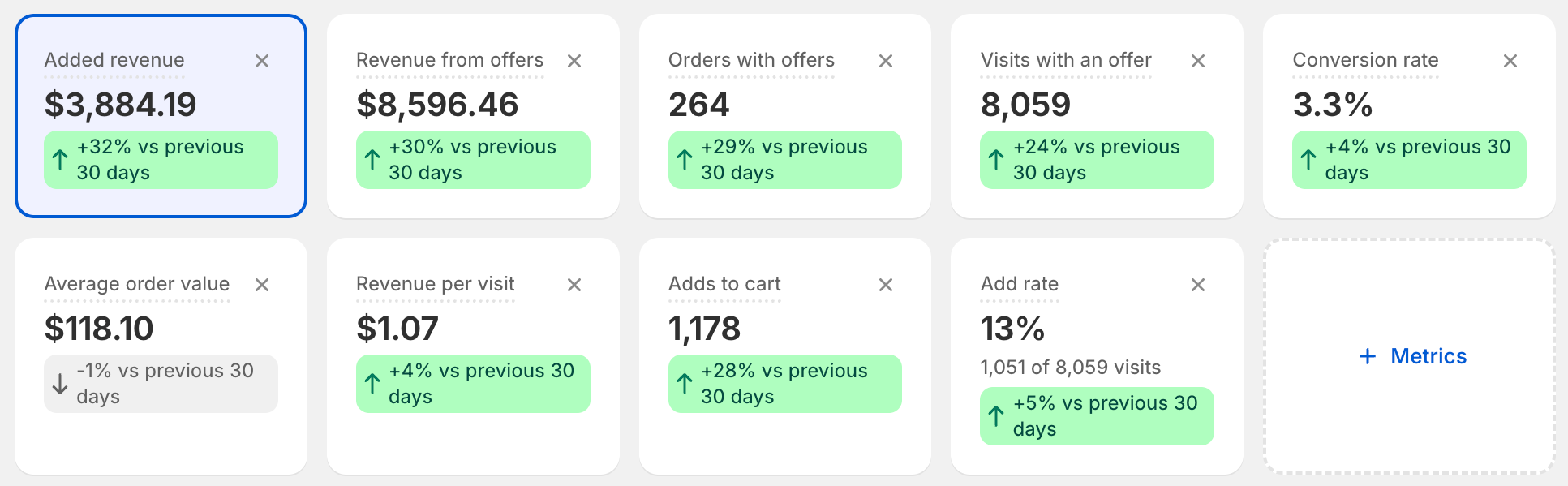
AndOr analytics cards with added revenue highlighted
Over time

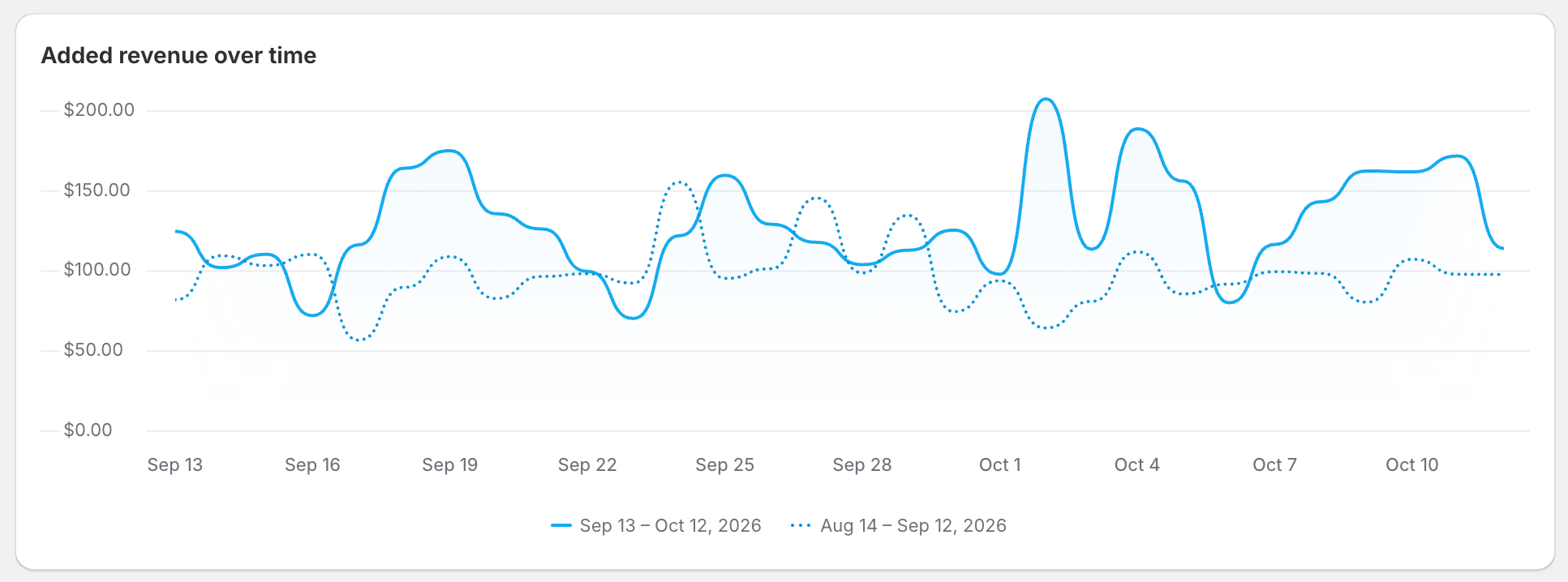
Added revenue, front and center.

See it day by day. Compare it to the period before.

  • Today
  • Yesterday
  • Last 7 days
  • Last 30 days
  • Last 90 days
  • Last month
Added revenue over time compared to the previous period
Metrics

Every number that matters.

Pick the cards you want on your dashboard. Each one compares itself to the period before.

  • Added revenue
  • Revenue from offers
  • Orders with offers
  • Visits with an offer
  • Conversion rate
  • Average order value
  • Revenue per visit
  • Adds to cart
  • Add rate
  • Value added to carts
  • Orders with your discounts
  • Revenue with your discounts
  • Discounts given
  • Profit
Compare

Find your best offer.

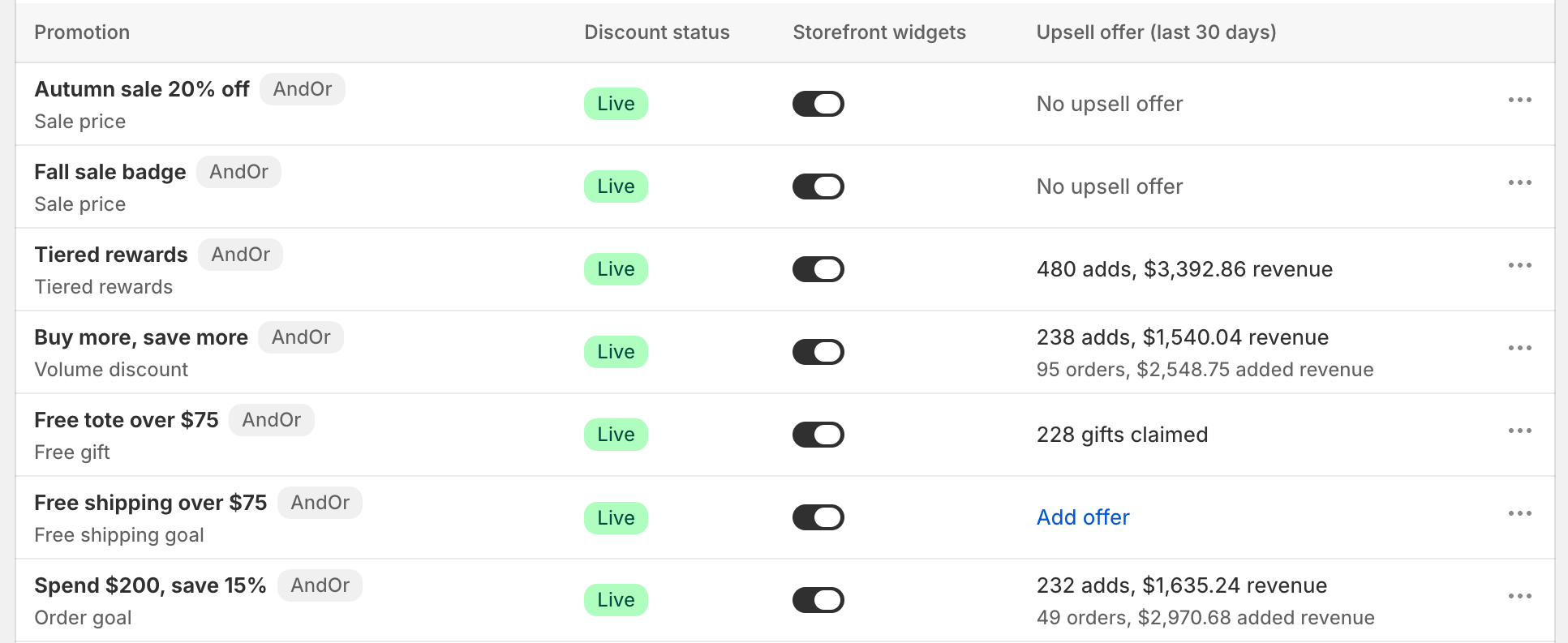
  • By promotionSee which promotion brings in the most.
  • By upsell offerCompare every offer side by side.
  • By placementProduct page, cart page or cart drawer: find where offers sell.
  • By offer typeVolume, goal, bundle, Buy X get Y or gift: see what your shoppers like.
Promotions list with live offers and their results
For theme developers

Your design, our numbers.

Build your own widgets and still measure them in AndOr.

  • Discount results, with any widgetWhen a shopper uses an AndOr discount, it counts, whatever widget or add to cart button they used. The numbers come from your orders.
  • Orders and revenue, credited to an offerAdd the offer's ID to the lines your widget adds. AndOr credits those orders to the offer, just like its own widgets.
  • Views and addsAndOr counts these for its own widgets only.

Measure your own widget

Follow the funnel.

The Funnel follows shoppers from the first visit to the order, so you see where an offer wins them over.

Take your data with you.

Click Export CSV and keep working in your own spreadsheet.

Start adding revenue today.

Install on Shopify