 See it in action
 Start from a use case
On this page
A use case is a ready-made rule for a common job, like “Hide COD for high-value orders”. Pick one and the rule form opens already filled in. You change the names and amounts to fit your store, then save.
Pick a use case on the Create rule page
-
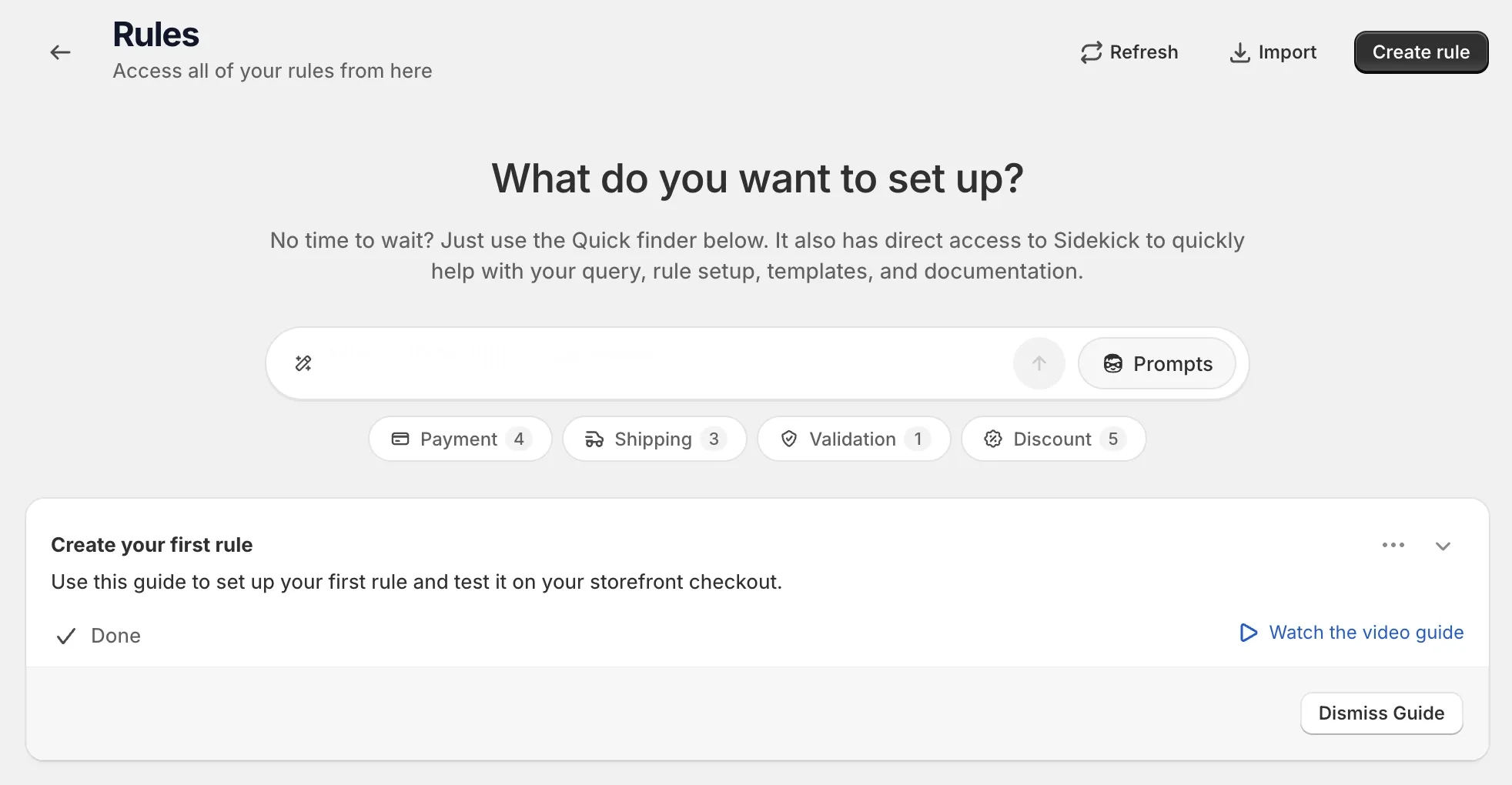
Open Rules and click Create rule.
-
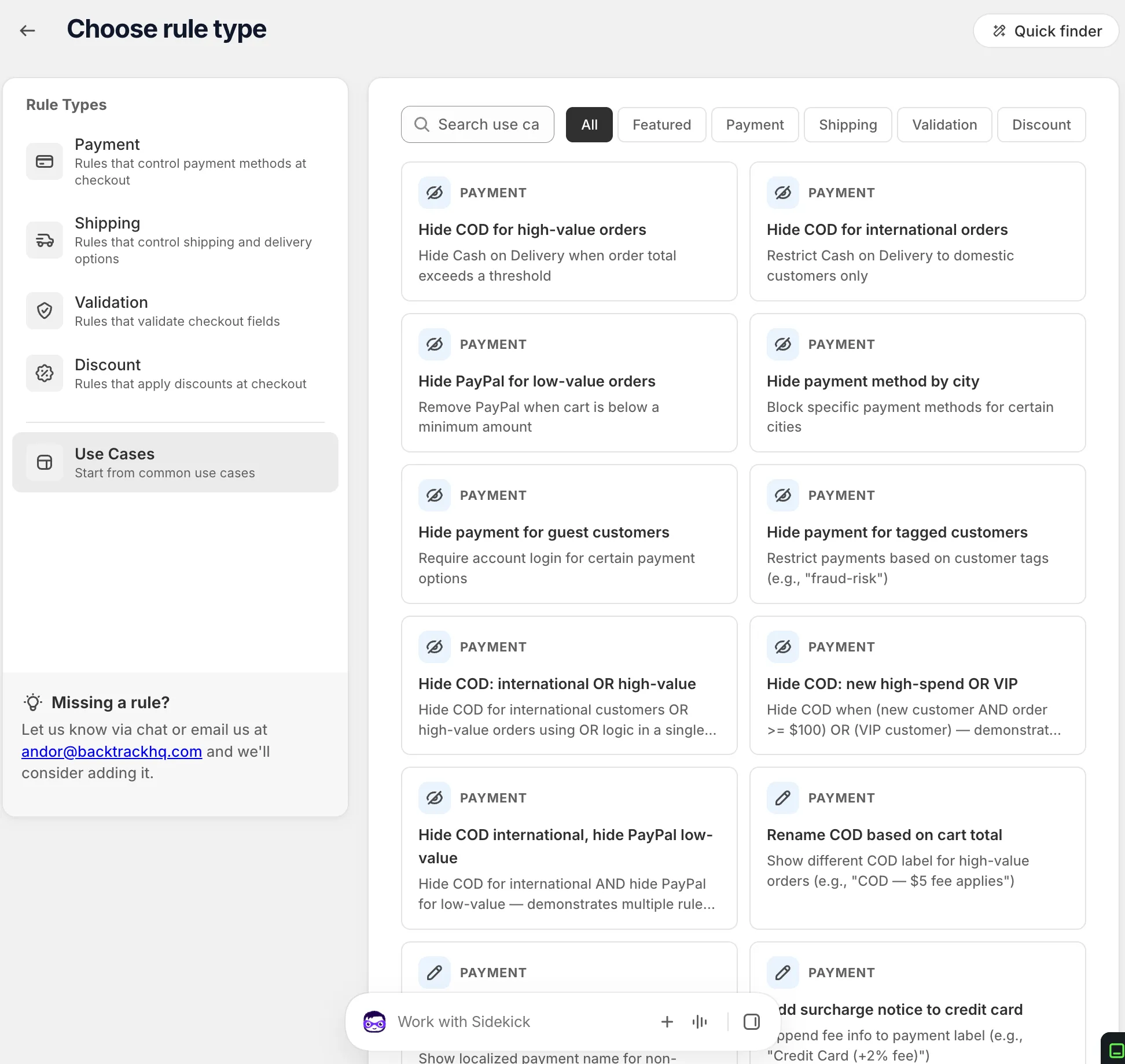
Click Use Cases in the left list, then search or filter.
The section is described as “Start from common use cases”. Type in Search use cases…, or click a filter: All, Featured, Payment, Shipping, Validation or Discount. Many cards show a Before and After preview of checkout.
-
Click a card.
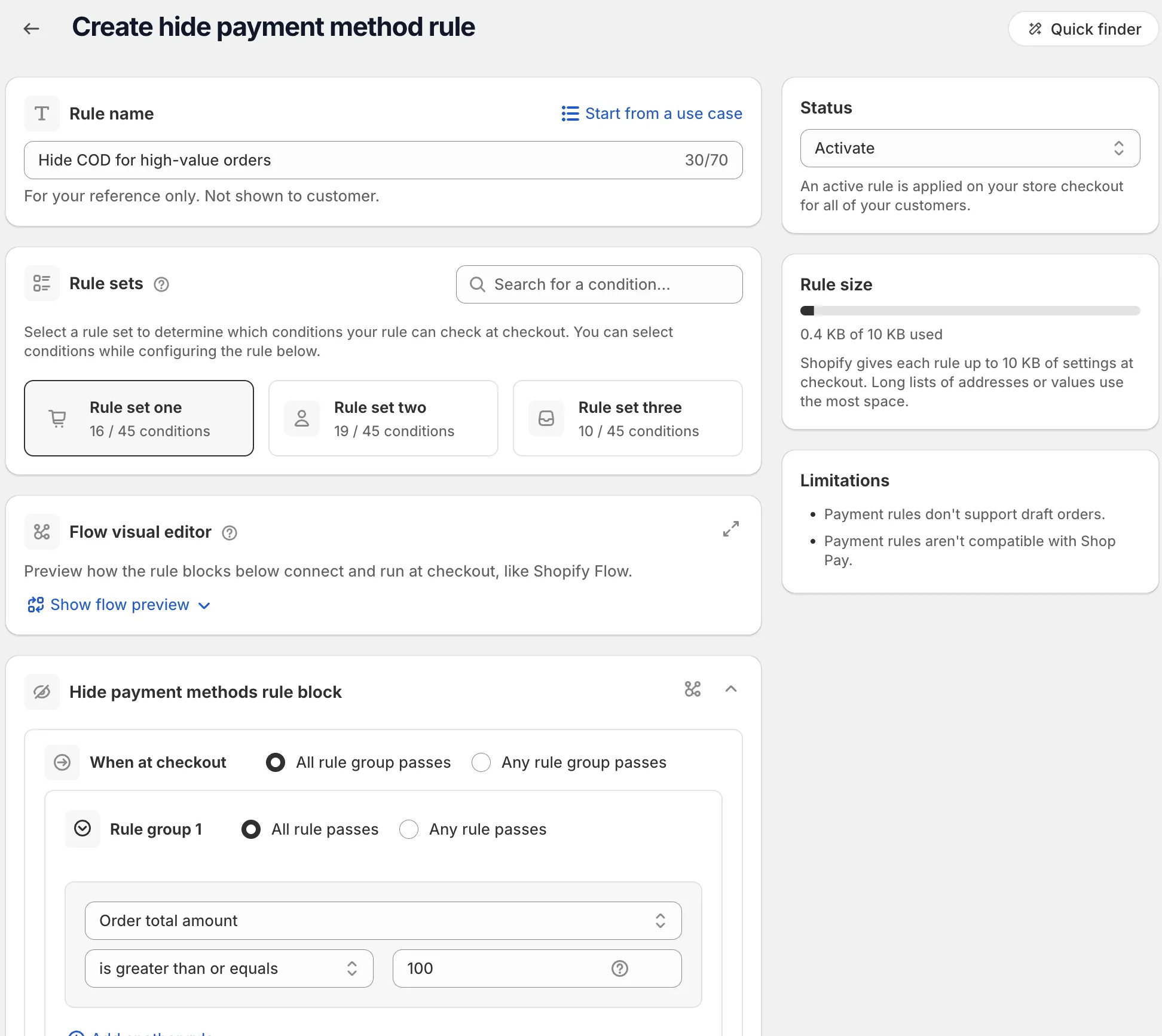
The rule form opens with the use case filled in.
-
Check every value, then save.
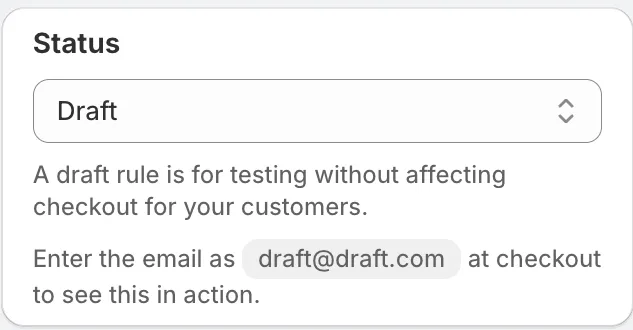
Replace the sample method names, amounts and tags with your own. Save as Draft first and test it. See Schedule and status.
Each rule type on the Create rule page also shows a short list titled “Use cases for …” with a View all use cases link.
Pick a use case inside the rule form
On a new rule, click Start from a use case next to the rule name.
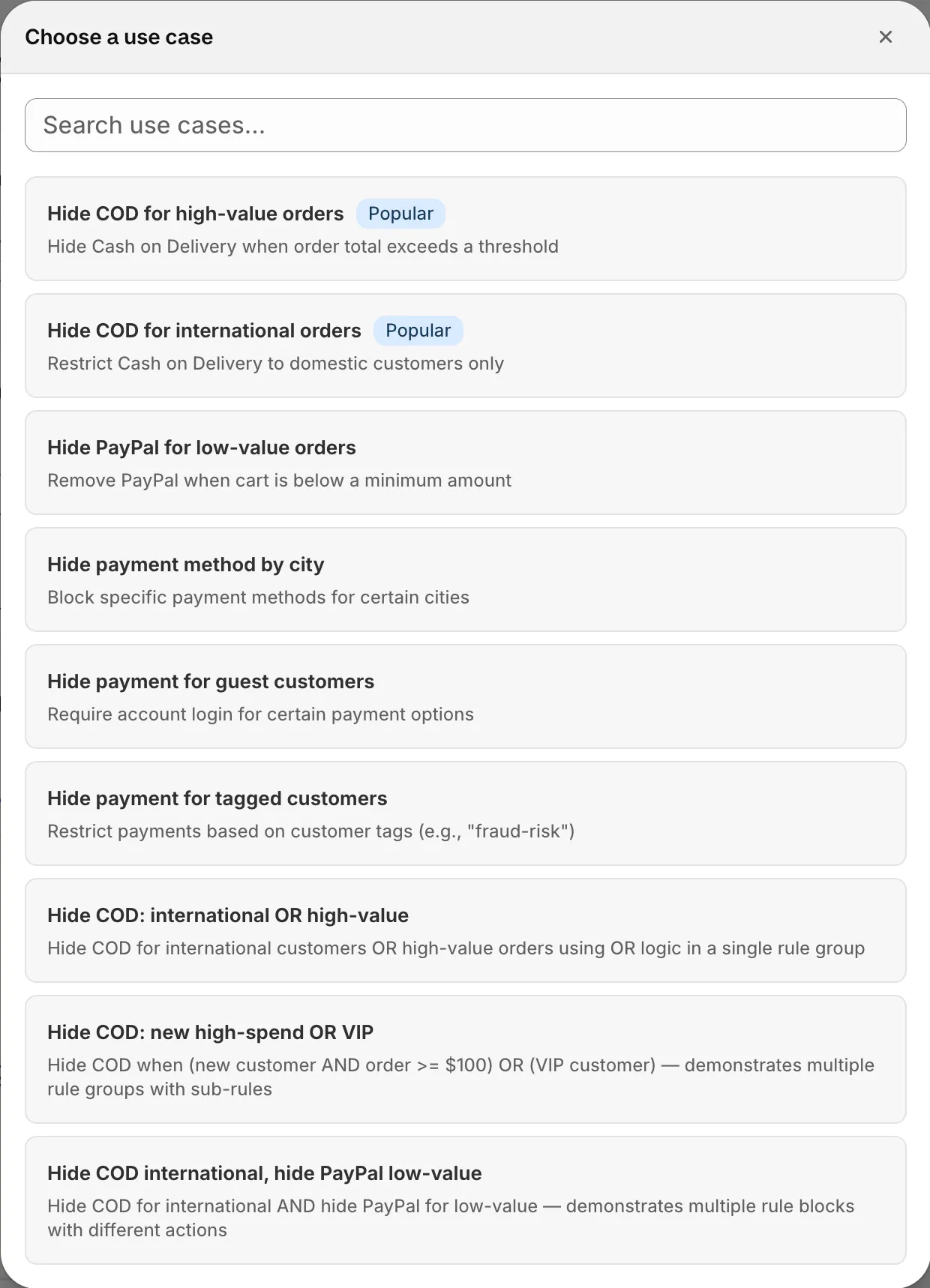
- The Choose a use case window lists the use cases for this rule type.
- Use Search use cases… to filter the list.
- Use cases marked Popular are listed first.
Picking one reloads the form with that use case. The button is not shown when you edit a saved rule.
Missing a rule?
If your search finds nothing, the page says “Ask for it and we’ll point you to the closest rule or log the request.” Click Ask for it and describe what you need. The Missing a rule? card also lets you reach us by chat or email.
Use cases by rule type
These are the use case names in the app.
Hide payment methods
Hide COD for high-value orders. Hide COD for international orders. Hide PayPal for low-value orders. Hide payment method by city. Hide payment for guest customers. Hide payment for tagged customers. Hide COD: international OR high-value. Hide COD: new high-spend OR VIP. Hide COD international, hide PayPal low-value.
Rename payment methods
Rename COD based on cart total. Rename payment for international customers. Add surcharge notice to credit card.
Reorder payment methods
Move COD to last position. Prioritize Shopify Payments. Prioritize COD for domestic orders. Move PayPal to top for international.
Hide express checkout options
Hide express for subscription products. Hide express for high-value carts. Hide all express payments at checkout.
Hide shipping methods
Hide express shipping for heavy orders. Hide local pickup for international. Hide carrier for certain regions. Hide shipping by product tag. Hide economy for high-value orders. Hide express for heavy oversized items. Hide a shipping method for listed street or area names.
Rename shipping methods
Rename for international customers. Add estimated delivery date. Rename free shipping to branded name. Add handling time for made-to-order.
Reorder shipping methods
Move pickup to top. Sort shipping by price (cheapest first). Sort shipping by price (most expensive first). Move free shipping to last position. Prioritize express for high-value orders.
Checkout validation
Block PO Box addresses. Block military addresses (APO/DPO/FPO). Require minimum order amount. Minimum cart quantity before checkout. Limit product quantity per item. Block checkout for specific delivery option. Block specific email domains. Block international high-risk orders. Set a maximum order amount. Limit maximum cart quantity. Restrict checkout to domestic orders. Block shipping to selected states. Block any discount on a shipping method. Block big discounts on a shipping method. Block wildcard discount codes on a shipping method (Plus required). Block a specific discount on a shipping method. Block a specific discount on large orders. Block discounts on tagged products.
Order discount
VIP customer percentage discount. Minimum cart total percentage discount. First-time customer discount. Returning customer discount. Collection-based order discount. Tiered discount by order subtotal. Product tag discount. Discount with product exclusions. Loyalty tiers (Gold/Silver/Bronze). Discount code with max uses. Subscription discount. Fixed amount off for collection. Discount for specific products. Discount excluding collections. Discount with order minimum (advanced). Order discount that skips tagged products.
Product discount
Buy One Get One Free (BOGO). Free gift with purchase. Volume / quantity discount. Bundle discount. Mixed bundle discount. Fixed bundle price. Sale % on tagged products. Mixed product discount. Mix & match, any N for % off. Buy 3 for $60. Buy 2, get 1 free. Second item 50% off. Buy X, get Y for a fixed price. Code discount that skips tagged products.
Shipping discount
Free shipping for minimum cart total. Free shipping for VIP customers. Free shipping for domestic orders. Discounted shipping for subscribers. Free shipping for specific product tag. Free shipping for first-time buyers. Fixed amount off shipping. Free shipping by region. Percentage off specific shipping method. Free shipping except Cash on Delivery. Free shipping over a cart subtotal.
Combined discount
Product discount + Free shipping. Order discount + Free shipping. BOGO + Free shipping. Product + Order + Free shipping. Bulk order reward + Free shipping. VIP customer reward + Free shipping. Tiered rewards.