 See it in action
 Example: block PO box addresses
This example blocks checkout when the shipping address is a PO Box. The shopper sees your message and can change the address. It uses the Block PO Box addresses use case.
How it works
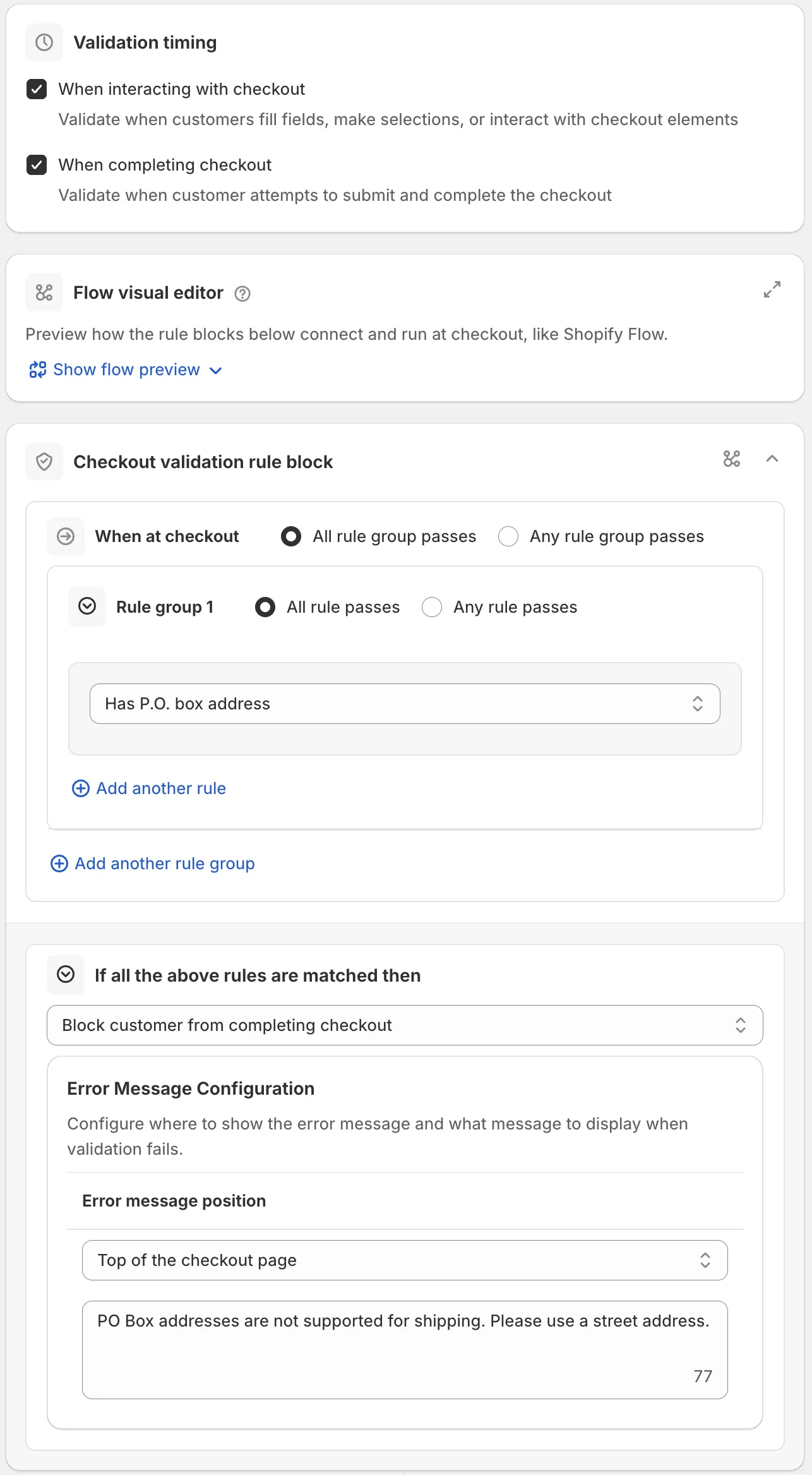
The rule is a Checkout validation rule with:
- Condition: Has P.O. box address (rule set one).
- Action: Block customer from completing checkout.
- Error message: at Top of the checkout page: “PO Box addresses are not supported for shipping. Please use a street address.”
Set it up
-
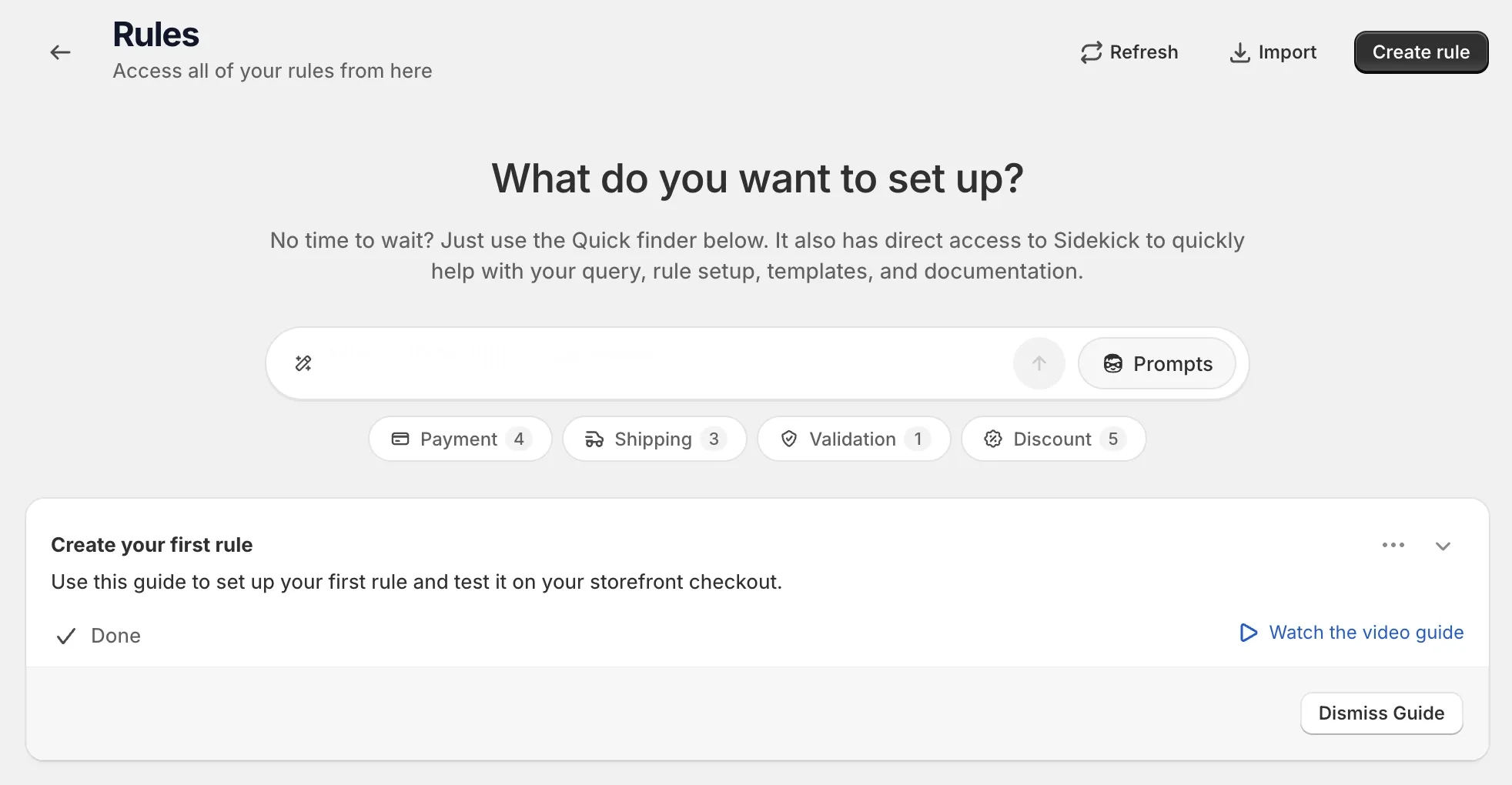
Open Rules and click Create rule.
-
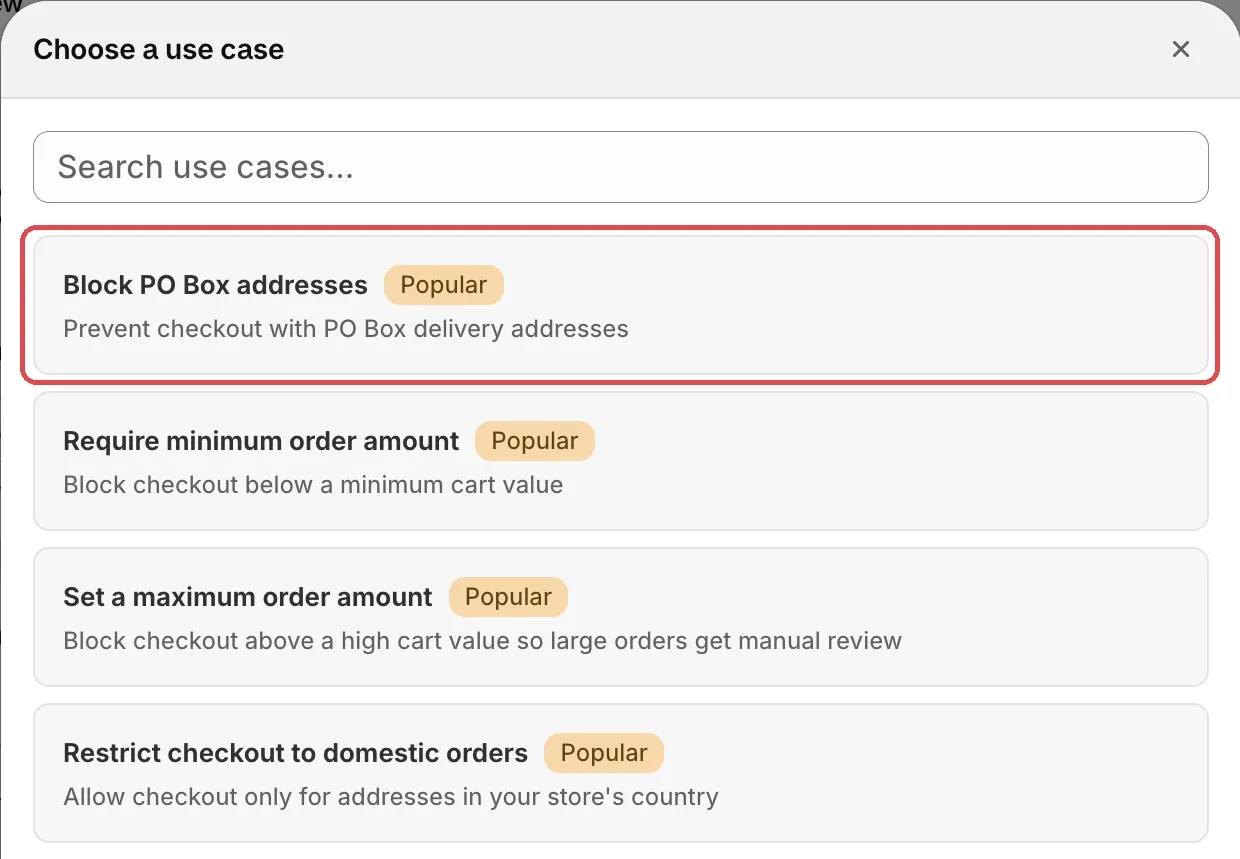
Under Validation, find Checkout validation, click Select, then click Start from a use case and pick Block PO Box addresses.
-
Check the error message, its position and the timing.
Change the text if you like. To show it next to the address too, click Add error message configuration and pick Address line one. Use Translate for other languages. Leave both Validation timing options on. Then the shopper sees the error while typing the address, and again if they try to pay.
-
Save it as a draft, test it, then activate it.
In the Status card, choose Draft and save. At checkout, enter the test email from the rule’s Status card and a PO Box address, for example “PO Box 123”. Checkout should show your message and stop. A street address should pass.
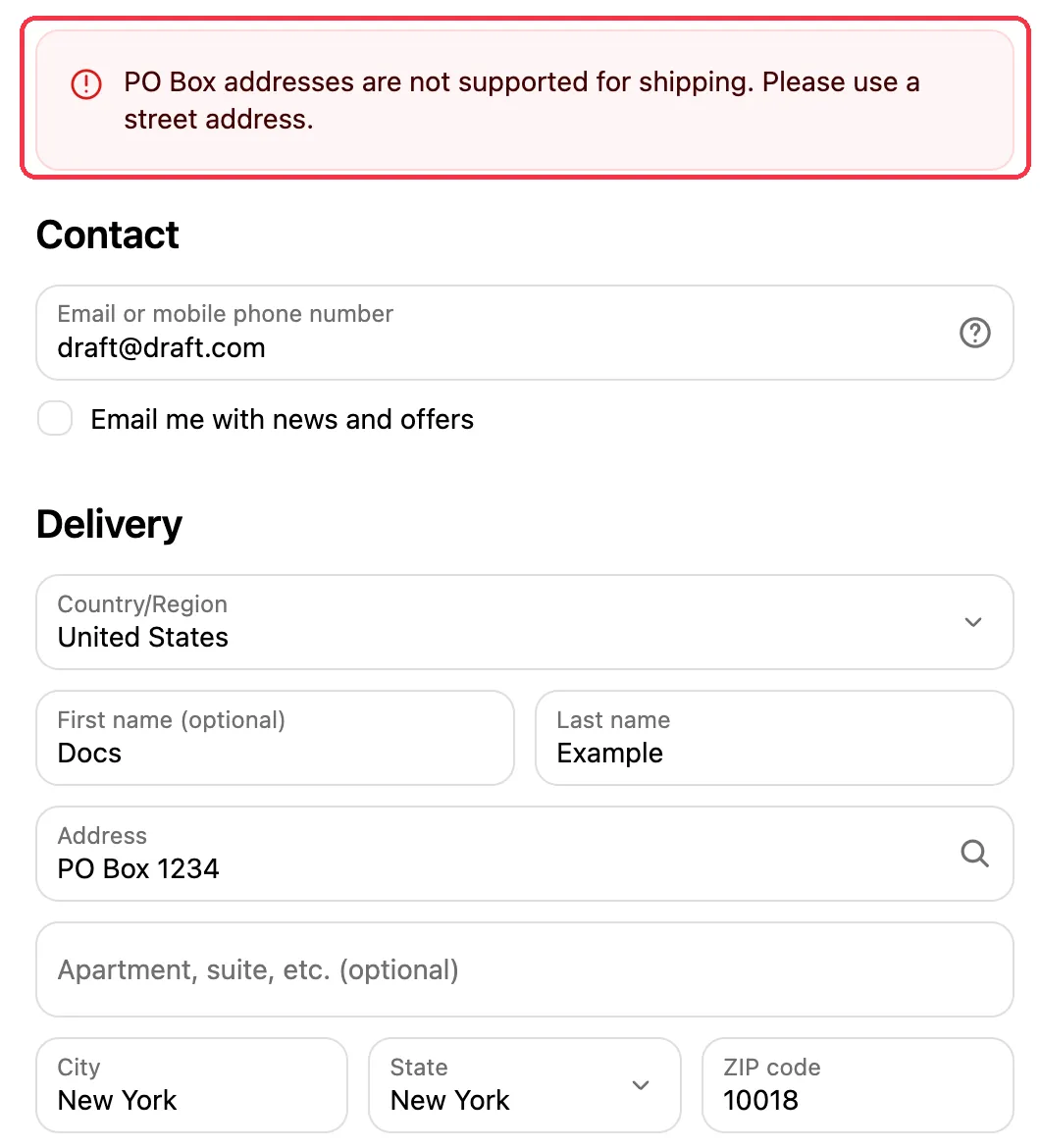
When it works, choose Activate in the Status card and save.
Variations
- Block military addresses (APO/DPO/FPO): prevents orders to US military addresses.
- Block shipping to selected states: blocks provinces or states you don’t ship to.
- Hide only one shipping method for PO Boxes: Has P.O. box
address is only in checkout validation rules. In a
Hide shipping methods rule,
use Address line 1 and 2 contains
PO Box, P.O. Boxin rule set two instead. Shoppers can still check out with another method.
What counts as a PO Box
The check reads address line 1 and address line 2. It ignores upper and lower case, dots and spaces. A line counts as a PO Box when it says one of these, followed by a number:
- “PO Box”, for example “PO Box 123”, “P.O. Box 456” or “P O Box 789”
- “Post Office Box”
- “Postbox”
- “GPO Box”
- “POB”
Street names don’t match, for example “Pond Road” or “Post Office Road”. The check only knows English spellings.
Limits
- Validation rules also run on draft orders. See Limits.
- An address that hides a PO Box in an unusual way may not match.
See Limits.