 See it in action
 Shipping discount
On this page
“Apply automatic discounts to shipping methods at checkout.” For example, free shipping when the cart is over an amount, or a fixed amount off one shipping method.
Before you start
- Note the exact names of the shipping rates you want to discount.
- Decide if shoppers get it automatically, or must enter a code. You can’t change this after you save.
Set it up
-
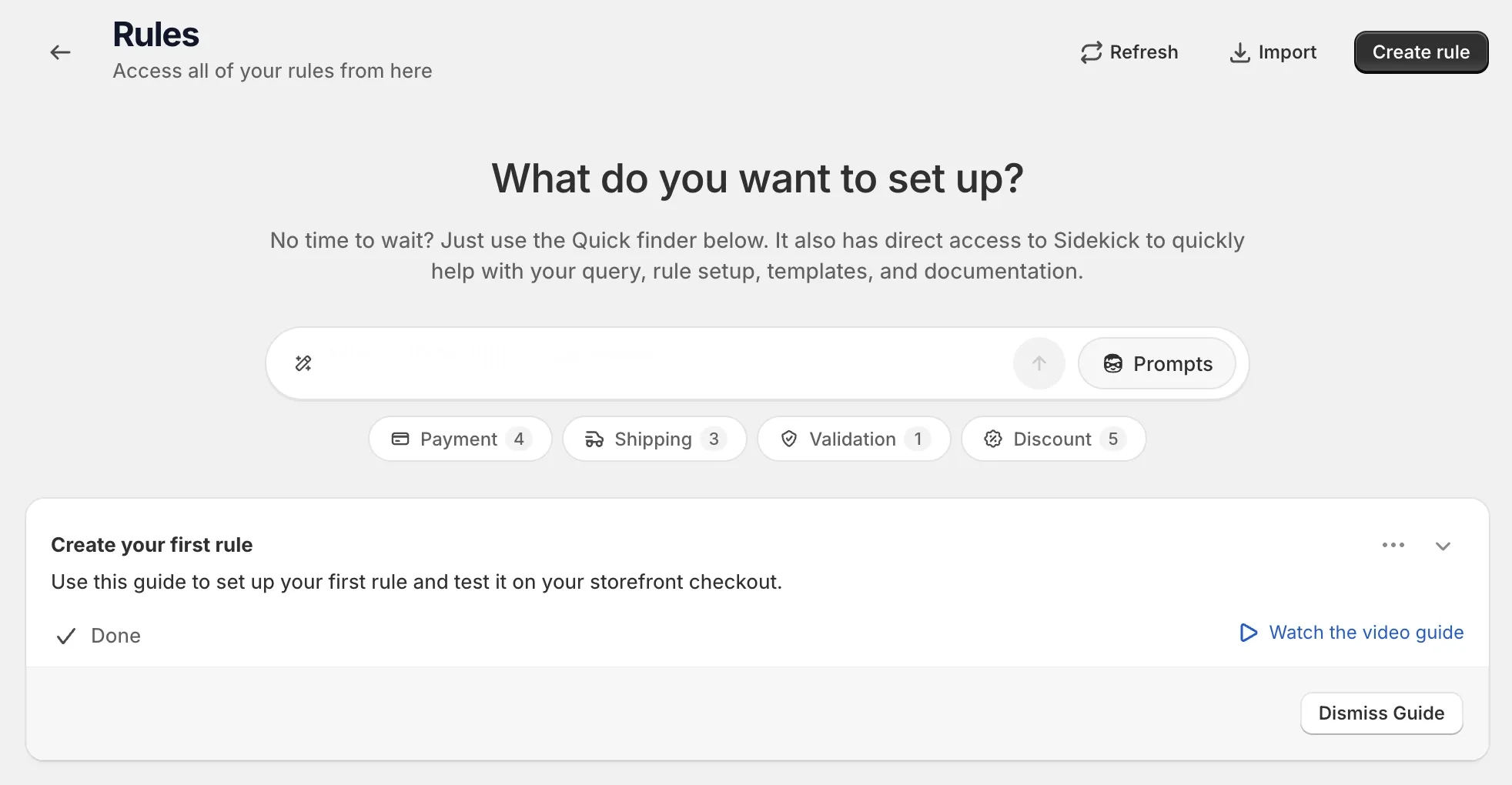
Open Rules and click Create rule.
-
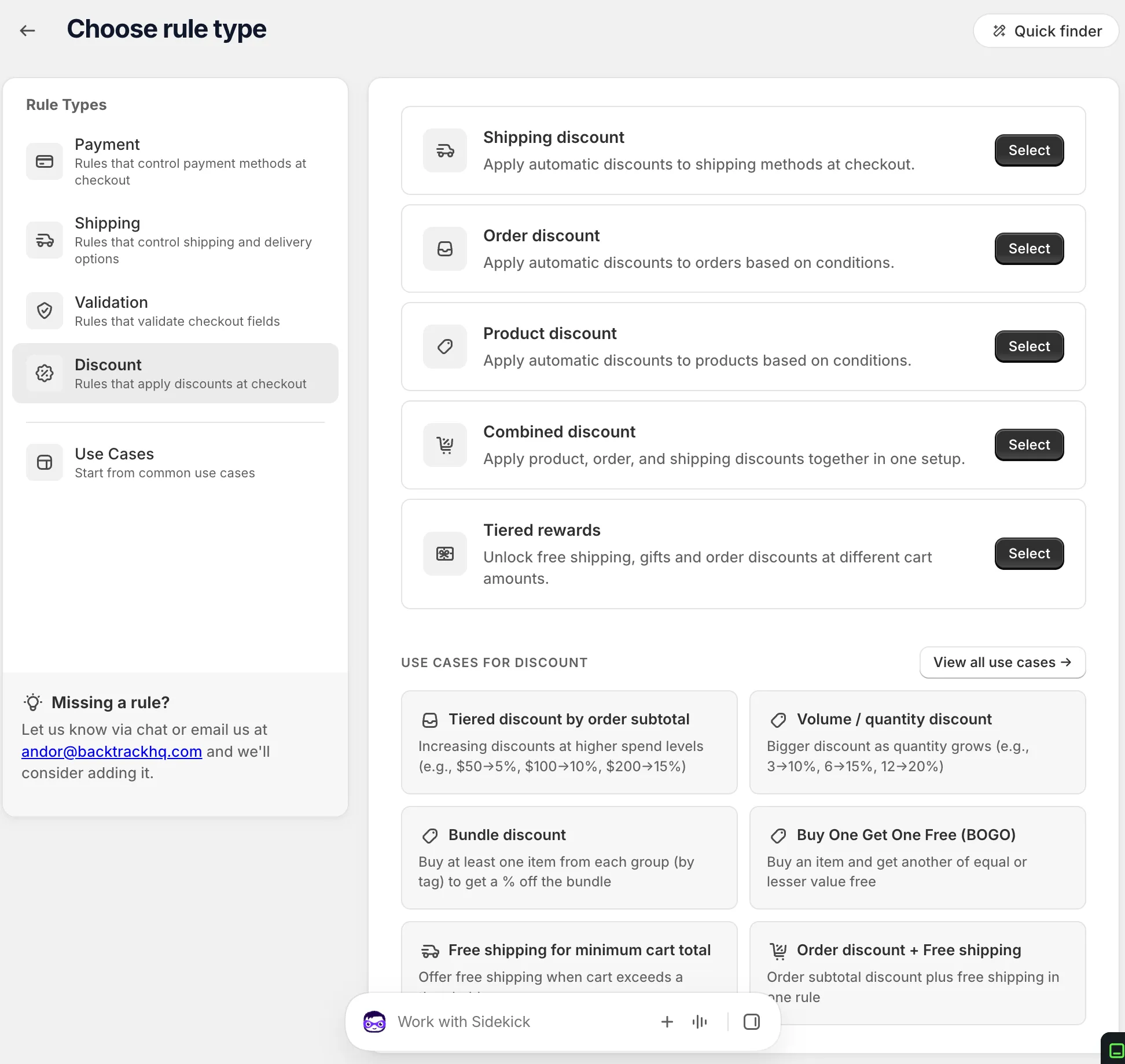
Under Discount, find Shipping discount and click Select.
-
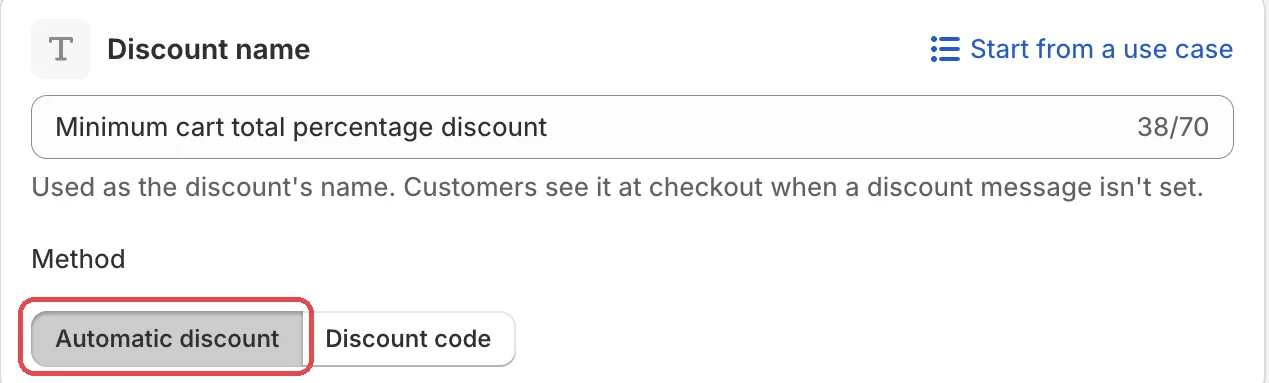
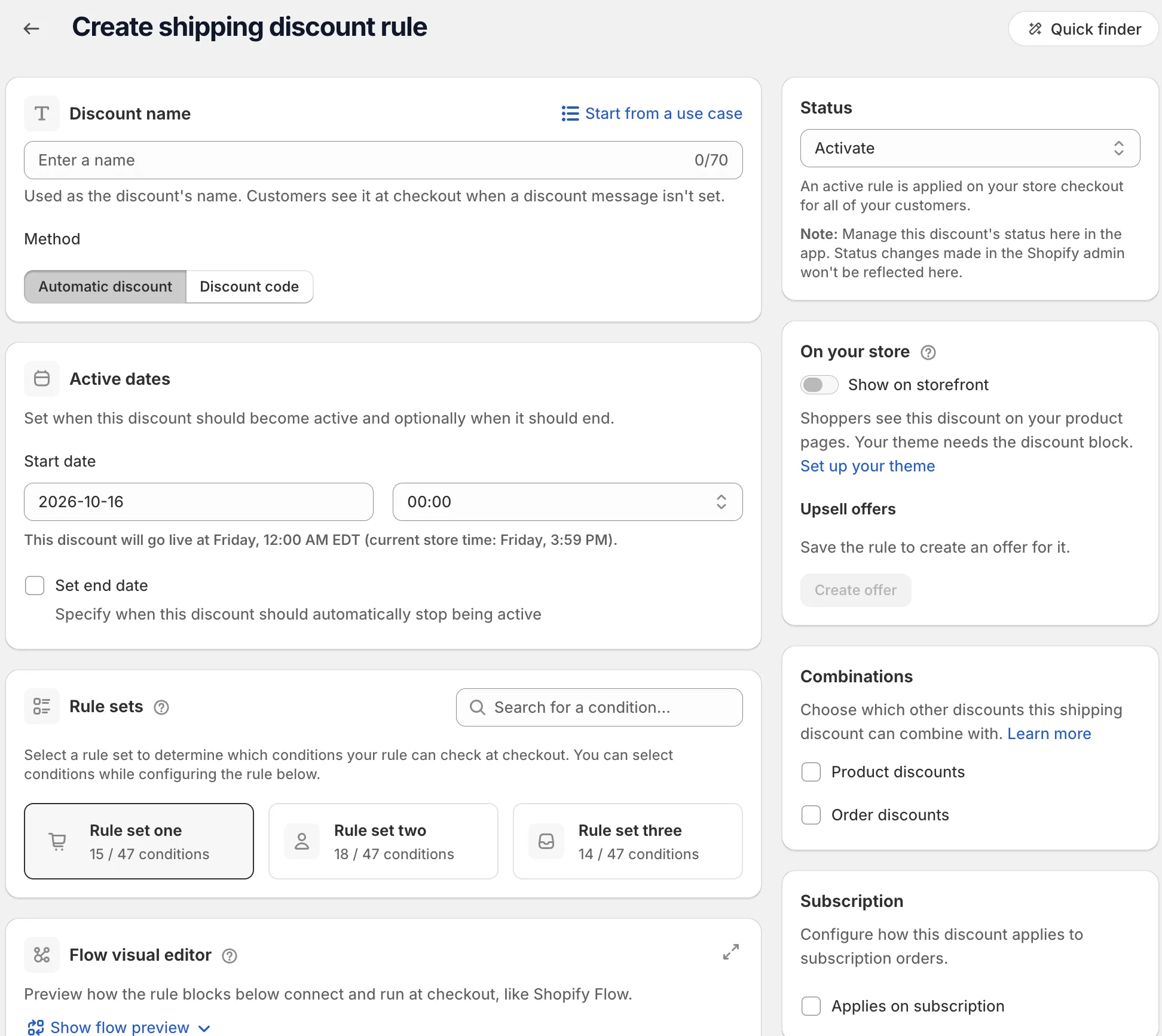
Name the discount and pick the Method.
Choose Automatic discount or Discount code. For a code, type it or click Generate random code. Or click Start from a use case to fill in the whole form. See Start from a use case.
-
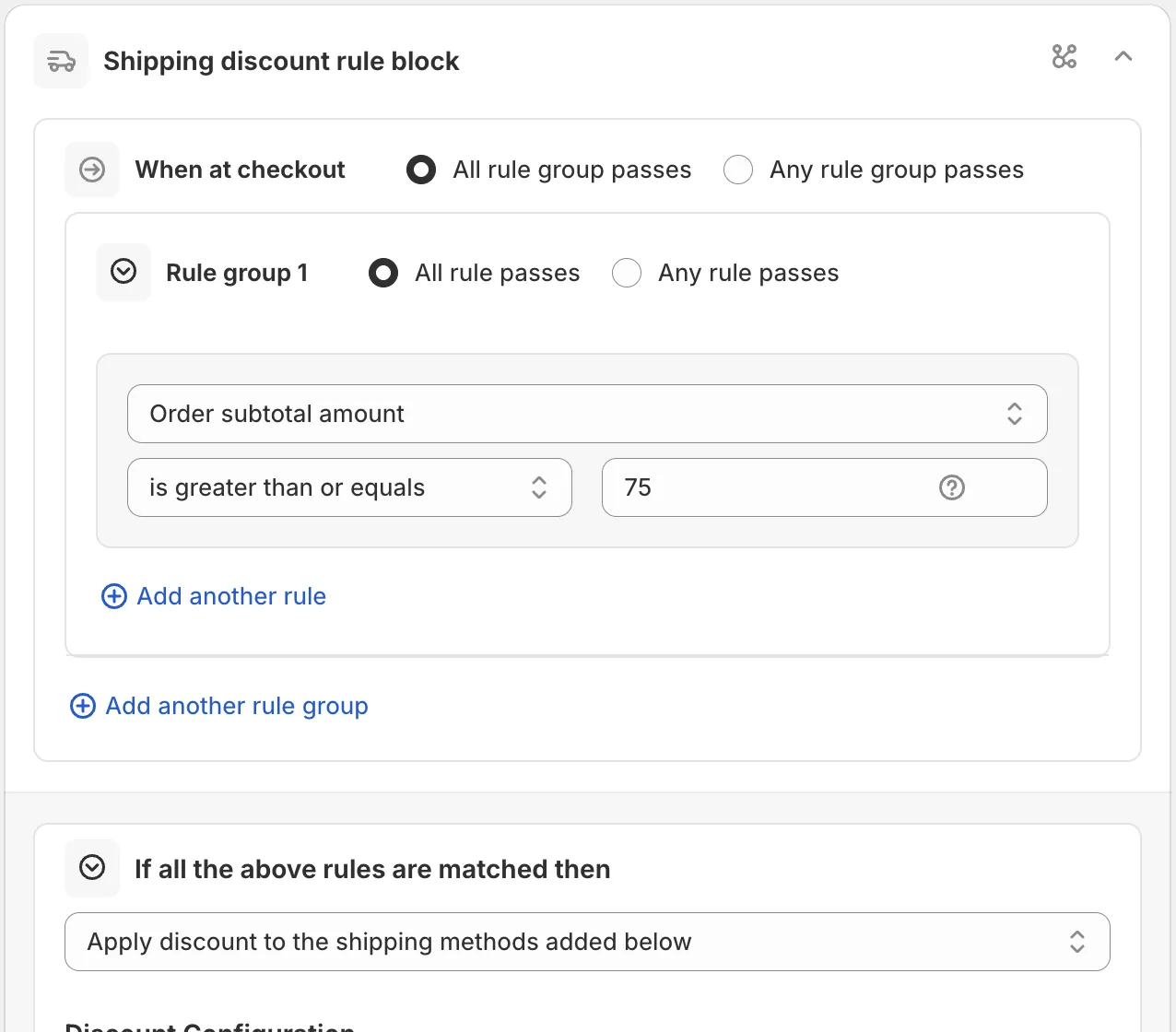
Pick a rule set and add your conditions.
In Rule sets, pick the set with the conditions you need. Then, under When at checkout, add your conditions. For example Order subtotal amount is greater than or equals your free shipping amount. See Conditions, groups and blocks.
-
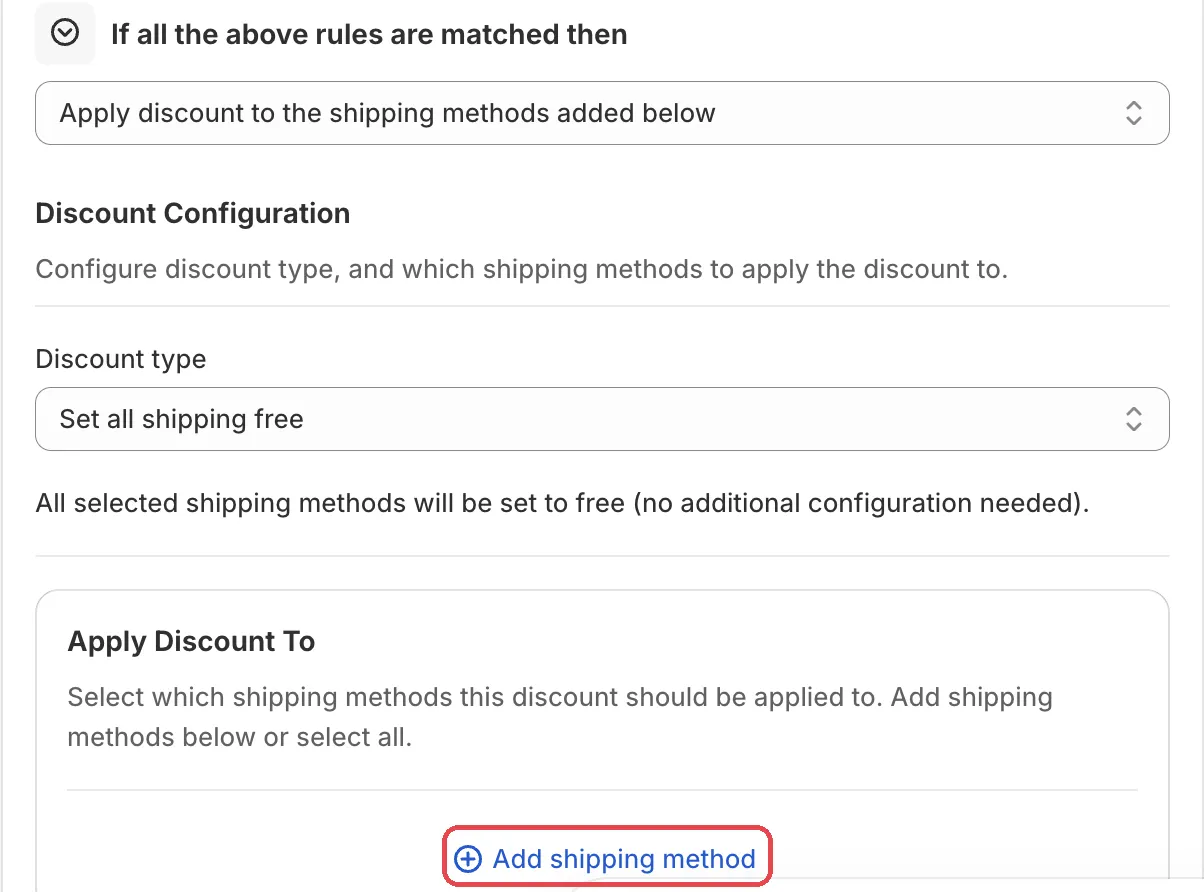
In Discount Configuration, pick the discount type and the shipping methods.
Under Apply Discount To, pick All shipping methods, or add methods with Add shipping method. Then set the side cards: Combinations and, if needed, Active dates.
-
Save it as a draft, test it, then activate it.
In the Status card, choose Draft and save. Then go to checkout on your store and enter the test email from the rule’s Status card. Only this email sees a draft rule. Fill in an address so shipping rates show, then check the price.
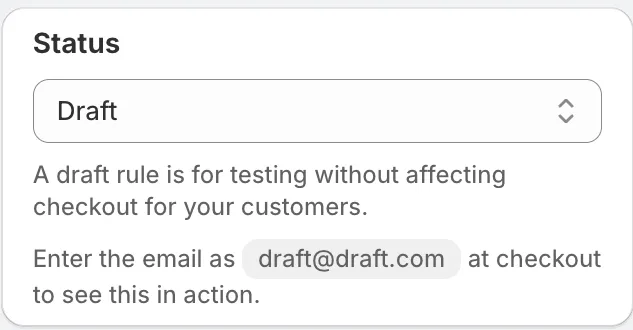
When it works, choose Activate in the Status card and save.
Actions
Apply discount to the shipping methods added below
The only action for this rule type. It discounts the shipping methods under Apply Discount To.
Settings
Type
Options: Percentage discount, Fixed amount off, Set fixed price, Set all shipping free, Subtotal percentage amount.
- Percentage discount: a percentage between 0 and 100 off the rate.
- Fixed amount off: an amount in your store currency off the rate.
- Set fixed price: the rate costs this price.
- Set all shipping free: all selected methods become free.
- Subtotal percentage amount: takes a percentage of the order subtotal off shipping.
Set a maximum discount cap
“Limit the maximum discount amount that can be applied.” Then set the Maximum discount cap in your store currency.
Discount message
Shown to shoppers when the discount applies, for example “10% off shipping”. It has a Translate button.
Apply Discount To
Choose All shipping methods, or add each method with Add shipping method. A method row matches by name (Name contains, Name is and so on) or by Delivery cost.
Maximum discount uses, Active dates, Combinations, Subscription
These side cards work the same as on a product discount. See Product discount.
Examples
Open Start from a use case on the rule page and pick one of these:
- Free shipping for minimum cart total: free shipping when the cart is over an amount.
- Free shipping except Cash on Delivery: free shipping on every method except your Cash on Delivery rate.
- Free shipping for domestic orders: free shipping only within your store’s country.
Limits
The Limitations card on the rule page lists: “Draft order checkouts are not supported.”
See Limits.