 See it in action
 Horizon
On this page
Horizon is Shopify’s free theme that builds its pages, and its product cards, from blocks. Every AndOr widget works on Horizon 4.0 or later, the cart drawer included. You place widgets as app blocks in the theme editor. You don’t edit theme files, except for one optional snippet on product cards.
Note Tested on Horizon 4.3.0 on our demo store, October 16, 2026.
At a glance
| On Horizon | |
|---|---|
| App blocks | Yes, on every template |
| Cart drawer parts | Horizon 4.0 or later |
| Instant updates after a cart change | Horizon 4.0 or later |
| Product cards | AndOr Sale price and AndOr Savings badge blocks in the card |
| Tested on | Horizon 4.3.0, October 16, 2026 |
What works
- Every app block on the product page, the cart page and collection pages.
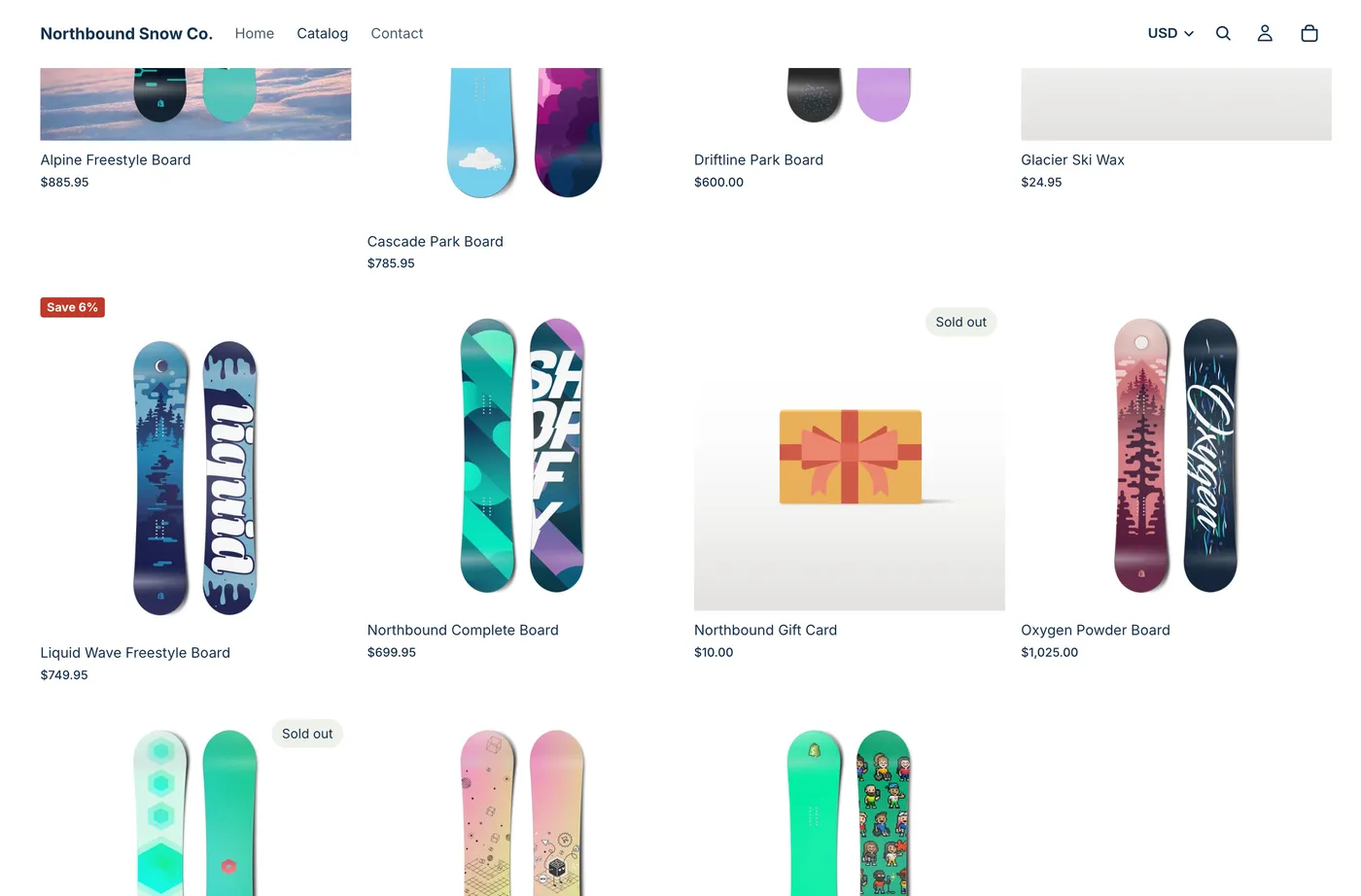
- The sale price and savings badge on product cards, as blocks.
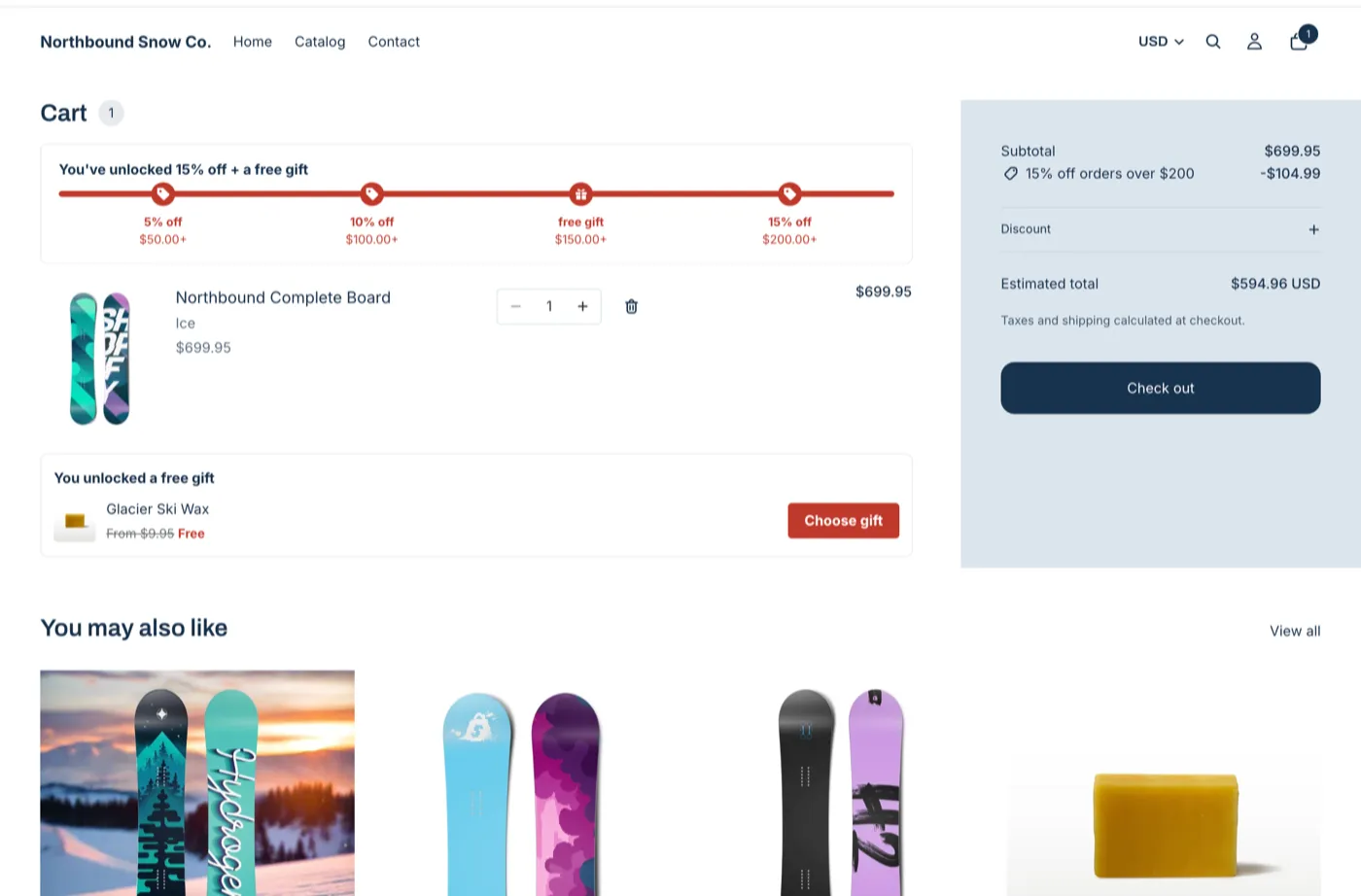
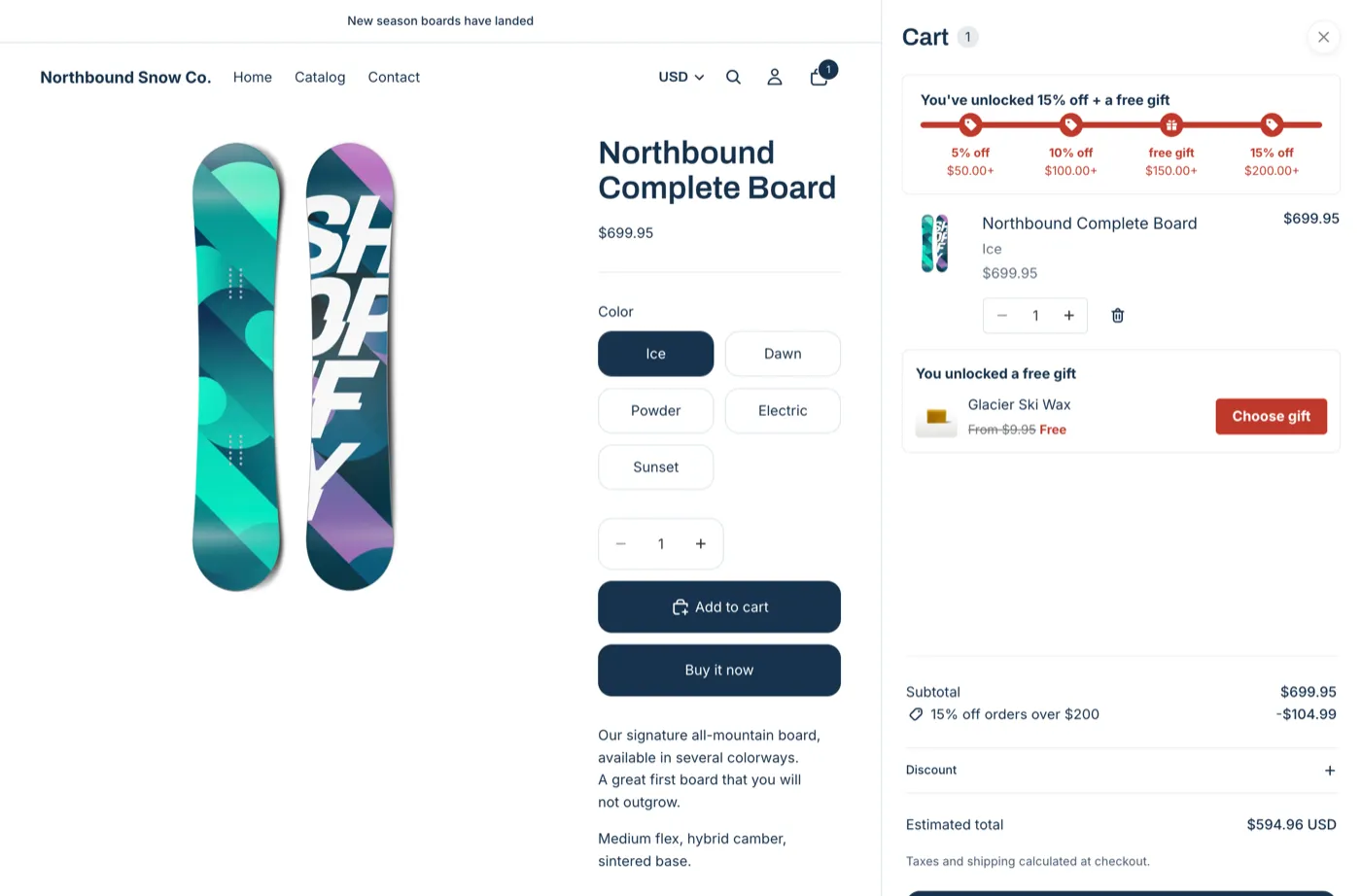
- The cart drawer: the goal bar, the gift slot and the Buy X get Y claim row.
- Instant updates: the goal bar and the pickers follow the cart without a reload.
- Upsell adds open Horizon’s own cart drawer.
- Adding and removing a gift in the drawer, quantity changes in the drawer and on the cart page, and the back button all show the new cart.
Every item above passed on Horizon 4.3.0.
On Horizon 3 or older, everything works except the cart drawer parts and instant updates. Update the theme to get them. See Theme requirements.
Where to place each block
Open the theme editor: in Shopify, go to Online Store > Themes and click Edit theme.
| Block | Template | Where on Horizon |
|---|---|---|
| AndOr Sale price | Product, product card | Under the price, or in place of it with Hide the theme’s price |
| AndOr Savings badge | Product, product card, any | Near the price or the title, or on the card |
| AndOr Countdown | Product | Under the price |
| AndOr Volume tiers | Product | Under the price, above the quantity field |
| AndOr Offer picker | Product, cart | Product: under the buy buttons. Cart: under the cart items |
| AndOr Order goal | Product, cart | Cart: above the cart items. Product: under the buy buttons |
| AndOr Collection banner | Collection | Under the collection title |
| AndOr Offers | Any | Product page: under the buy buttons |
| AndOr Discount callout | Any | At the top of a section |
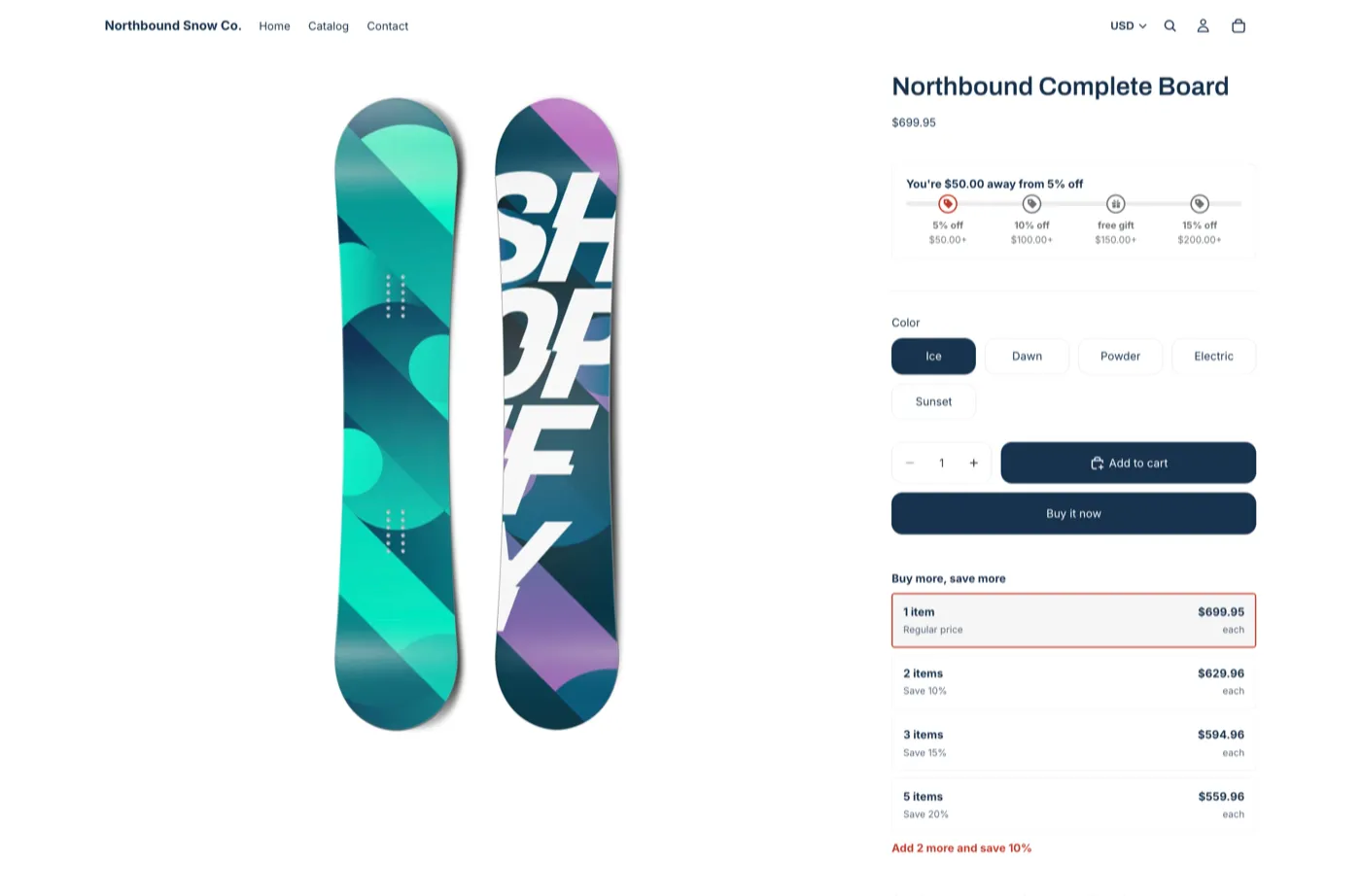
On a product that already has a sale price, the volume tiers table hides itself and AndOr’s sale price shows instead. This is by design.
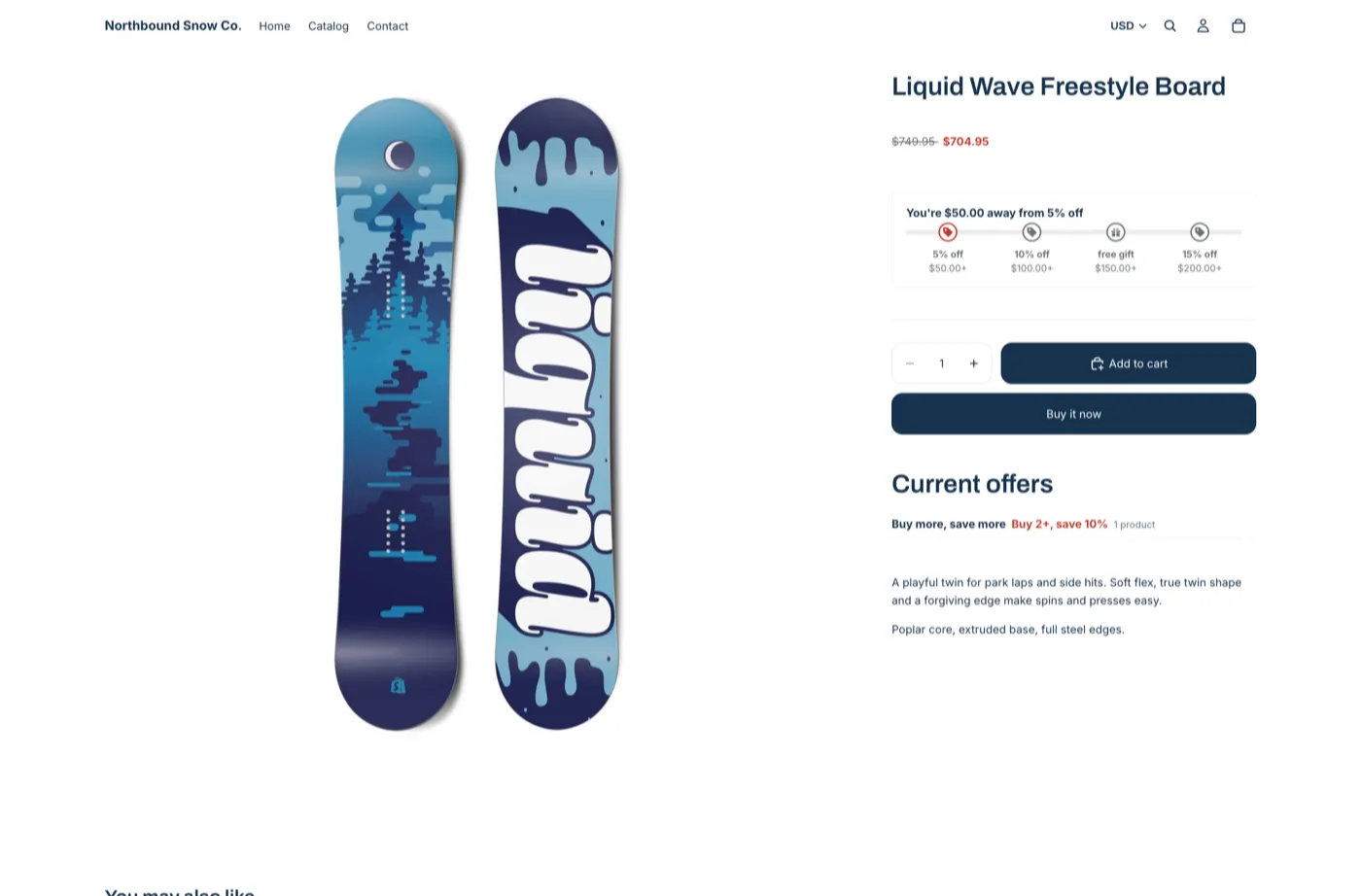
The badge shows the product’s own saving. Products without one show no badge, even when an order goal applies.
Style tips
AndOr’s colors come from the app embed. To match Horizon’s own colors and corners, paste the CSS in CSS that matches Horizon into the embed’s Custom CSS.
The Classic style preset fits Horizon’s default look. On a dark color scheme, pick Dark.
The cart drawer
On Horizon 4.0 or later:
- Goal bar in the drawer. Turn on Also show in the cart drawer on
the AndOr Order goal block. It shows on pages where the block is
placed. Or paste
<andor-goal data-drawer="only">to show it on every page. - Claim rows and the gift slot appear in the drawer by themselves. The app embed puts them there.
- After an upsell add, Horizon redraws its own drawer and opens it.
- The gift chooser opens above the drawer. Closing it returns to the drawer.
Known quirks and fixes
- The sticky add-to-cart bar keeps the theme price. It is not part of the product section. A developer can hide it too. See Sale price tag.
- No product card file to paste into. Horizon has no
snippets/card-product.liquid, so the card recipes don’t apply. Use the blocks in the card instead. See Product cards.
Developer recipes
Note The Horizon variable names below were checked against Horizon 4.2.0. A later version may rename a variable, so check the names in the version you run.
Where things go
| What | Where on Horizon |
|---|---|
| App blocks on a product page | Theme editor, product template. Drag the block under the price. |
| App blocks on a product card | Theme editor, the product card. Add AndOr Sale price or AndOr Savings badge. |
| One-line tags on a product page | A Custom Liquid block on the product template |
<andor-claim> tag |
A Custom Liquid block on the cart template |
Product cards
Do not paste the card recipes on Horizon. There is no
snippets/card-product.liquid. Add the AndOr Sale price or AndOr
Savings badge app block to the product card in the theme editor
instead.
The one exception is the
volume discount hint.
Save its snippet as snippets/andor-card-tiers.liquid, then add two Custom
Liquid blocks to the product card:
- Under the image, for the chip:
{% render 'andor-card-tiers', card_product: closest.product, part: 'badge' %}- In place of the Title block (hide it), so the icon sits beside the title:
<p style="margin:0">{{ closest.product.title | escape }}{% render 'andor-card-tiers', card_product: closest.product, part: 'info' %}</p>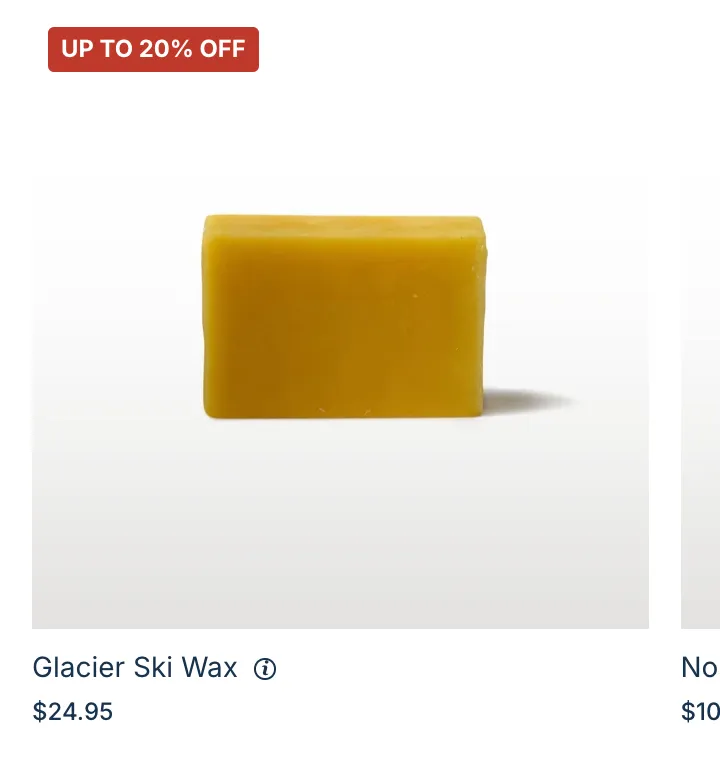
That title uses the card’s text style, not the Title block’s font settings. On default Horizon the two look the same.
Sale price tag
Do not paste <andor-price> into blocks/price.liquid. Product cards
use that block too, so every card would print this page’s price. Add a
Custom Liquid block to the product template with this one line:
<andor-price data-hide="#shopify-section-{{ section.id }} product-price"></andor-price>
Horizon’s sticky add-to-cart bar keeps showing the theme price. To hide
that one too, add its price element to the data-hide selector, after a
comma.
Cart drawer details
- AndOr fills the drawer on Shopify’s
shopify:cart:viewevent and follows the cart onshopify:cart:lines-update. Horizon 4.0 sends both. - After an upsell add, AndOr calls
Shopify.actions.updateCart, thenShopify.actions.openCart(), so Horizon redraws its own drawer. - After a gift removal in the drawer, AndOr asks Horizon to redraw its cart. See Cart updates.
- Variant changes reach the sale price through Horizon’s
shopify:product:selectevent. - The gift chooser is a modal dialog. Horizon’s drawer is a modal dialog too. The chooser stacks above it.
CSS that matches Horizon
Horizon’s colors are whole CSS colors, used as is. Put these in
assets/base.css, a snippet rendered in layout/theme.liquid, or the
embed’s Custom CSS.
Sale price:
andor-price {
  --andor-original-color: var(--color-foreground-muted, #666);
  --andor-sale-color: var(--color-foreground);
  --andor-price-badge-radius: var(--style-border-radius-pills, 40px);
}Savings badge:
andor-badge {
  --bg: var(--color-primary-button-background);
  --andor-badge-background: var(--bg) !important;
  --andor-badge-color: var(--color-primary-button-text) !important;
  --andor-badge-radius: var(--style-border-radius-pills, 40px);
}Goal bar:
andor-goal {
  --andor-goal-border-color: var(--color-border);
  --andor-goal-radius: var(--style-border-radius-inputs, 8px);
  --andor-goal-step-color: color-mix(in srgb,
    var(--color-foreground) 65%, #0000);
  --andor-goal-marker-background: var(--color-background);
  --andor-goal-fill-color: var(--color-primary-button-background);
}Gift chooser:
.andor-qv {
  --andor-qv-bg: var(--color-background);
  --andor-qv-text: var(--color-foreground);
  --andor-qv-border: var(--color-border);
  --andor-qv-radius: var(--style-border-radius-popover, 12px);
  --andor-qv-pill-radius: var(--style-border-radius-pills, 40px);
  --andor-qv-swatch-size: var(--variant-picker-swatch-width, 32px);
}Horizon names colors per scheme. Check the names in your version’s
snippets/color-schemes.liquid.
Free themes built on Horizon
Atelier, Dwell, Fabric, Heritage, Pitch, Ritual, Savor, Tinker and Vessel share Horizon’s code. At their latest version they should work the same way. We tested Tinker: it matches Horizon.