 See it in action
 Example: hide cash on delivery (COD)
On this page
This example hides Cash on Delivery (COD) at checkout when the risk is higher: big orders, orders shipped abroad, or either one. Three ready-made use cases do it for you.
Pick the use case
| Use case | Hides COD when |
|---|---|
| Hide COD for high-value orders | The order total is at or above an amount |
| Hide COD for international orders | The shipping country is not your home country |
| Hide COD: international OR high-value | Either of the two is true |
Set it up
-
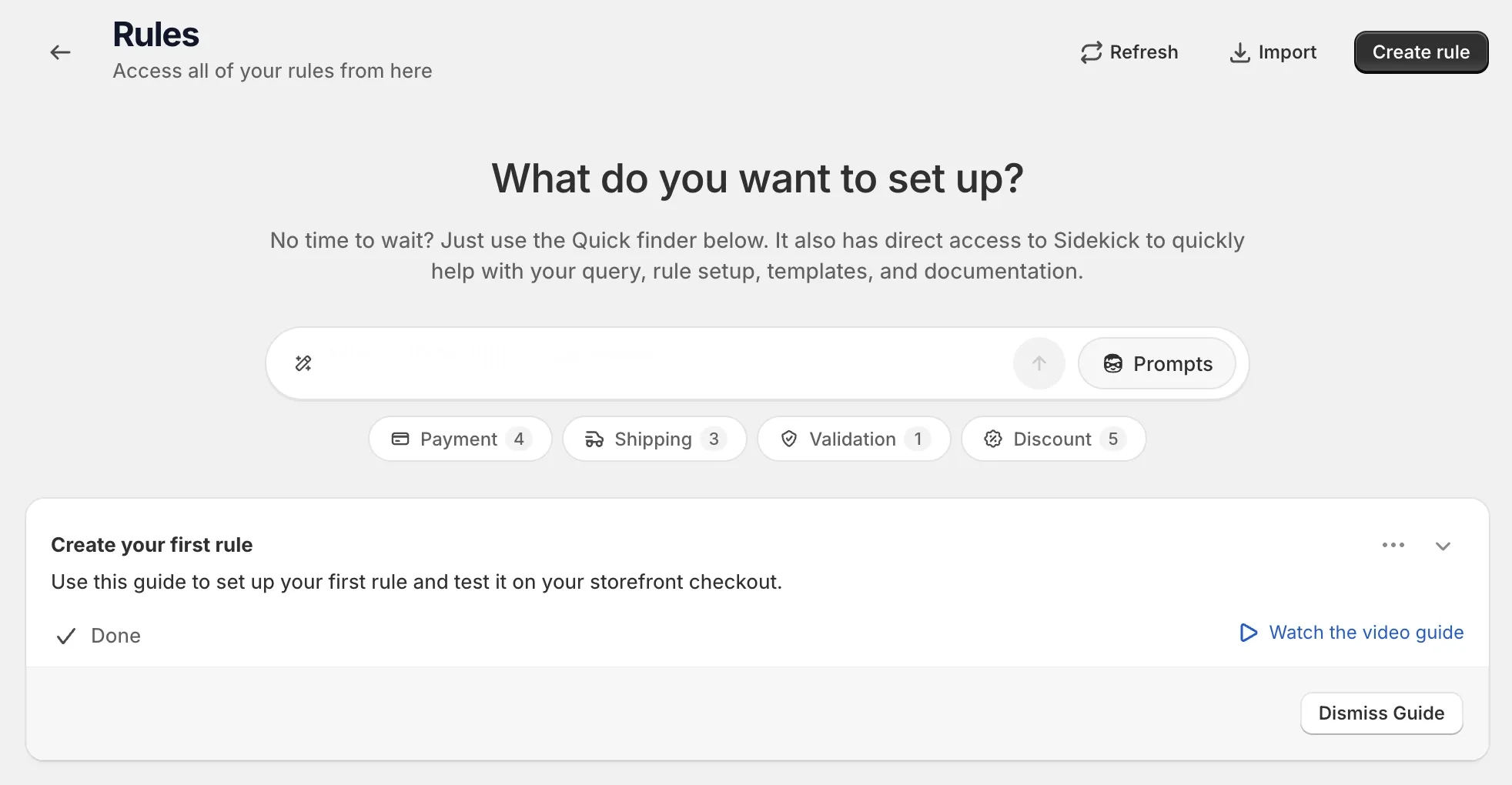
Open Rules and click Create rule.
-
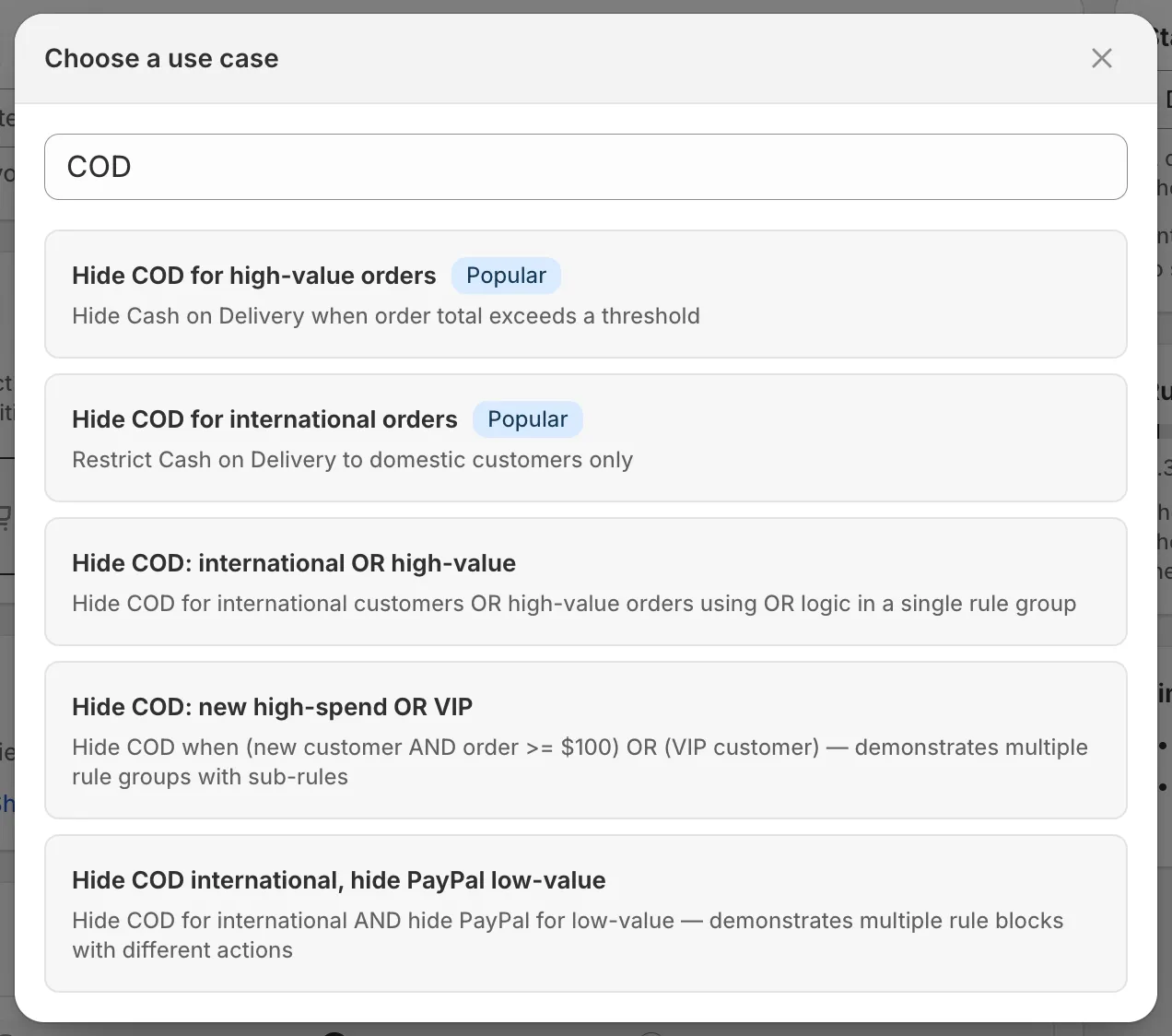
Under Payment, find Hide payment methods, click Select, then click Start from a use case and pick a COD use case.
Search “COD” in Search use cases…. Five COD use cases show. The three above are the first three. Pick one and the form fills in.
-
Change the values to fit your store.
The use case has sample values. Check each one:
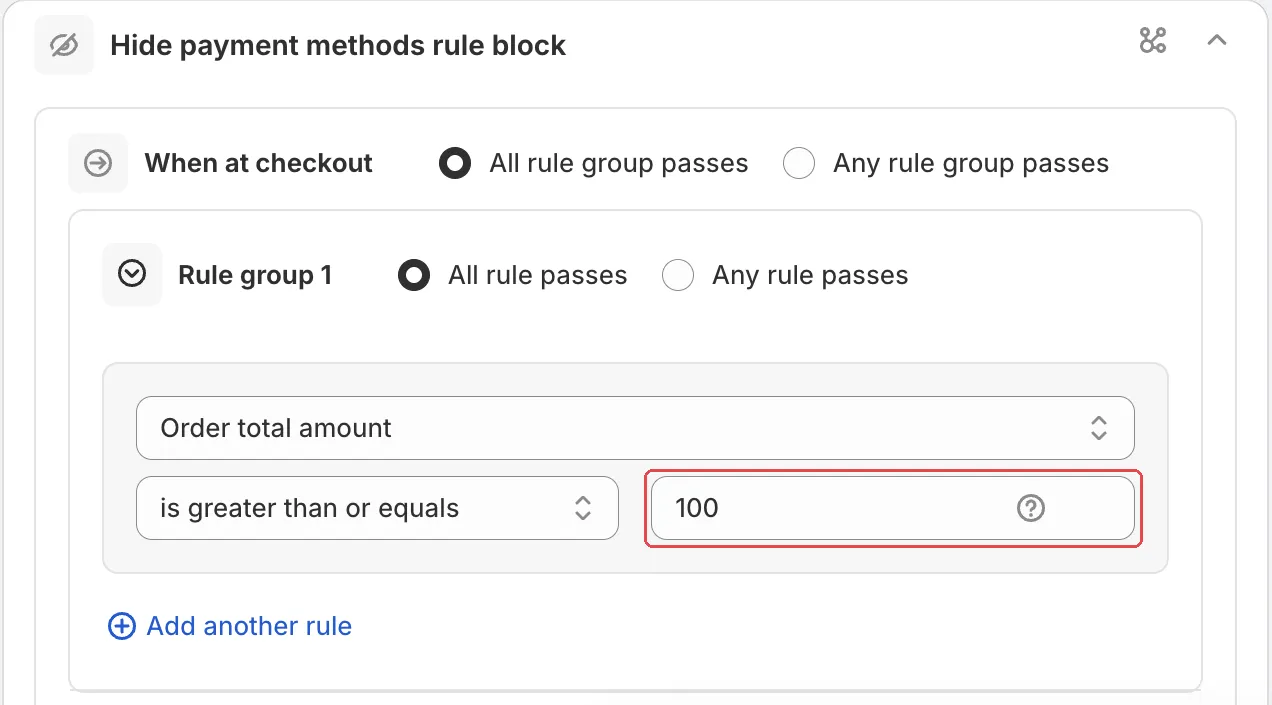
- Hide COD for high-value orders: in rule set one, Order total amount is greater than or equals a sample amount. Type your own amount, in your store currency.
- Hide COD for international orders: Country code Does not have any of these values with a sample country. Pick your home country.
- Hide COD: international OR high-value: both conditions, joined with OR. Change the country and the amount.
-
Check the payment method name.
The action is Hide the payment methods added below, with Contains
Cash on Delivery. If your method has another name, for example “COD” or “Pay on delivery”, change it to match.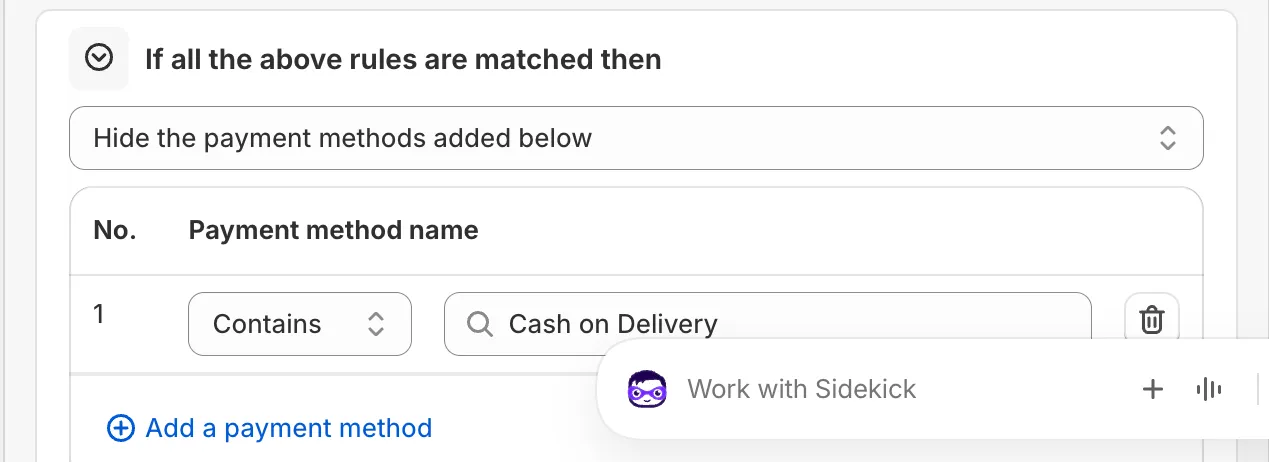
-
Save it as a draft, test it, then activate it.
In the Status card, choose Draft and save. At checkout, enter the test email from the rule’s Status card. Try a cart above your amount. COD should be gone. Try a small cart to a home address. COD should show.
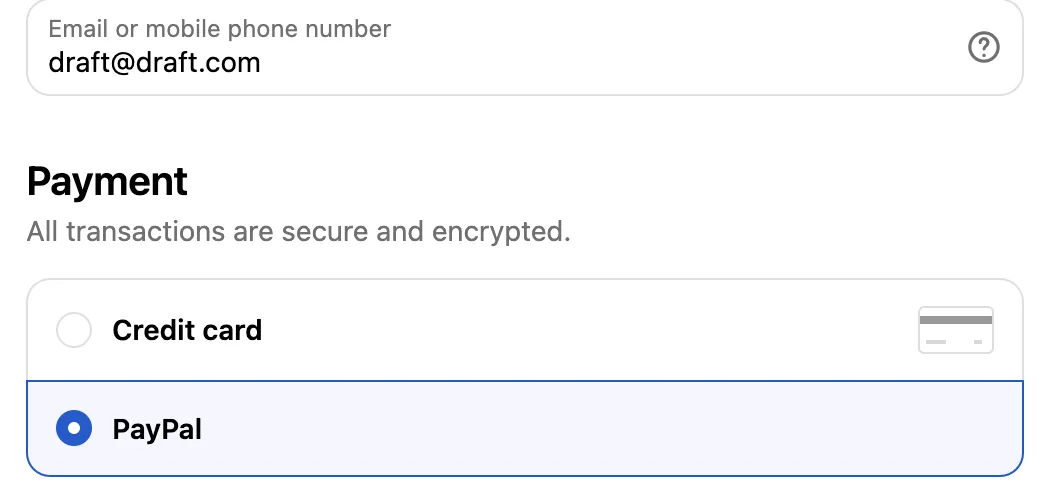
When it works, choose Activate in the Status card and save.
Variations
- Hide COD for one city: use Hide payment method by city.
- Hide COD for guests: use Hide payment for guest customers. It hides COD when the shopper is not logged in.
- Also hide PayPal for small carts: use Hide COD international, hide PayPal low-value. It shows how two rule blocks in one rule can do two different things.
- Move COD down instead of hiding it: use Move COD to last position in Reorder payment methods.
Limits
- Payment rules aren’t compatible with Shop Pay.
- Payment rules don’t show while you build a draft order in the Shopify admin. They apply at the draft order’s checkout.
See Limits.