 See it in action
 Combined discount
On this page
“Apply product, order, and shipping discounts together in one setup.” For example, 10% off products plus free shipping, both unlocked by the same conditions.
Before you start
- Decide which parts you need: product, order, shipping, or all three.
- Each part is set up the same way as its own rule type. Read Product discount, Order discount and Shipping discount first.
Set it up
-
Open Rules and click Create rule.
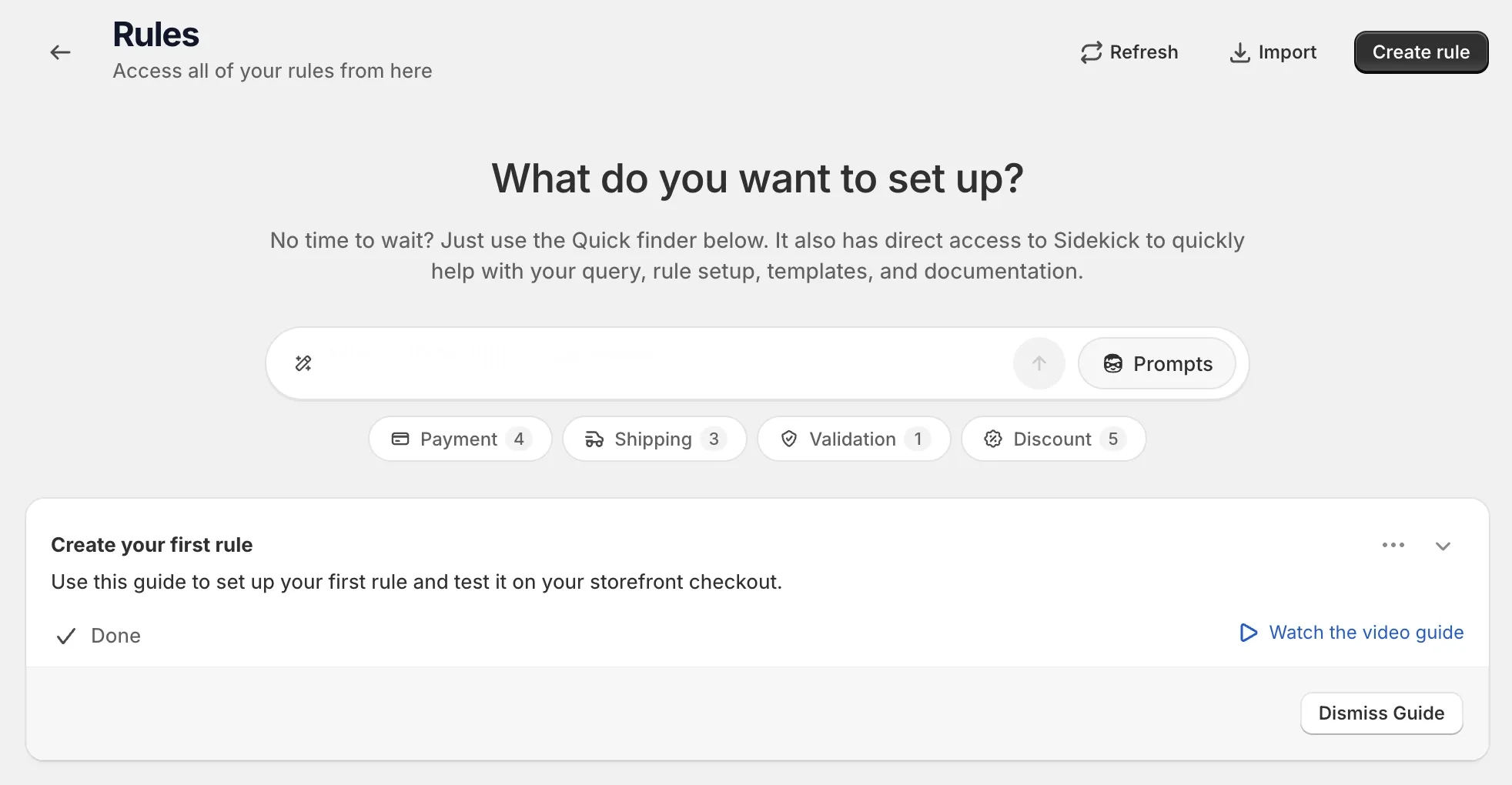
-
Under Discount, find Combined discount and click Select.
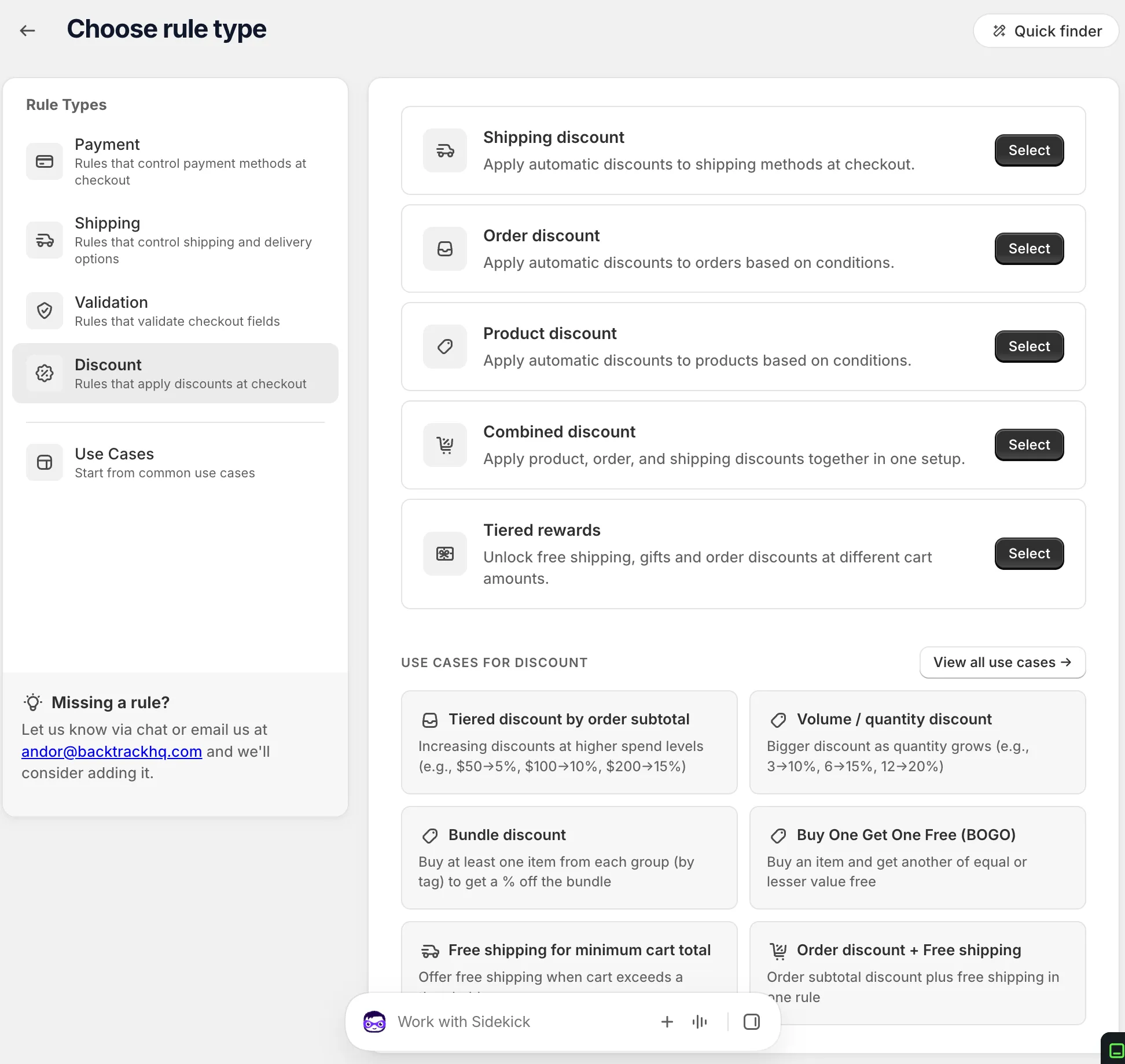
-
Name the discount and pick the Method.
Choose Automatic discount or Discount code. For a code, type it or click Generate random code. Or click Start from a use case to fill in the whole form. See Start from a use case.
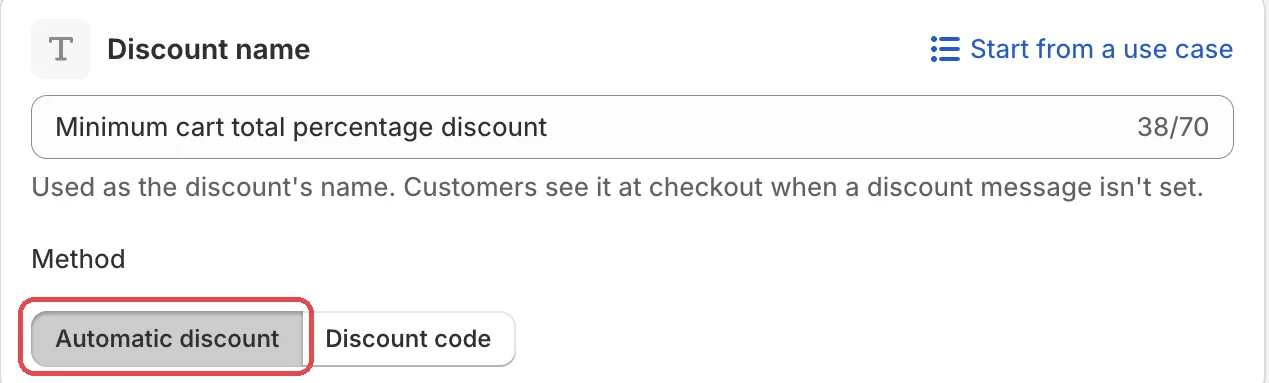
-
Pick a rule set and add your conditions.
In Rule sets, pick the set with the conditions you need. Then, under When at checkout, add your conditions. The conditions unlock every part of the discount together.
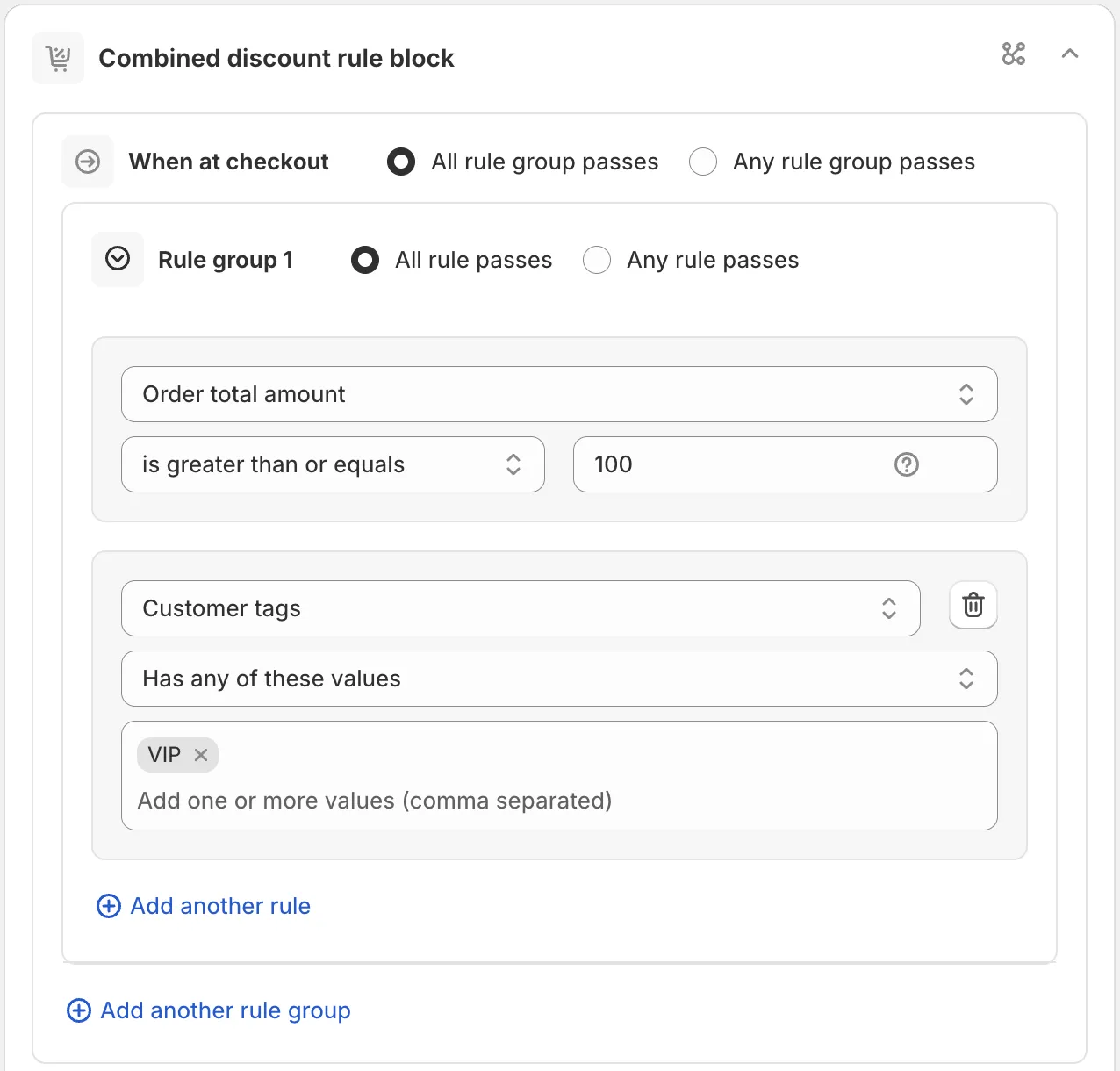
-
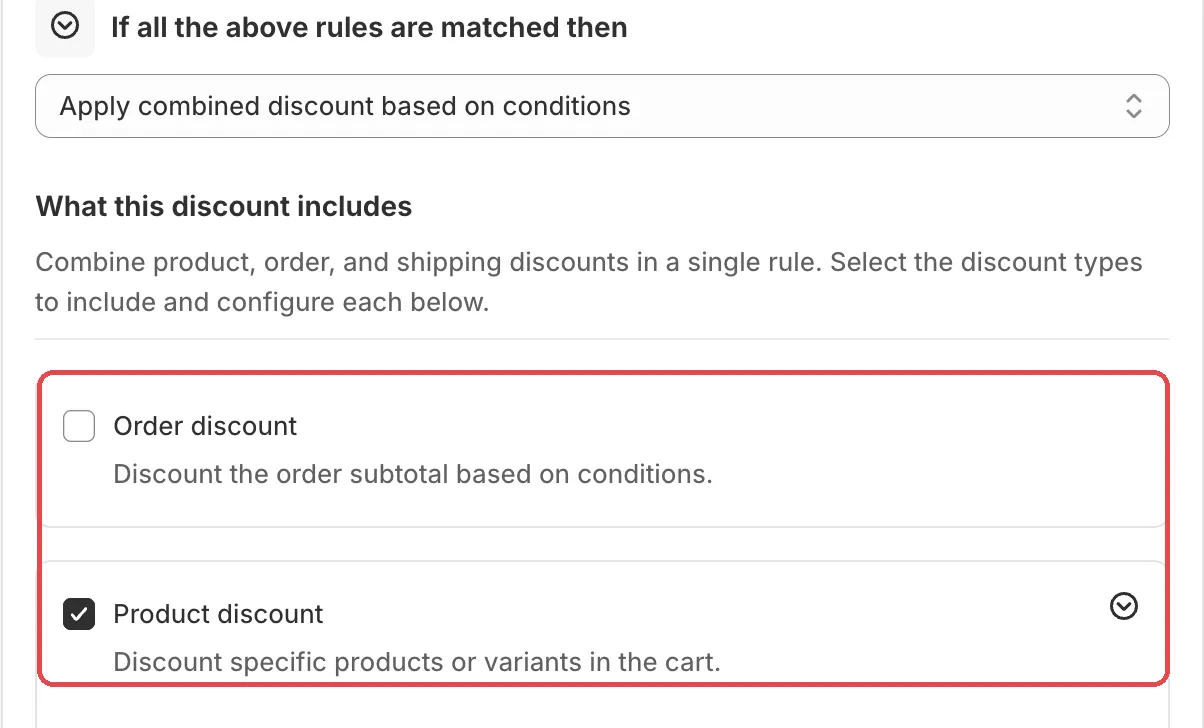
In What this discount includes, tick the parts you want.
Tick Order discount, Product discount and/or Shipping discount. A section opens for each one. Set each up like its own rule type. Then set the side cards: Combinations, the strategy cards and, if needed, Active dates.
-
Save it as a draft, test it, then activate it.
In the Status card, choose Draft and save. Then go to checkout on your store and enter the test email from the rule’s Status card. Only this email sees a draft rule. Build a cart that matches your conditions and check each part.
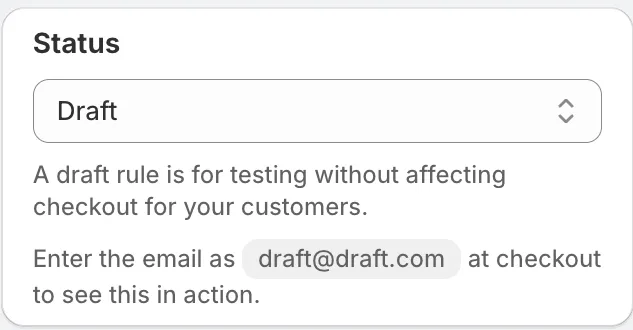
When it works, choose Activate in the Status card and save.
Actions
Apply combined discount based on conditions
The only action for this rule type. When the conditions match, every part you ticked applies.
Settings
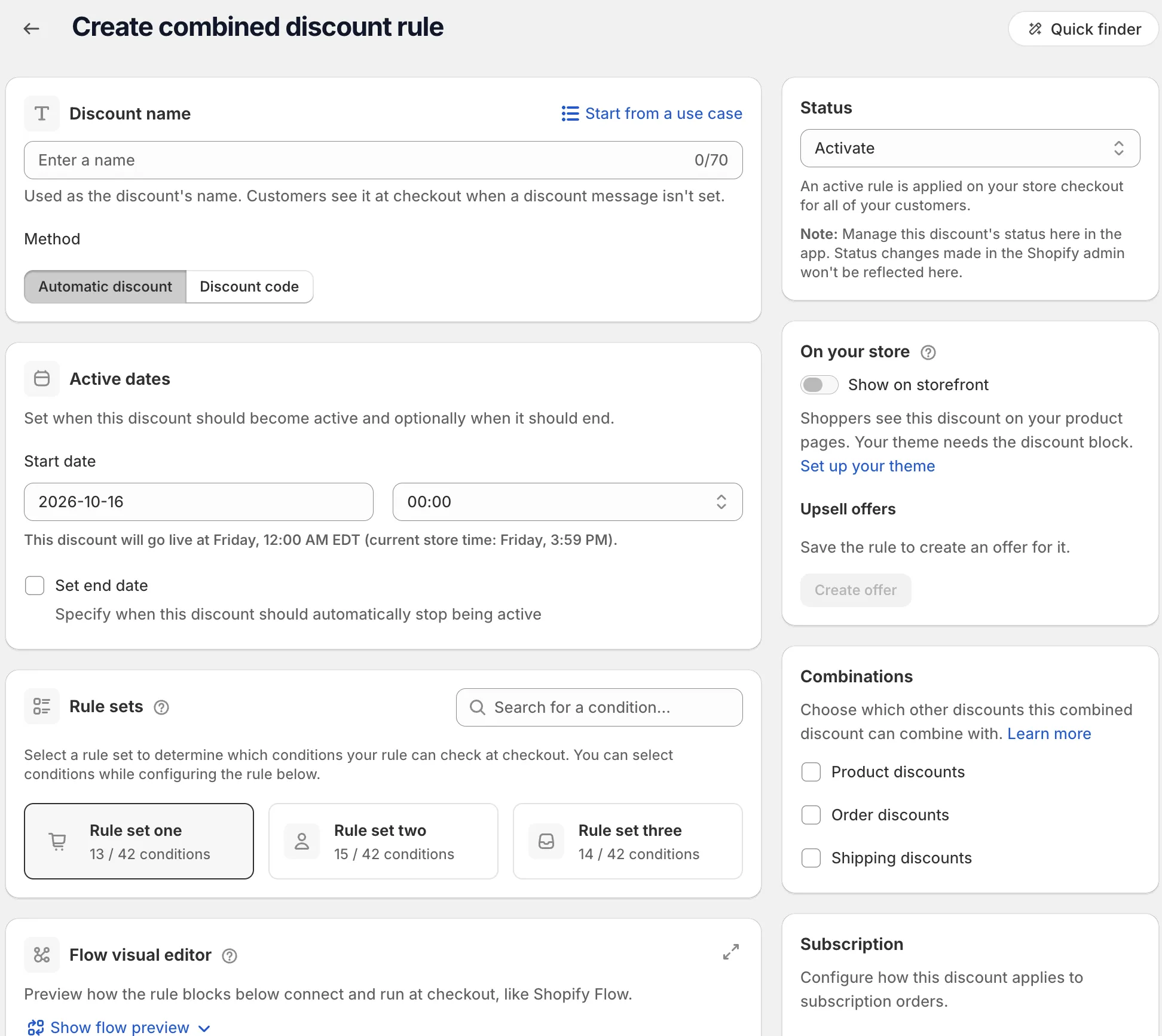
What this discount includes
“Combine product, order, and shipping discounts in a single rule. Select the discount types to include and configure each below.”
- Order discount: “Discount the order subtotal based on conditions.” Same fields as an order discount.
- Product discount: “Discount specific products or variants in the cart.” Same fields as a product discount.
- Shipping discount: “Discount or free shipping methods at checkout.” Same fields as a shipping discount.
Product discount strategy
Shows when you include a product discount. Options: First match, Maximum discount, All matches.
Order discount strategy
Shows when you include an order discount. Options: First match, Maximum discount.
Maximum discount uses, Active dates, Combinations, Subscription
These side cards work the same as on a product discount. See Product discount.
Examples
Open Start from a use case on the rule page and pick one of these:
- Product discount + Free shipping: a percentage off products plus free shipping in one rule.
- BOGO + Free shipping: buy one get one free plus free shipping in one rule.
- Product + Order + Free shipping: stacks a product discount, an order discount and free shipping.
Limits
The Limitations card on the rule page lists:
- “Product discounts apply per cart line, not the order total.”
- “Order discounts apply to the entire order subtotal.”
- “Combining with other discounts follows the Combinations settings.”
- “Draft order checkouts are not supported.”
See Limits.