 See it in action
 Rule size
On this page
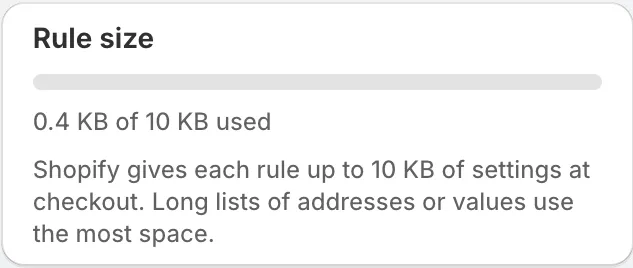
Shopify gives each rule up to 10 KB of settings at checkout. The Rule size card shows how much your rule uses while you edit it. Long lists of addresses or values use the most space.
Why there is a limit
At checkout, a Shopify Function reads your rule’s settings. If the settings are over 10,000 bytes, Shopify does not pass them on. The rule would then do nothing at checkout, without any error. The card and the Save check stop that from happening.
Read the card
The card sits on the right of the rule form. It shows a bar and a line like “… KB of 10 KB used”.
Close to the limit
From 80% of the limit, the card warns: “You are close to the limit. If you need more room, split the list into two rules.”
Over the limit
The card says how far over you are: “This rule is … KB over the limit. Remove some values or split the list into two rules.” Save rule is turned off until the rule fits.
What uses space
- Long comma-separated lists, for example hundreds of street names.
- Many conditions, rule groups and rule blocks.
- Translations of shopper messages.
- Text in Arabic, accented letters or emoji takes more bytes per character.
In the card, 1 KB means 1,000 bytes.
Make a rule fit
- Remove values you no longer need.
- Split a long list into two rules. For example, put streets A to M in one Hide shipping methods rule and N to Z in a second rule with the same action.
- Use a wildcard or a shorter value where the field allows it. For
example,
containswithMain Stmatches every address on Main St, so you don’t need each house number.
Note Imported rules are measured the same way. A rule that fit when you exported it will fit when you import it.