 See it in action
 Vintage themes
Vintage themes are Shopify’s older themes, like Debut and Brooklyn. They are not Online Store 2.0 themes, so they can’t take app blocks. The app embed, the one-line tags and the pasted card recipes can still work, so a developer can add AndOr’s widgets in theme code.
Note We have not tested a real vintage theme. Debut and Brooklyn can’t be installed any more. This page comes from how vintage themes work and a check on a stand-in: Dawn with a Liquid-only product template, which takes no app blocks (our demo store, October 16, 2026). Fully supported, tested themes are Online Store 2.0 themes like Dawn and Horizon. See Themes overview.
At a glance
| On a vintage theme | |
|---|---|
| App blocks | No |
| App embed | Yes |
| One-line tags | Yes |
| Product card recipes | Yes |
| Cart drawer parts | No, in practice |
| Live updates after a cart change | No. Widgets update on the next page load. |
What works
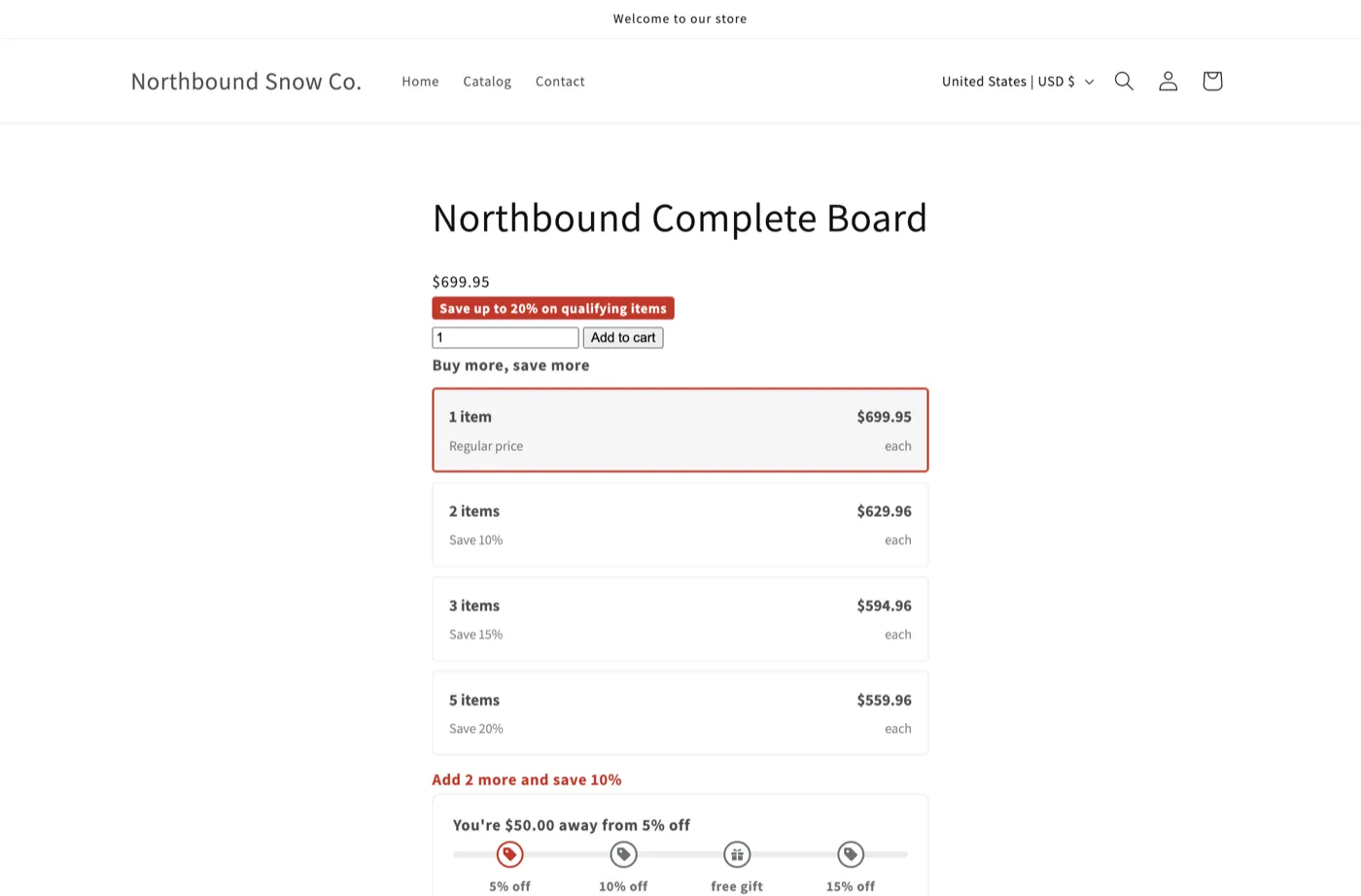
On the stand-in, the one-line tags drew a discount callout, the volume tiers and the goal bar on the product page when it loaded.
How to add the widgets
- Turn on the app embed. In the theme editor, open App embeds and switch on AndOr Discount Display. See Turn on the app embed.
- Paste the one-line tags. A developer pastes a tag where each
widget should show, for example
<andor-tiers></andor-tiers>under the price. See One-line tags. - For product cards, paste the card recipes. See Product card recipes.