 See it in action
 Dawn
On this page
Dawn is Shopify’s long-running free theme, and many free themes are built from it. Every AndOr widget works on Dawn 15.5 or later, the cart drawer included. You place widgets as app blocks in the theme editor. Product cards need a short paste in theme code.
Note Tested on Dawn 16.1.0 on our demo store, October 16, 2026.
At a glance
| On Dawn | |
|---|---|
| App blocks | Yes, on every template |
| Cart drawer parts | Dawn 15.5 or later |
| Instant updates after a cart change | Dawn 15.5 or later |
| Product cards | Pasted card recipes in theme code |
| Tested on | Dawn 16.1.0, October 16, 2026 |
What works
- Every app block on the product page, the cart page and collection pages.
- The sale price, badges and volume hints on product cards, with the product card recipes.
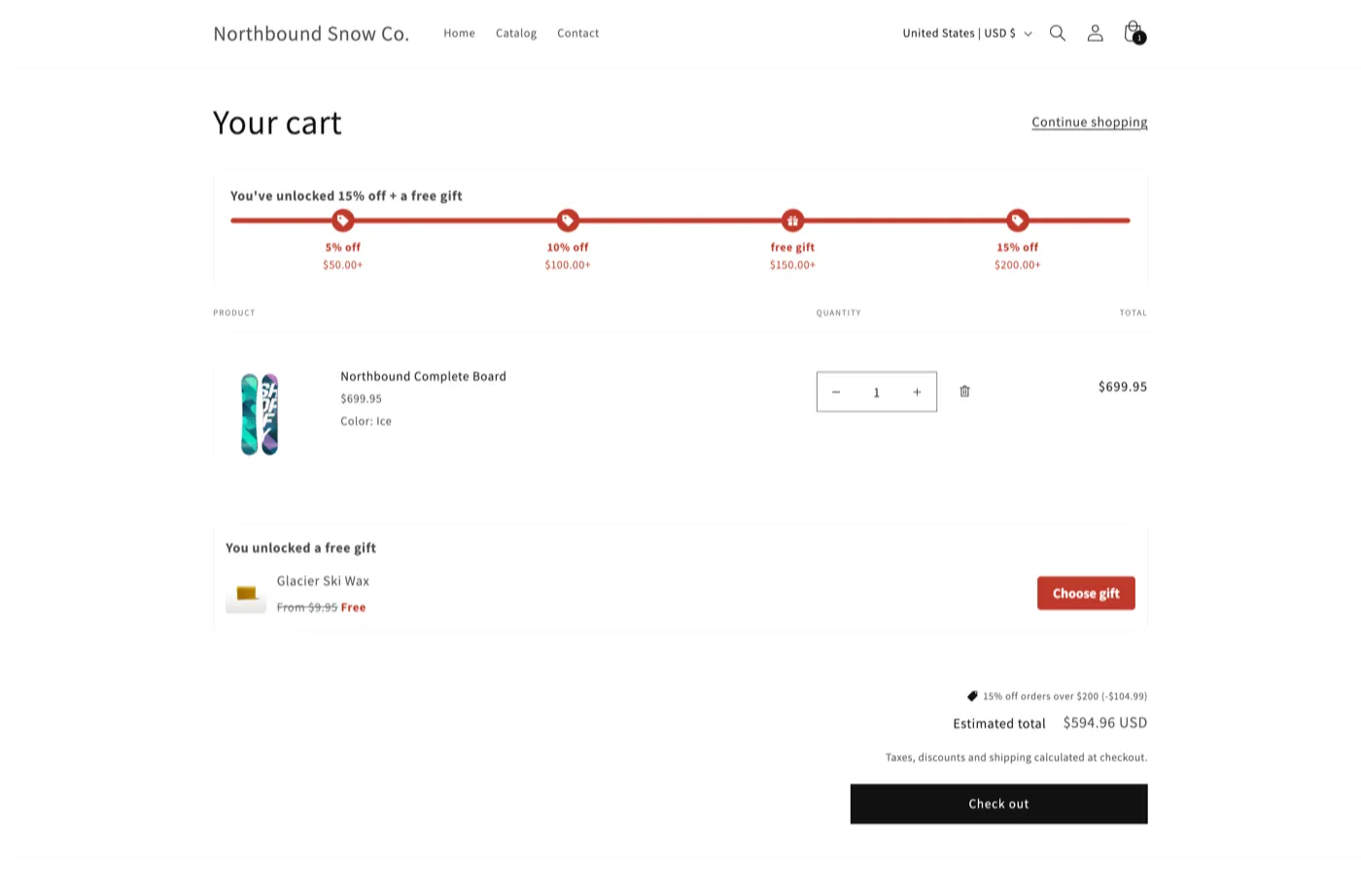
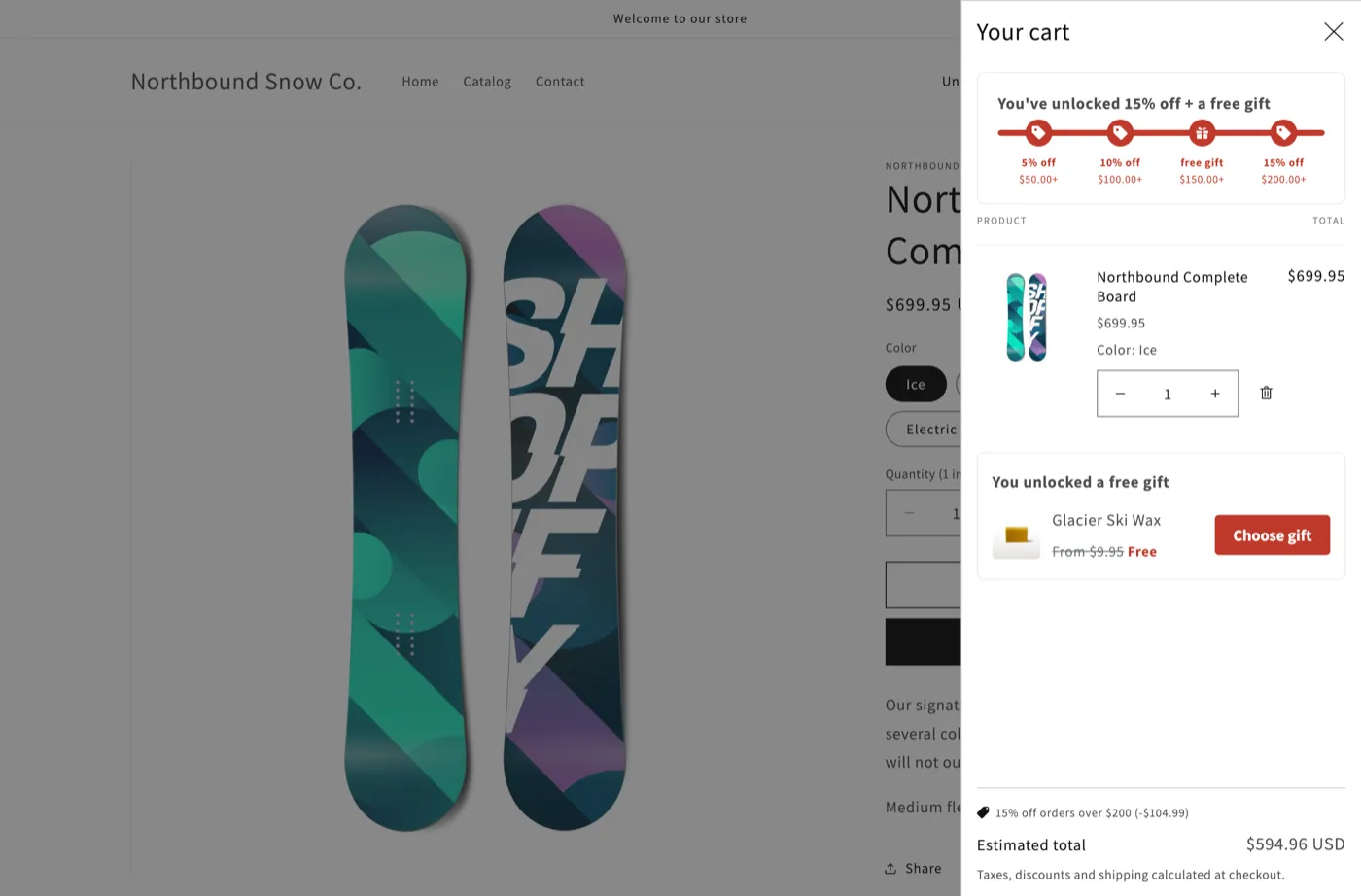
- The cart drawer: the goal bar, the gift slot and the Buy X get Y claim row.
- Instant updates: the goal bar and the pickers follow the cart without a reload.
- Upsell adds redraw and open Dawn’s cart drawer.
- Adding and removing a gift in the drawer, quantity changes in the drawer and on the cart page, and the back button all show the new cart.
Every item above passed on Dawn 16.1.0, with the cart type set to Drawer or Popup notification.
On Dawn before 15.5, everything works except the cart drawer parts and instant updates. Update the theme to get them. See Theme requirements.
Where to place each block
Open the theme editor: in Shopify, go to Online Store > Themes and click Edit theme.
| Block | Template | Where on Dawn |
|---|---|---|
| AndOr Sale price | Product | In the main product section, under the price, or in place of it with Hide the theme’s price |
| AndOr Savings badge | Product, any | Near the price or the title |
| AndOr Countdown | Product | Under the price |
| AndOr Volume tiers | Product | Under the price, above the quantity field |
| AndOr Offer picker | Product, cart | Product: under the buy buttons. Cart: under the cart items |
| AndOr Order goal | Product, cart | Cart: above the cart items. Product: under the buy buttons |
| AndOr Collection banner | Collection | Under the collection title |
| AndOr Offers | Any | Product page: under the buy buttons |
| AndOr Discount callout | Any | At the top of a section |
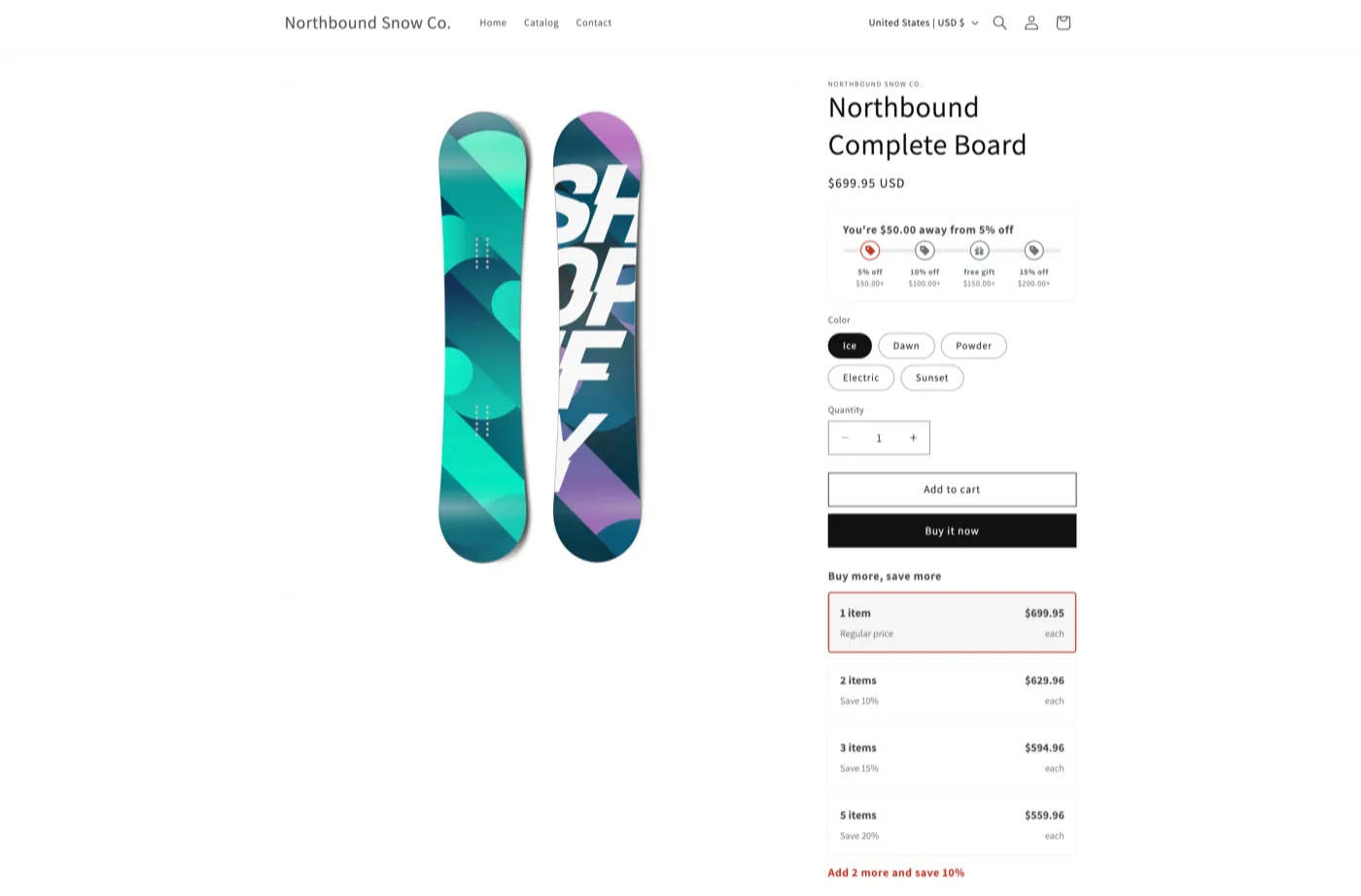
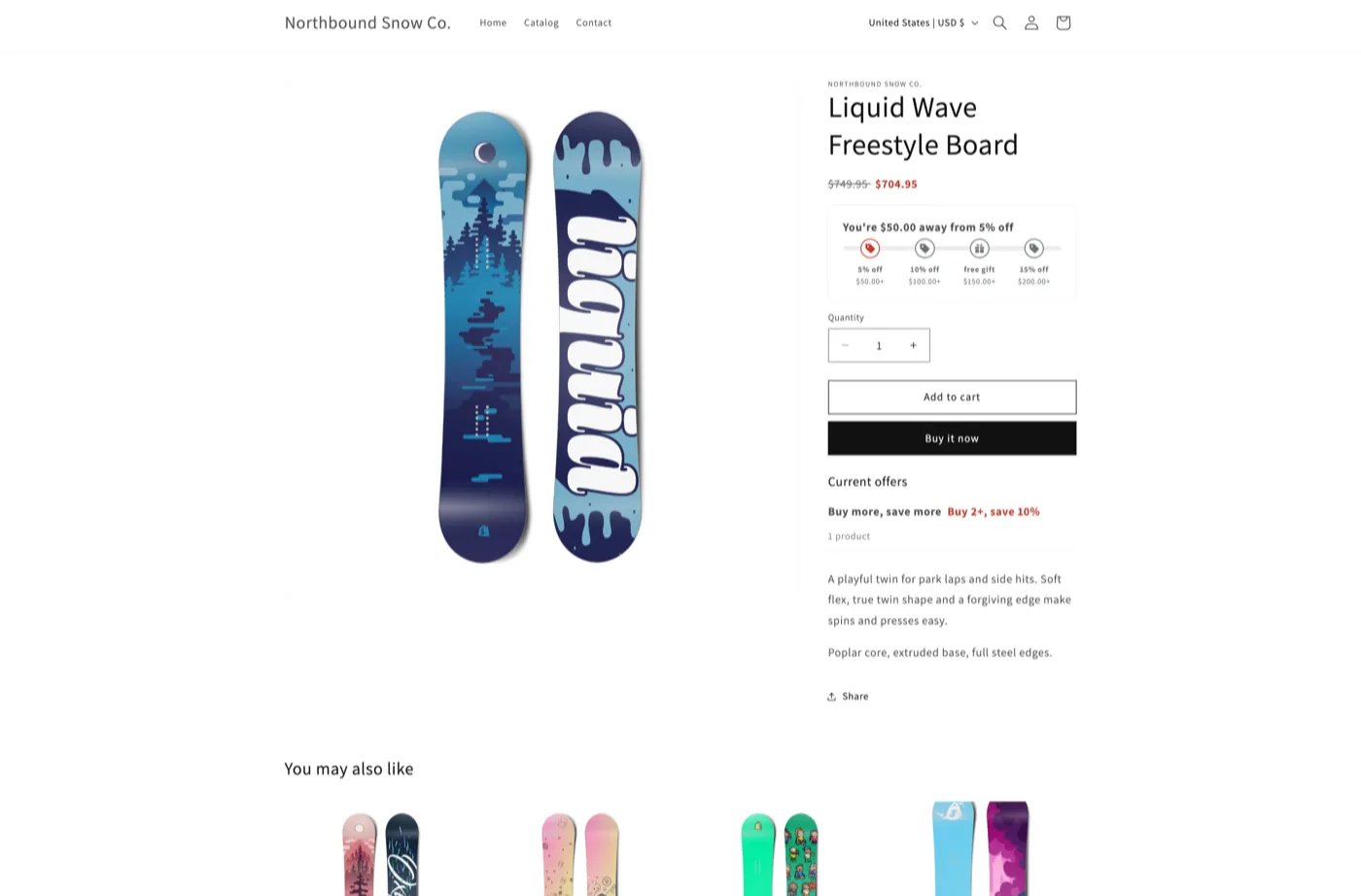
On a product that already has a sale price, the volume tiers table hides itself and AndOr’s sale price shows instead. This is by design.
Style tips
AndOr’s colors come from the app embed. To match Dawn’s own colors and corners, paste the CSS in CSS that matches Dawn into the embed’s Custom CSS.
The Classic style preset fits Dawn’s default look. On a dark color scheme, pick Dark.
The cart drawer
On Dawn 15.5 or later, with Cart type set to Drawer in the theme settings:
- Goal bar in the drawer. Turn on Also show in the cart drawer on
the AndOr Order goal block. It shows on pages where the block is
placed. Or paste
<andor-goal data-drawer="only">inlayout/theme.liquidto show it on every page. - Claim rows and the gift slot appear in the drawer by themselves. The app embed puts them there.
- After an upsell add, AndOr redraws Dawn’s drawer and opens it.
- The gift chooser opens inside the drawer. Escape closes the chooser and leaves the drawer open.
Known quirks and fixes
- Don’t paste the sale price tag into the price snippet. Product cards render it too, and every card would show this page’s price. See Where things go.
- Card images swap on hover. Paste a chip after both card images, never between them. See Card recipes on Dawn.
Developer recipes
Note The Dawn variable names below were checked against Dawn 16.0.0. A later Dawn version may rename a variable, so check the names in the version you run.
Where things go
| What | Where on Dawn |
|---|---|
| App blocks on a product page | Theme editor, product template, main product section. Drag the block under the price. |
| App blocks on the cart page | Theme editor, cart template. |
| One-line tags on a product page | sections/main-product.liquid |
<andor-price> tag |
inside <div id="price-{{ section.id }}">, just after {% render 'price' %} |
<andor-badge> over the main image |
snippets/product-media.liquid, after all the images |
<andor-claim> tag |
under the cart lines, for example sections/main-cart-footer.liquid |
Storewide tags (<andor-goal>, <andor-discount-callout>) |
layout/theme.liquid, just after <body> |
| Product card recipes | snippets/card-product.liquid |
Do not paste <andor-price> in snippets/price.liquid. Product cards
render that file too, and every card would show this page’s price.
See One-line tags and Product card recipes for the code.
Card recipes on Dawn
Dawn calls the card’s product card_product, which every recipe reads
first. Two Dawn rules matter for a chip over the card image:
- Dawn stretches every direct child of the image wrapper with a rule in
base.css. The recipe’s inlinewidth:auto;height:autoundoes it. - Dawn swaps the two card images on hover with
img + img. Paste the chip after both images, never between them.
.media.media--hover-effect > img + img { opacity: 0; }Cart drawer details
- AndOr fills the drawer on Shopify’s
shopify:cart:viewevent and follows the cart onshopify:cart:lines-update. Dawn 15.5 sends both. - After an upsell add, AndOr redraws Dawn’s drawer with the Section
Rendering API and the drawer’s own
renderContents. Dawn only redraws its drawer in its own form path, so without this the drawer would keep showing “Your cart is empty”. - After a gift removal in the drawer, AndOr redraws it the same way.
- The gift chooser opens inside Dawn’s
<cart-drawer>, so Dawn’s focus trap keeps focus in it.
CSS that matches Dawn
Dawn keeps its colors as RGB triplets, so they go inside rgb() or
rgba(). Put these in assets/base.css or the embed’s Custom CSS.
Sale price:
andor-price {
  --andor-original-color: rgba(var(--color-foreground), 0.75);
  --andor-sale-color: rgb(var(--color-foreground));
  --andor-price-font-size: 1.6rem;
  --andor-price-badge-radius: var(--badge-corner-radius, 4rem);
}Savings badge, like Dawn’s own sale badge:
andor-badge {
  --bg: rgb(var(--color-badge-background));
  --andor-badge-background: var(--bg) !important;
  --andor-badge-color: rgb(var(--color-badge-foreground)) !important;
  --andor-badge-radius: var(--badge-corner-radius, 4rem);
  --andor-badge-padding: 0.5rem 1.3rem 0.6rem;
}Goal bar:
andor-goal {
  --andor-goal-border-color: rgba(var(--color-foreground), 0.12);
  --andor-goal-radius: var(--inputs-radius, 0);
  --andor-goal-step-color: rgba(var(--color-foreground), 0.65);
  --andor-goal-track-background: rgba(var(--color-foreground), 0.08);
  --andor-goal-marker-background: rgb(var(--color-background));
  --andor-goal-fill-color: rgb(var(--color-button));
}Gift chooser, reading the drawer’s color scheme:
.andor-qv {
  --andor-qv-bg: rgb(var(--color-background));
  --andor-qv-text: rgb(var(--color-foreground));
  --andor-qv-border: rgba(var(--color-foreground), 0.12);
  --andor-qv-radius: var(--popup-corner-radius, 0);
  --andor-qv-pill-radius: var(--variant-pills-radius, 40px);
  --andor-qv-pill-border: rgba(var(--color-foreground), 0.55);
}Every widget’s Dawn example is on its styling page, for example Volume tiers styling.
Free themes built on Dawn
Colorblock, Crave, Craft, Origin, Publisher, Refresh, Ride, Sense, Spotlight, Studio, Taste and Trade share Dawn’s code. At their latest version they should work the same way. We tested Sense: it matches Dawn, quirks included.