See it in action
 Timeline and version history
Paid planVersion history and the timeline are on paid plans, Starter and up.
Every time you save a rule, AndOr keeps a copy as a new version. The version list lets you switch back to an older setup. The timeline shows what happened to the rule, and when.
Version history
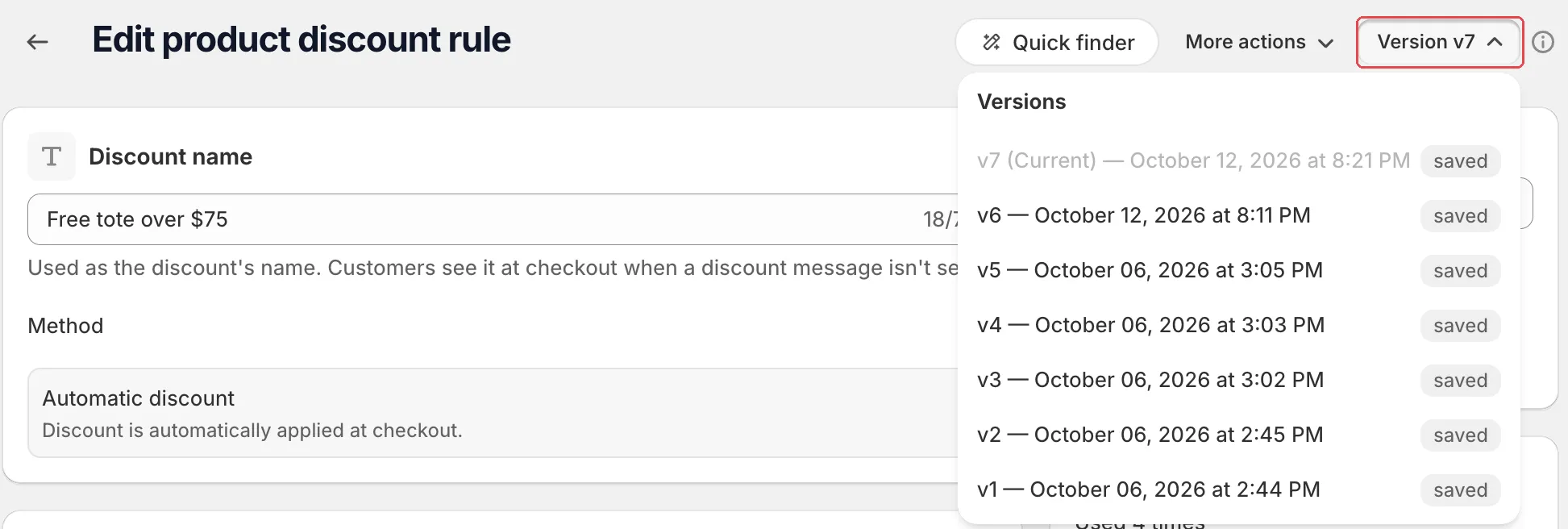
On a saved rule, the top of the page shows a version button, for example Version v4.
-
Click the version button.
The Versions list opens. The newest is marked “(Current)”. Each entry shows its date and a saved or restored badge.
-
Click an older version, then click Restore.
The Restore version window asks you to confirm. The older setup is saved as a new version.
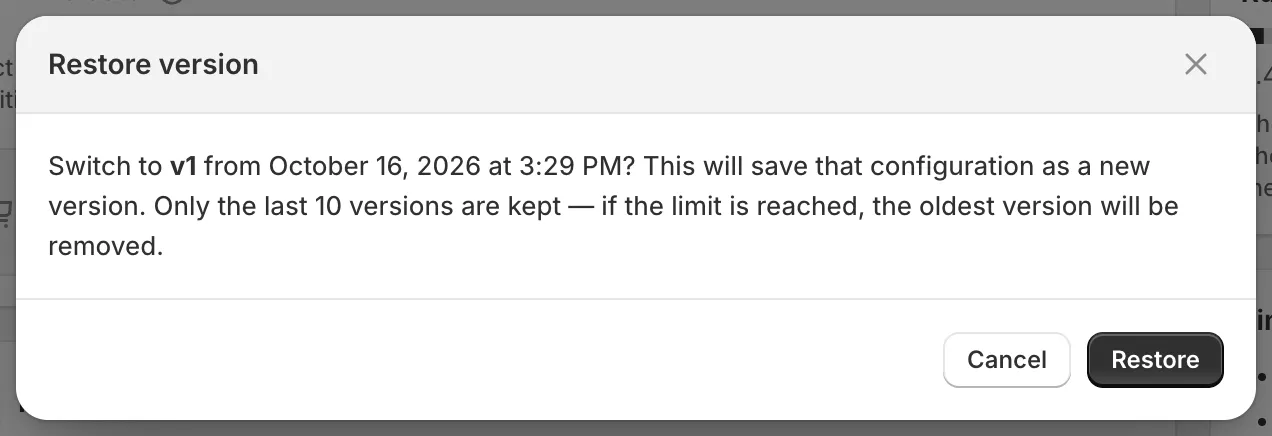
Restoring makes a new version
Restoring never deletes newer versions. If you are on v4 and restore v2, the app creates v5 with v2’s settings. v3 and v4 stay in the list.
10 versions are kept
Up to 10 versions are kept per rule, including the current one. When a new save goes past 10, the oldest version is removed.
Caution Deleting a rule permanently removes all its version history.
Timeline
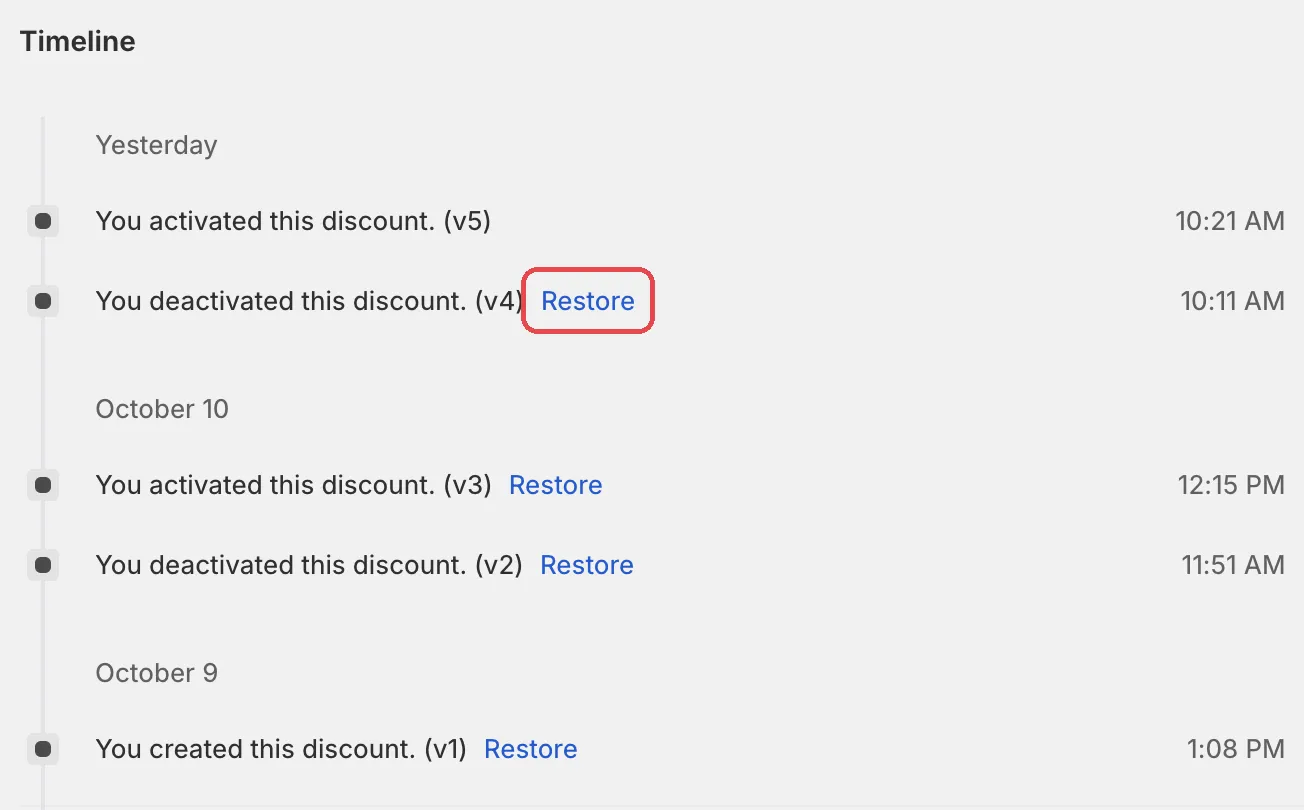
The Timeline section at the bottom of the rule’s edit page lists every change. Entries are grouped under Today, Yesterday and older dates.
Each entry is a sentence, for example:
- “You created this payment method.”
- “You activated this discount.”
- “You deactivated this shipping method.”
- “You set as draft this validation.”
- “You updated this discount.”
- “You imported this payment method.”
- “You restored this discount from v2 to v5.”
Entries for older versions have a Restore link. It works the same as restoring from the version list.