 See it in action
 Rename shipping methods
On this page
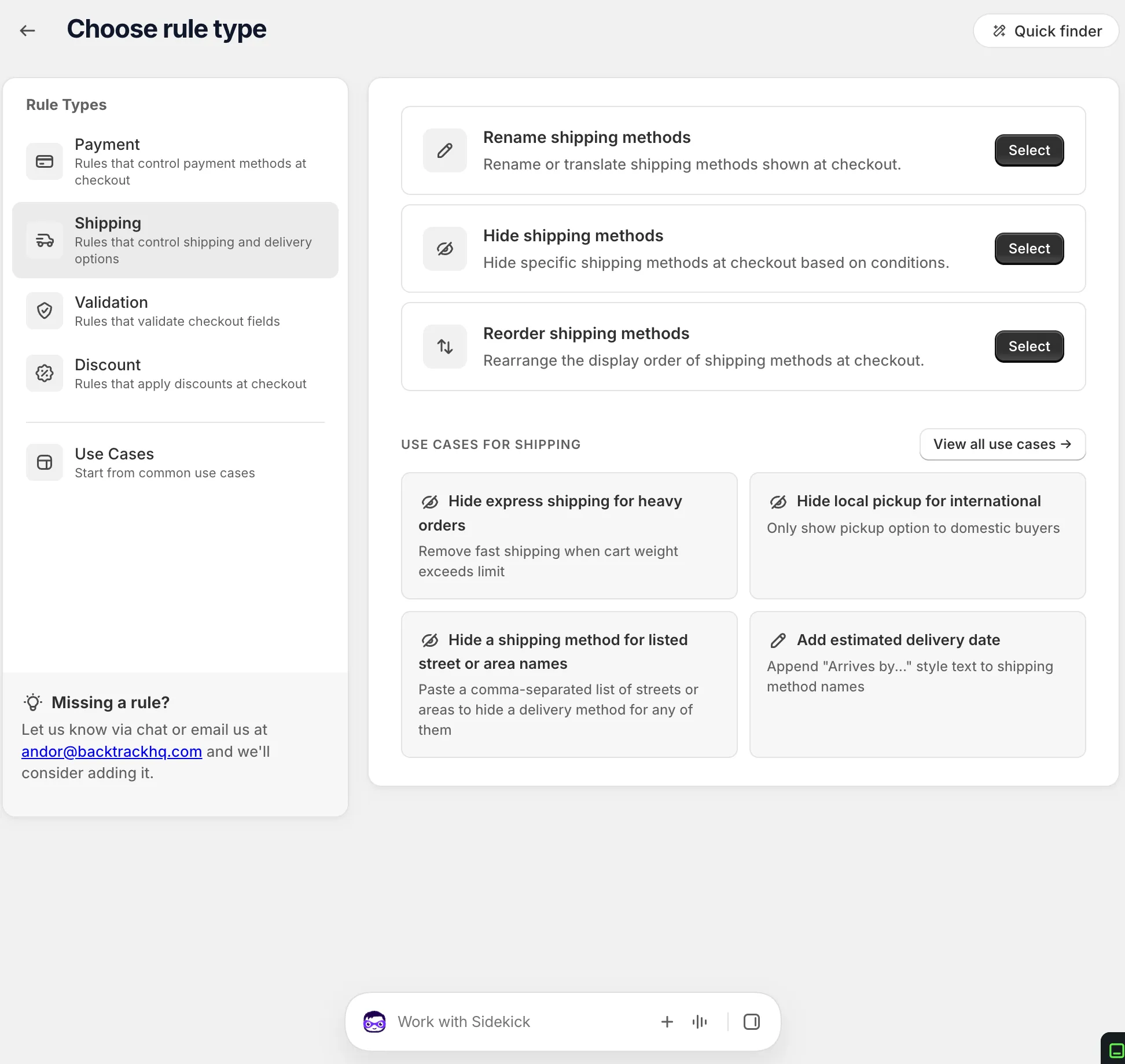
“Rename or translate shipping methods shown at checkout.” For example, change “Free Shipping” to your own branded name, or add “Arrives by…” text to a rate.
Before you start
- Note the exact names of your shipping rates as shoppers see them at checkout.
- Rules can also rename local delivery and pickup options.
Set it up
-
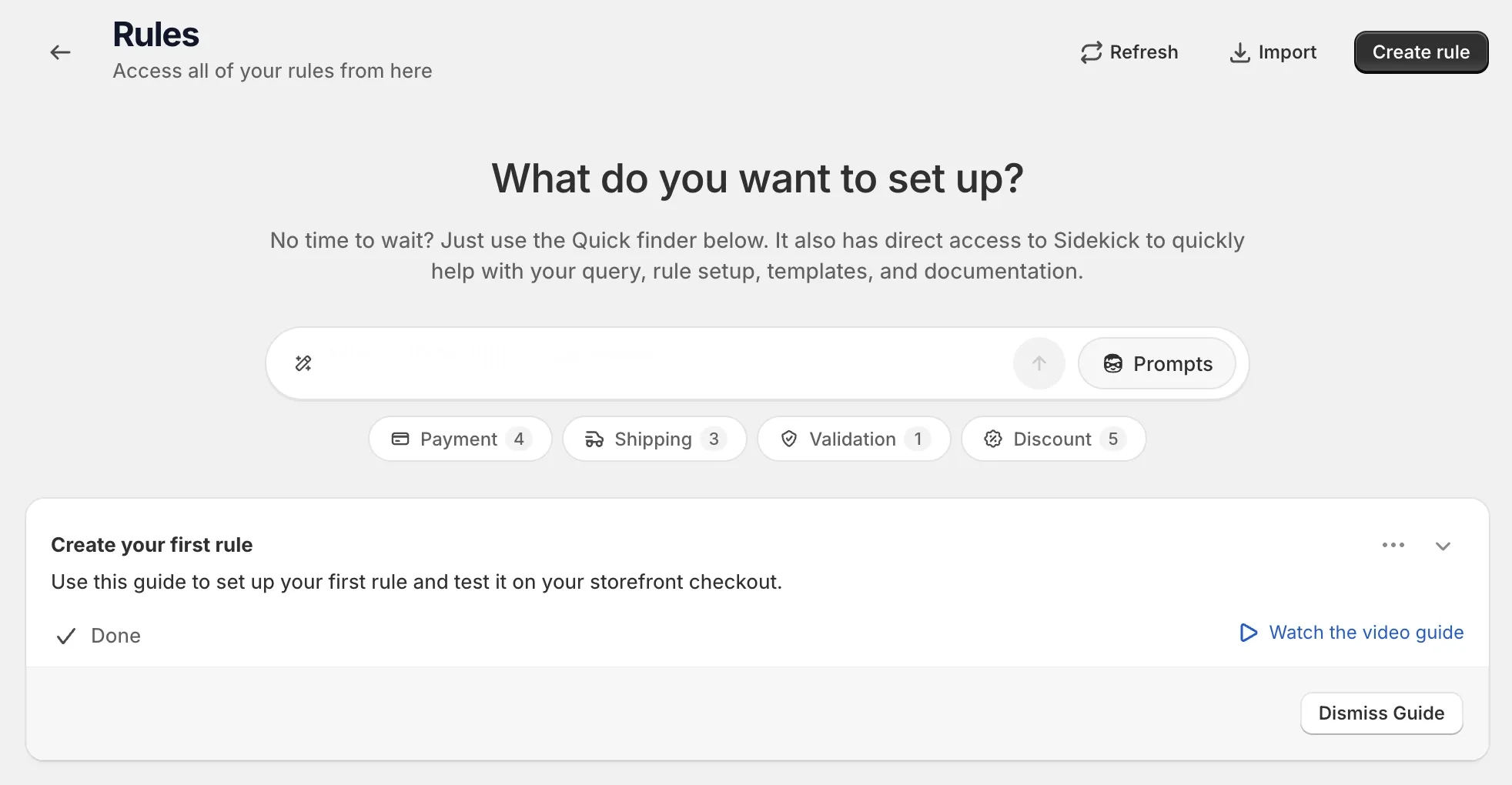
Open Rules and click Create rule.
-
Under Shipping, find Rename shipping methods and click Select.
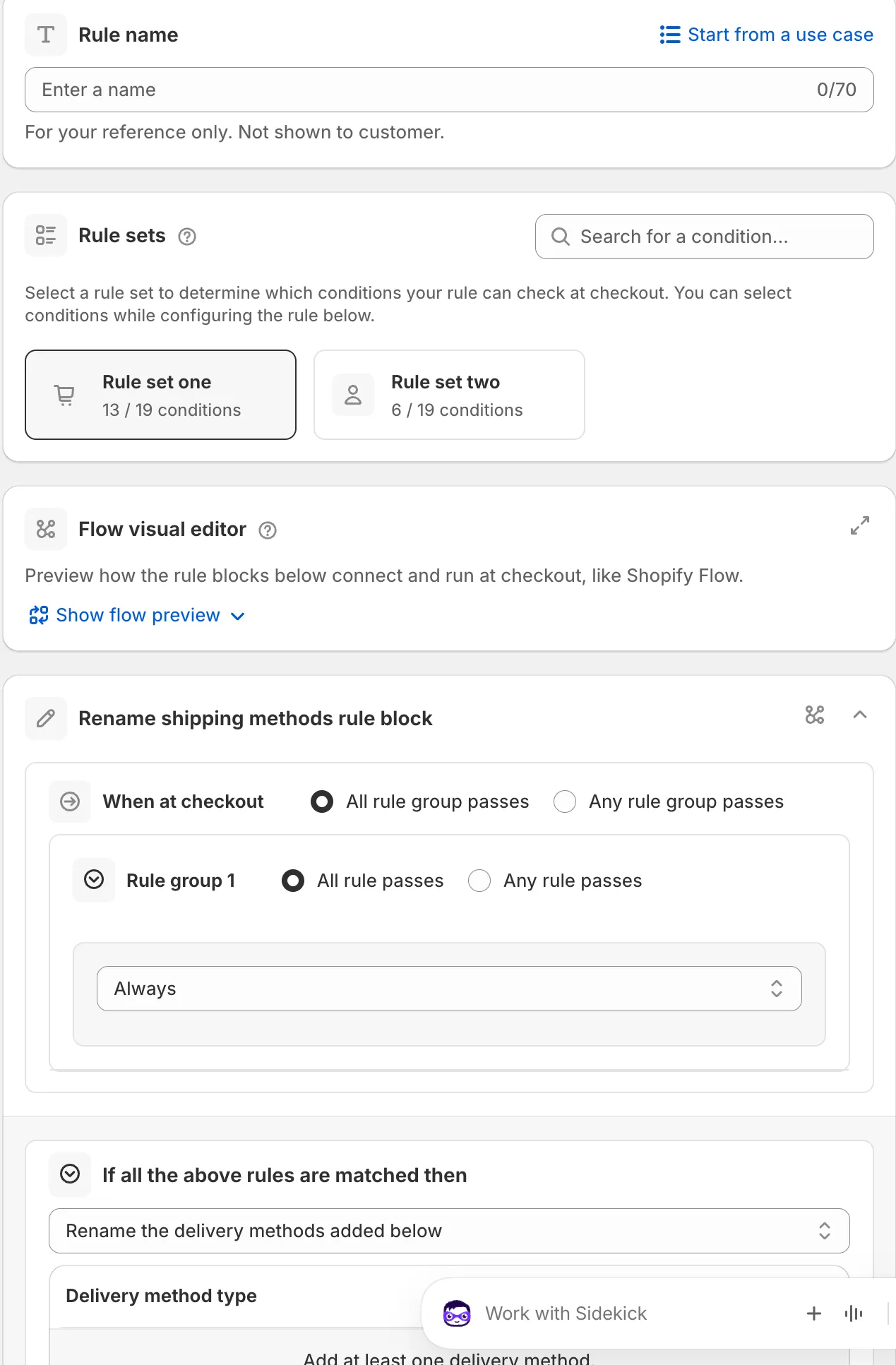
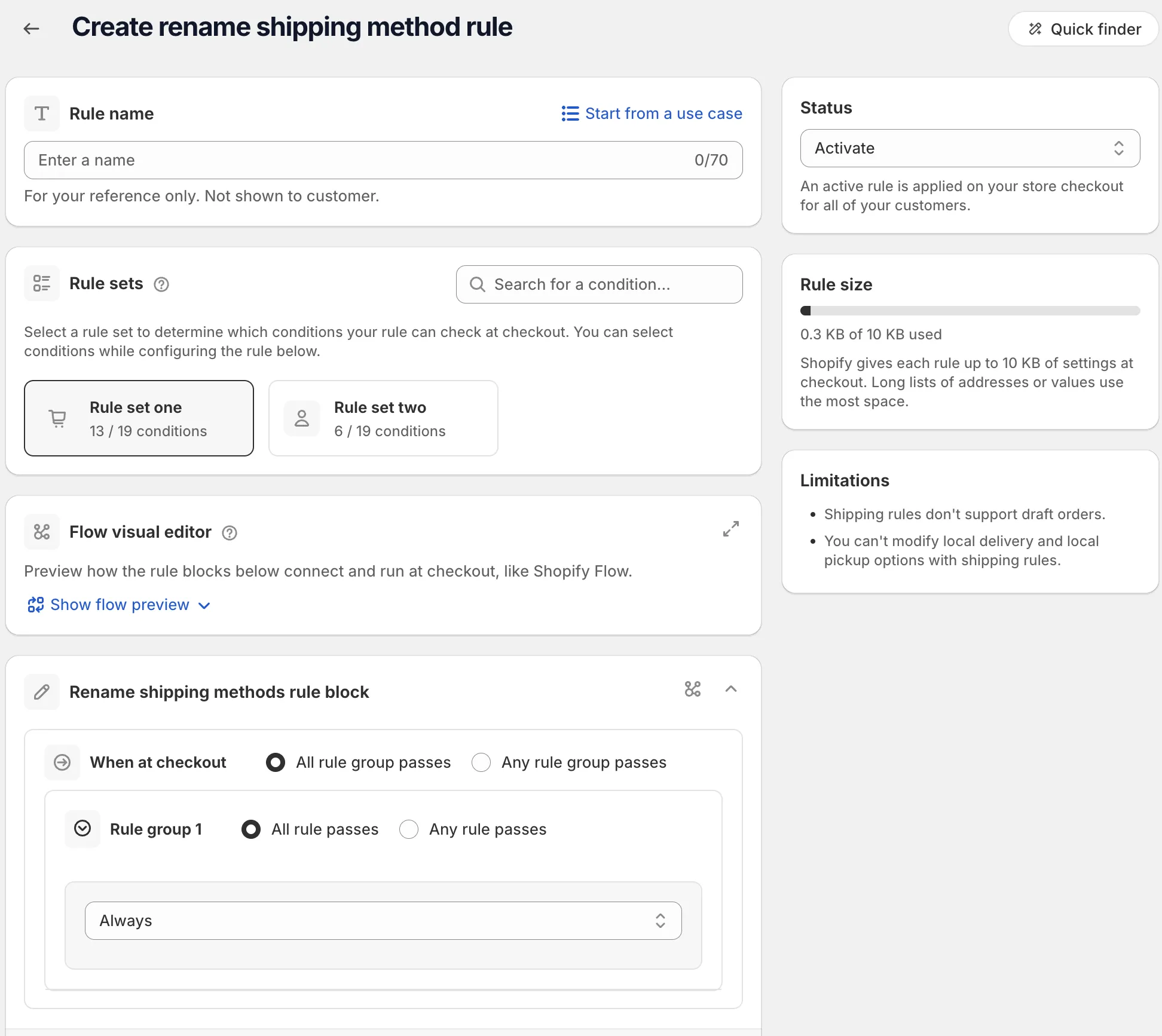
On the rule page, name the rule, or click Start from a use case to fill in the whole form. The name is for your reference only. Shoppers don’t see it. See Start from a use case.
-
Pick a rule set and add your conditions.
In Rule sets, pick the set with the conditions you need. Hover a set to preview it, or use Search for a condition….
Then, under When at checkout, add your conditions. For example Country code, or Always to rename for every checkout. See Conditions, groups and blocks.
-
Add the delivery methods and their new text.
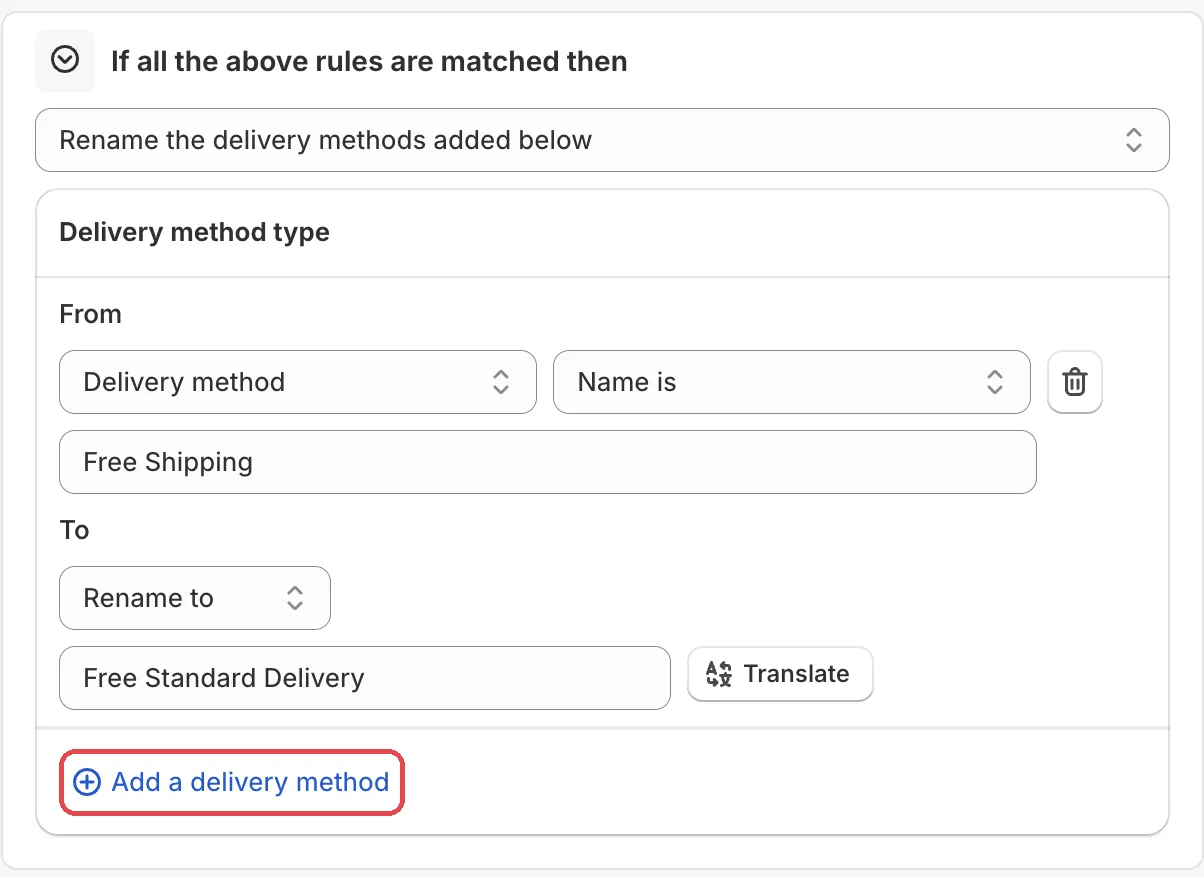
The action is Rename the delivery methods added below. Click Add a delivery method. Under From, pick the method type, logic and name. Under To, pick what to do and type the text. If you sell in more than one language, click Translate next to the text. See Translate shopper messages.
-
Save it as a draft, test it, then activate it.
In the Status card, choose Draft and save. Then go to checkout on your store and enter the test email from the rule’s Status card. Only this email sees a draft rule. Fill in an address and check the shipping method names.
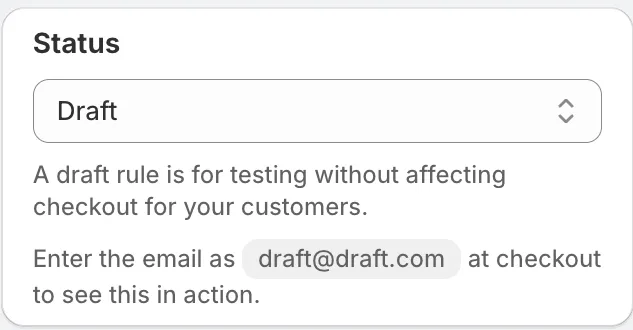
When it works, choose Activate in the Status card and save.
Actions
Rename the delivery methods added below
The only action for this rule type. It changes the label of each method you add to the list.
Settings
From
Finds the method: a Delivery method type, a logic (for example Name contains or Name is) and a value.
To
What to do with the name.
Options: Rename to, Add message, Add prefix, Add suffix. Default: Rename to.
- Rename to: replaces the whole name.
- Add message: adds a line of text to the method.
- Add prefix: adds your text before the name.
- Add suffix: adds your text after the name.
Rename text
The new name, message, prefix or suffix. It has a Translate button for other languages.
Status
Options: Draft, Activate, Deactivate.
Examples
Open Start from a use case on the rule page and pick one of these:
- Add estimated delivery date: adds “Arrives by…” style text to shipping method names.
- Rename free shipping to branded name: changes “Free Shipping” to your own delivery name.
- Rename for international customers: shows clearer shipping names for cross-border shoppers.
Limits
The Limitations card on the rule page lists:
- “Shipping rules don’t support draft orders.”
See Limits.