 See it in action
 Countdown: Code
Use this code where your theme has no slot for the app block, like product cards or a spot inside your theme’s own price line. It comes from the theme code library on the app’s Storefront blocks page. To open it, go to Promotions > More actions > See all blocks.
In the app, each entry has your store’s real details filled in. The
recipes and examples here say app--<app-id>--andor_display, so copy
them from the app before you paste.
For every widget’s code in one place, see Add AndOr with code.
Product card recipe
Longer Liquid for the product cards on collection, search and home pages, where apps cannot add a block. These recipes work with the app embed off.
- Dawn and similar themes: most go in
snippets/card-product.liquid. Each recipe says exactly where. - Horizon: do not paste these. Horizon builds its product cards from blocks, so add the AndOr Sale price or AndOr Savings badge app block to the card in the theme editor instead.
The numbers and the full notes for each recipe are in Product card recipes.
“Ends in Xh” urgency text
Recipe 8. Hours left on the sale, rendered by the server, no JavaScript.
{% comment %} AndOr Discount Display: hours left on the sale. {% endcomment %}
{% assign andor_item = card_product | default: product %}
{% assign andor_ends = andor_item.metafields.app--<app-id>--andor_display.best_ends_at.value | plus: 0 %}
{% assign andor_now = 'now' | date: '%s' | plus: 0 %}
{% comment %} Integer division truncates, so round up and say "under" rather than printing "0h". {% endcomment %}
{% assign andor_hours = andor_ends | minus: andor_now | divided_by: 3600 | plus: 1 %}
{% if andor_ends > andor_now and andor_hours <= 48 and andor_item.gift_card? != true %}
  <span class="andor-urgency" style="color:#c0392b;font-weight:600">Ends in under {{ andor_hours }}h</span>
{% endif %}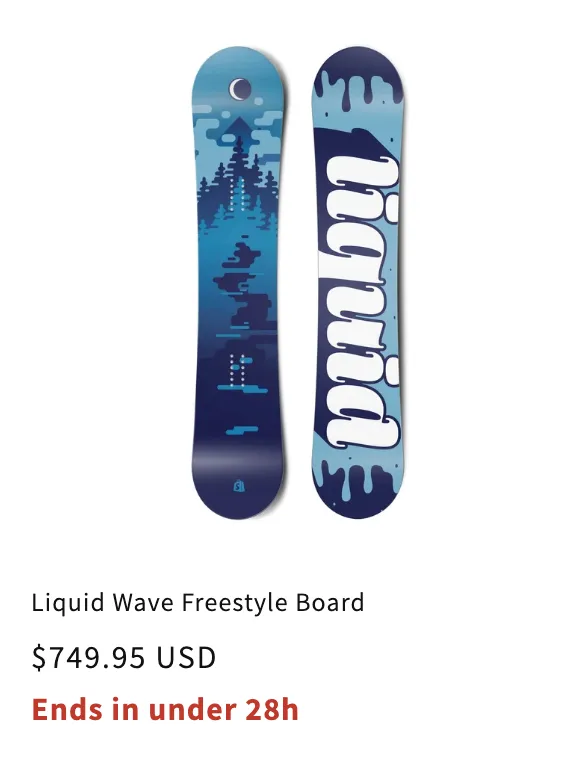
Where it goes: Under the price, wherever the price already is.
Developer example
Short Liquid to start your own code from. Each one keeps the common
rules and says what it skips. It is written for the product page. On a
product card, change product to card_product.
The same examples, with notes for developers, are in Developer examples.
Sale ends soon
“Sale ends in under 5 hours”, worked out on the server.
{% comment %} AndOr Discount Display: sale ends soon example. {% endcomment %}
{% assign andor_data = product.metafields.app--<app-id>--andor_display %}
{% assign ends_at = andor_data.best_ends_at.value | plus: 0 %}
{% assign now_seconds = 'now' | date: '%s' | plus: 0 %}
{% assign seconds_left = ends_at | minus: now_seconds %}
{% if seconds_left > 0 %}
  {% comment %} Round up and say "under", so it never reads 0. {% endcomment %}
  {% assign hours_left = seconds_left | divided_by: 3600 | plus: 1 %}
  {% assign days_left = hours_left | divided_by: 24 | plus: 1 %}
  <p class="andor-ends-soon" style="color: #c0392b;">
    {% if hours_left <= 48 %}
      Sale ends in under {{ hours_left }} hours
    {% else %}
      Sale ends in under {{ days_left }} days
    {% endif %}
  </p>
{% endif %}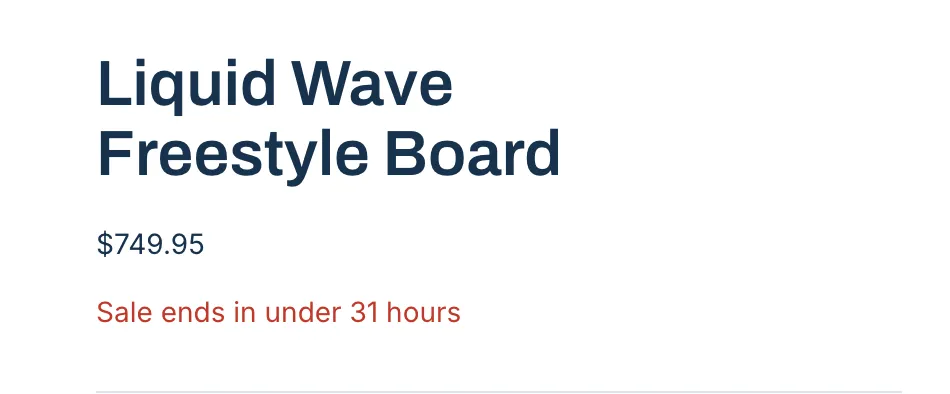
Where it goes: On a product page, in sections/main-product.liquid. On a product card, change product to card_product.
Skips: a ticking clock (the text is fixed when the page is built), storewide sales, gift cards. For the full rules use the AndOr Countdown block.