 See it in action
 Offer types
On this page
There are five offer types. You don’t pick the type yourself: the discount you link decides it. For example, a bundle discount always makes a Bundle offer.
The types at a glance
This is the one table of offer types. Each type links to the promotion that makes it.
| Offer type | Made by | Where it can show | Theme block |
|---|---|---|---|
| Volume picker | Volume discount | Product page | AndOr Volume tiers |
| Bundle | Bundle | Product page | AndOr Offer picker |
| Buy X get Y | Buy X get Y | Product page, cart page, cart drawer | AndOr Offer picker on the product and cart page. The app embed in the cart drawer. |
| Free gift | Free gift, and each gift tier of Tiered rewards | Product page, cart page, cart drawer | AndOr Offer picker on the product and cart page. The app embed in the cart drawer. |
| Goal suggestions | Order goal, Free shipping goal, Tiered rewards | Product page, cart page, cart drawer | AndOr Order goal. For the cart drawer, turn on Also show in the cart drawer on the block. |
The Where it shows list in the offer form shows every place. A place the type can’t use stays visible but off, with the reason, for example “Cart page (not for volume offers)”.
The Buy X get Y claim row, the gift slot and the gift chooser in the cart drawer need the AndOr Discount Display app embed and a theme that sends Shopify’s storefront cart events, like Horizon 4.0+ or Dawn 15.5+. Theme blocks on the product and cart page show without them. See What needs the app embed and Theme requirements.
Volume picker
“Volume discount. Shows a quantity picker on the product page.”
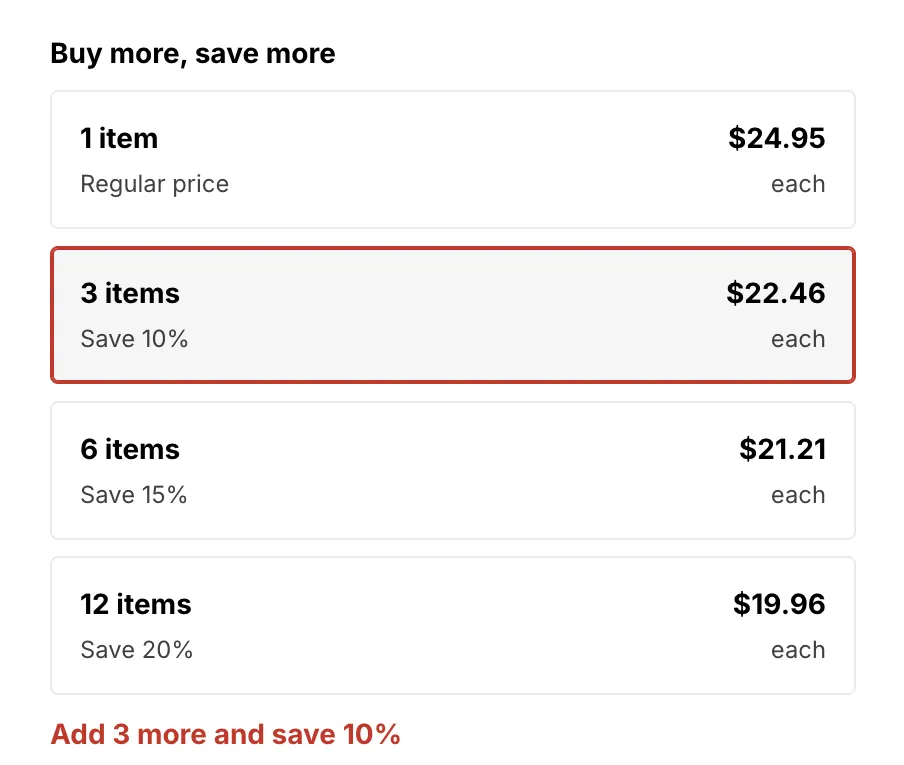
Shoppers pick a quantity tier and see what they save. Without a live Volume picker offer, the AndOr Volume tiers block shows a price table instead.
The picker layout is a theme setting. In the offer preview you can try Cards, List, Mini buttons and Boxes. To change the real layout, open the theme editor: AndOr Volume tiers block, Picker layout.
Goal suggestions
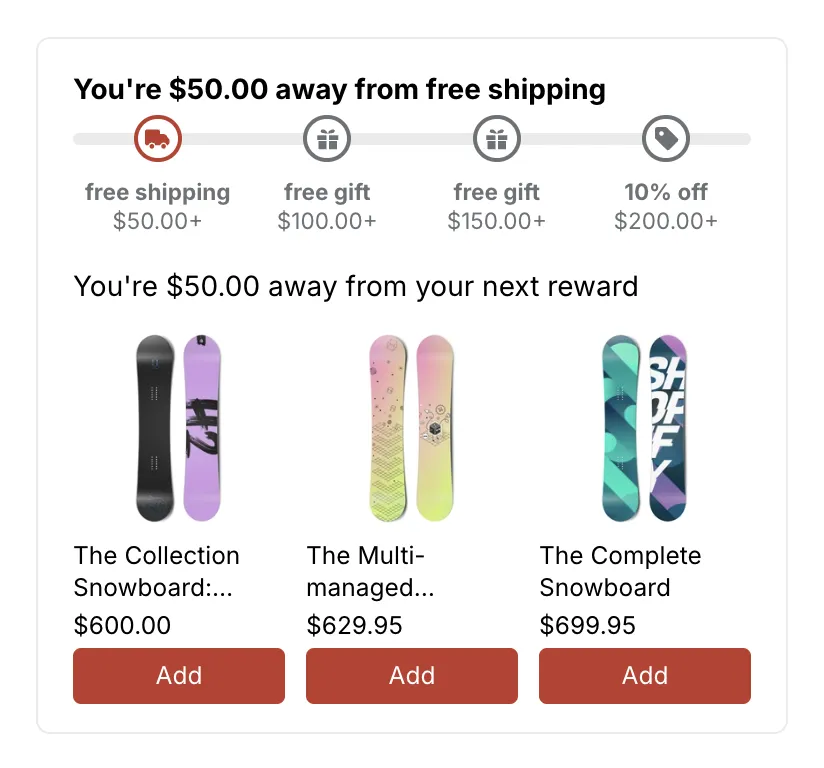
“Order goal. Shows product suggestions under the goal bar.” Free shipping goals and tiered rewards work the same way.
The suggestions sit inside the goal bar. They help shoppers reach the next reward.
Goal offers are the only type where you pick the products to suggest. See Message and where it shows.
Tiered rewards and gift tiers
A tiered rewards promotion gets one Goal suggestions offer for the goal bar. Each gift tier also gets its own Free gift offer. Those gift offers are made even when the upsell offer is off, because shoppers claim each gift through its gift offer. In the offers table, their rows read “Gift at” and the tier’s amount, and the goal bar’s row reads “Goal bar”.
Bundle
“Bundle. Shows a “Frequently bought together” card.”
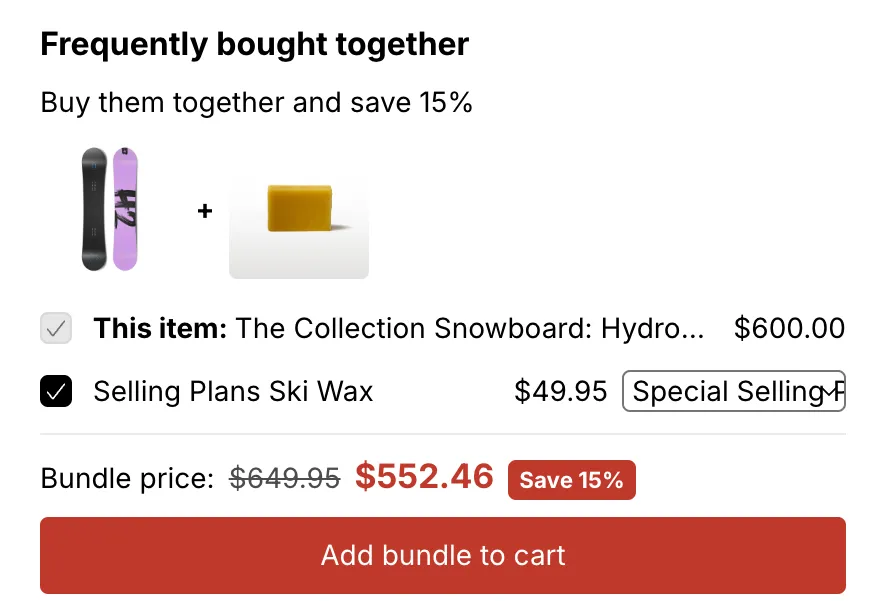
The card shows the bundle items, the bundle price and an Add bundle to cart button.
Buy X get Y
“Buy X get Y. Shows the deal on the product page and a Claim button in the cart.”
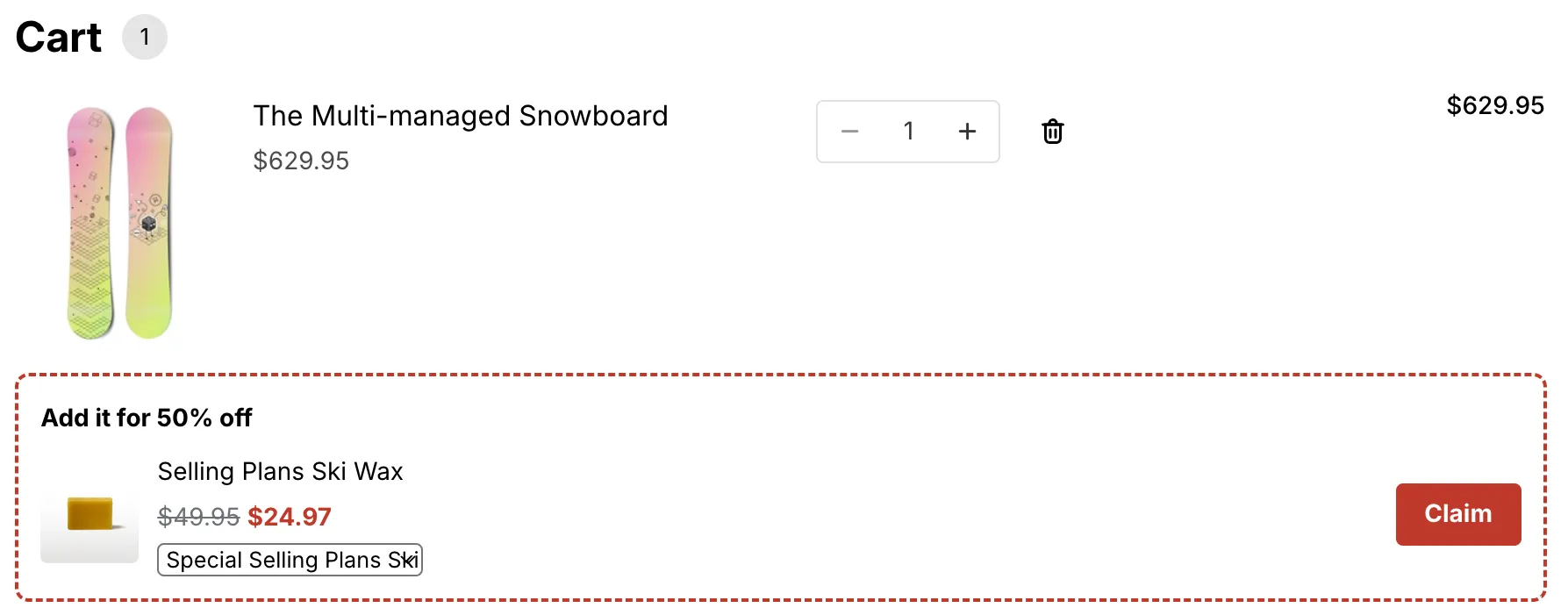
On the product page, shoppers see the deal. In the cart, a claim row shows the Y item with a Claim button. Nothing is added until the shopper presses it.
Free gift
“Free gift. Shows the gift in the cart, ready to add.”
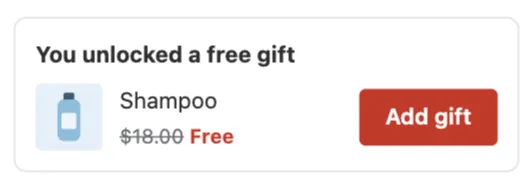
In the cart, a gift slot shows the gift with an Add gift button, or a Choose gift button when there are several gifts. On the product page, shoppers see a short line about the free gift. The gift is added in the cart, so tick Cart page or Cart drawer.
How the gift gets into the cart is one decision: added for the shopper, or chosen by the shopper. See Gift settings and Gift chooser.
Message variables per type
Each type can fill some of the message variables:
| Offer type | Quantity still needed | Next discount | Amount still needed |
|---|---|---|---|
| Volume picker | Yes | Yes | Yes |
| Goal suggestions | No | Yes | Yes |
| Bundle | Yes | Yes | No |
| Buy X get Y | Yes | Yes | Yes |
| Free gift | Yes | No | Yes |
The Insert: buttons only show the variables the type can fill.