 See it in action
 AndOr on a real store, step by step.
Screens from our demo store. Pick a promotion, see it on the product page and in the cart, then see what it added.
Pick a volume discount, BOGO or bundle.
Volume discount, bundle, Buy X get Y, free gift, order goal and more. Each one is a Shopify discount, the widgets that show it, and an upsell offer.
Promotions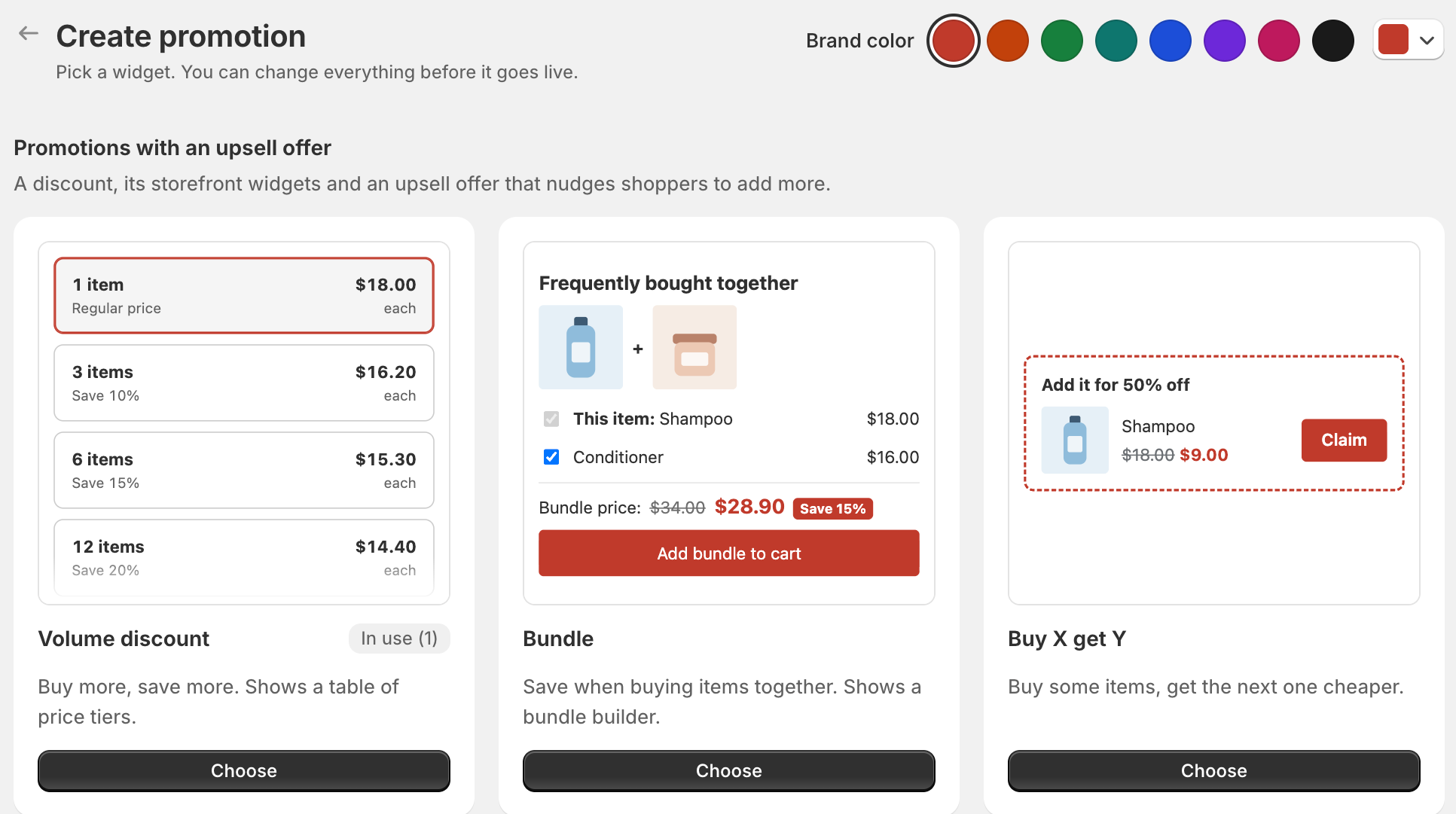
Quantity breaks on the product page.
A savings badge, then a volume tier picker with the price per item. The line under it says how many more to add for the next tier.
Storefront widgets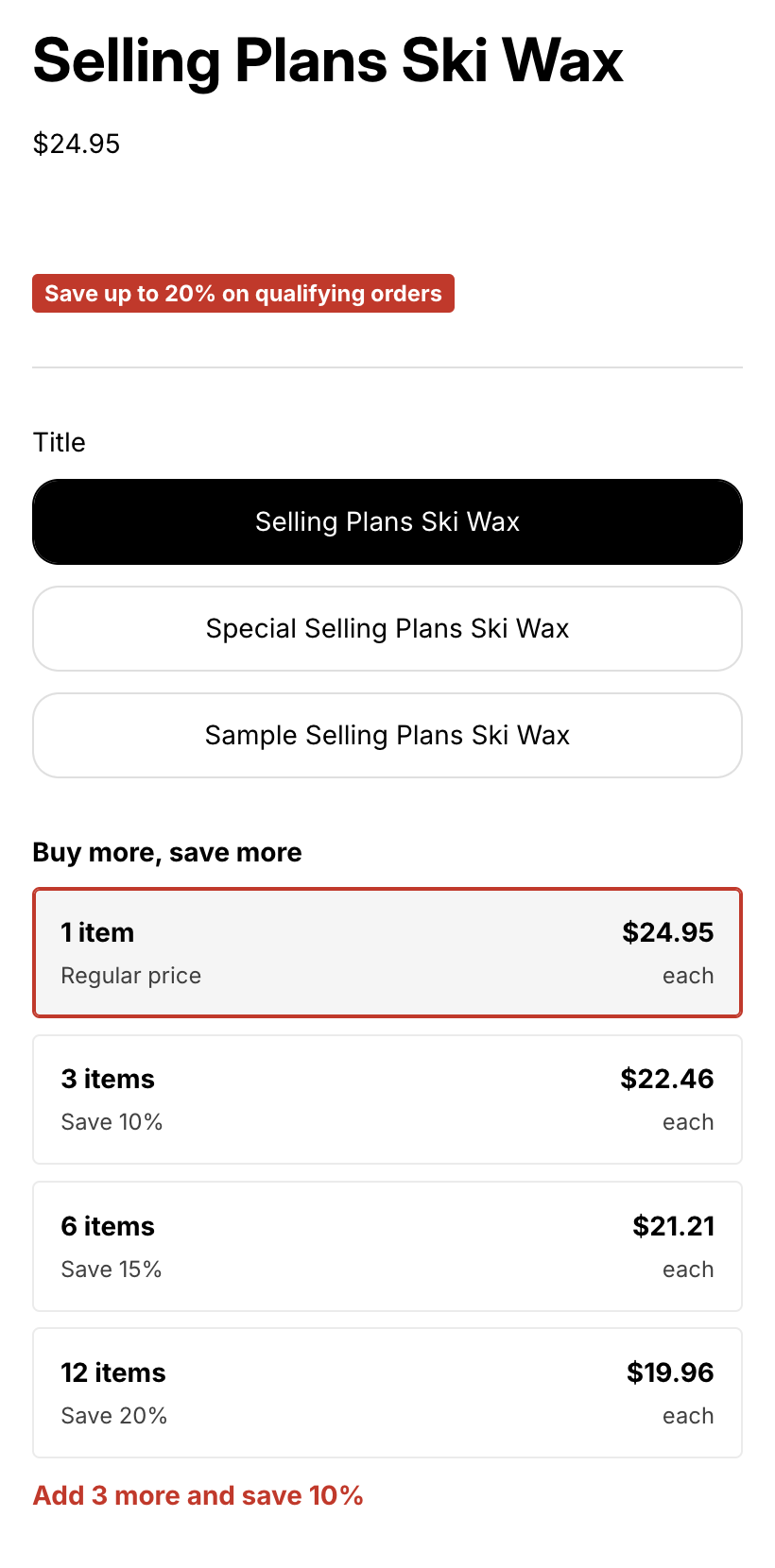
A free shipping bar and a free gift in the cart drawer.
The goal bar shows every reward and how close the shopper is. When a gift is unlocked, the gift slot lets them pick it.
Gift with purchase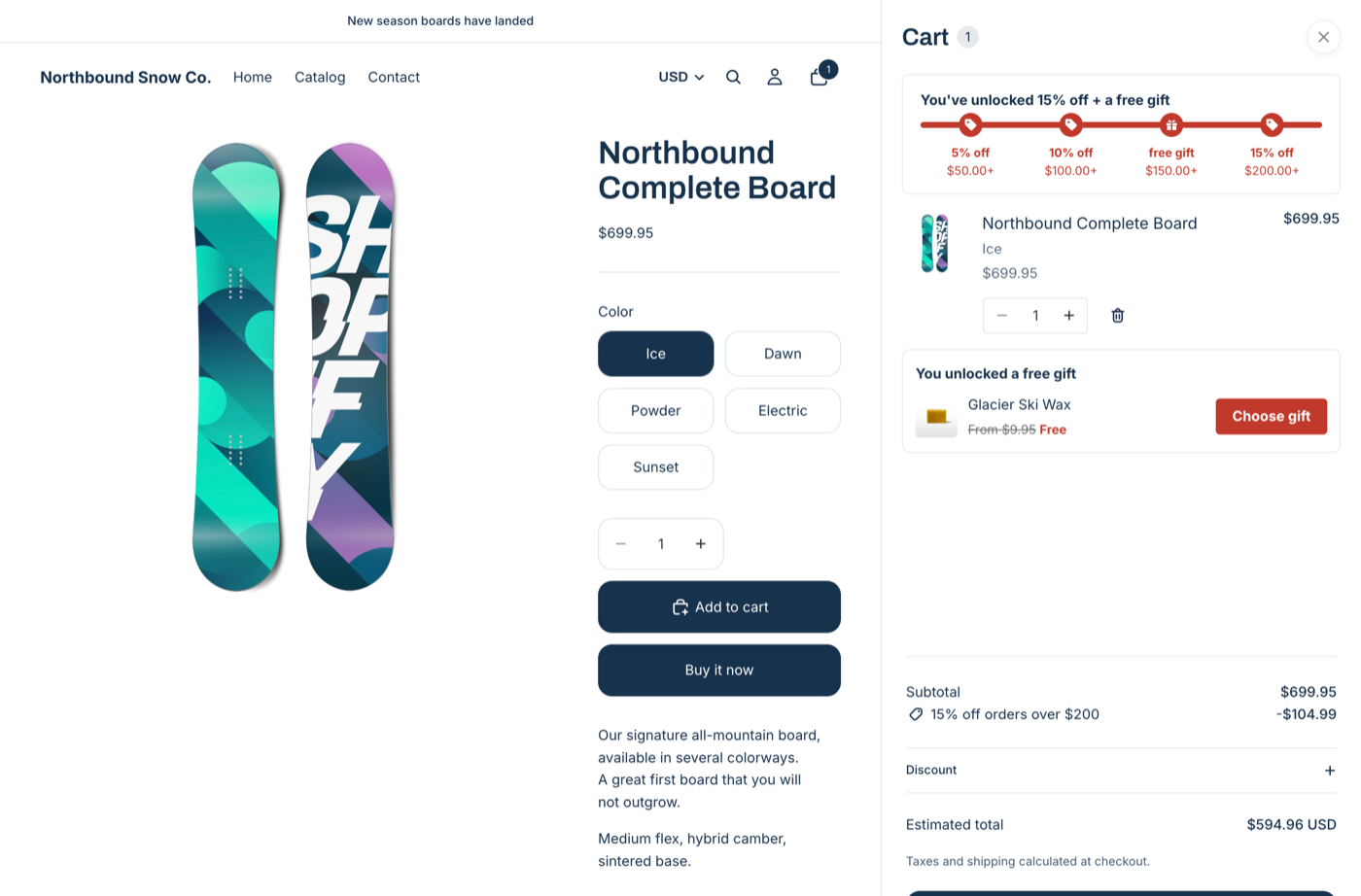
A cart drawer upsell that gets them there.
Under the goal bar, an upsell offer suggests products that reach the next reward. Shoppers add one in one click.
Upsell offers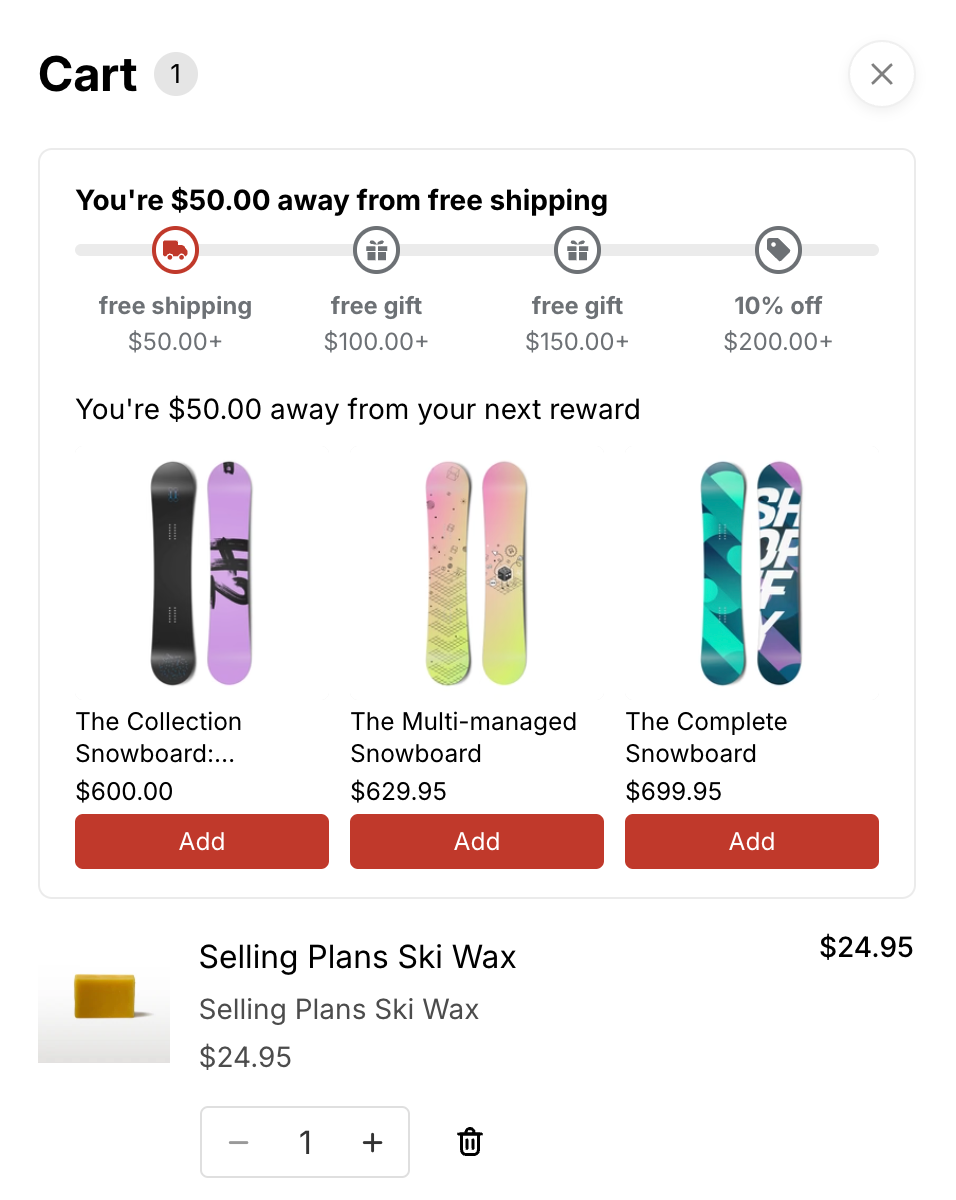
See what each offer adds.
Added revenue, orders, add rate and more, compared with the period before.
Analytics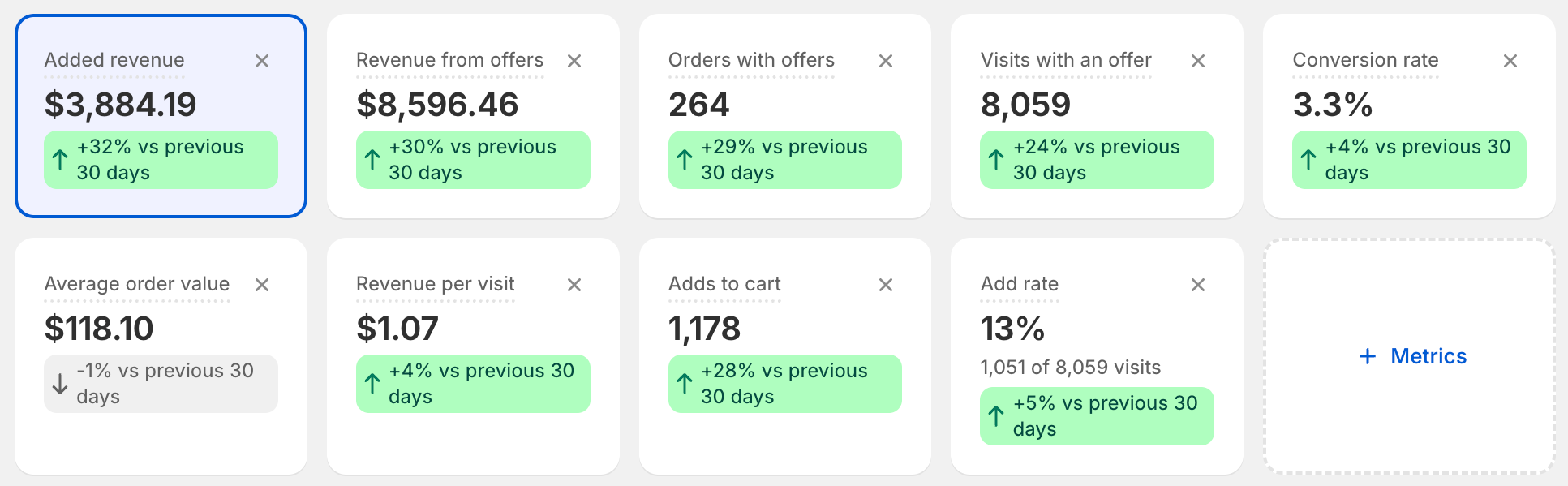
Try it on your store.
Free up to 50 orders a month. Prefer to click around first? Try the interactive demo.