 See it in action
 Cart updates
On this page
Upsell offers add items to the cart, and the gift slot can remove a gift. This page explains how each change reaches the cart, and how the theme’s cart is redrawn afterwards.
Adding an offer item
Bundle cards, Buy X Get Y claim rows, gift slots and goal fillers all add through one helper. It picks a path by what the page offers:
- The theme has
Shopify.actions.updateCart, and the page is not/cart. The item is added withShopify.actions.updateCart.- On a Dawn cart drawer, AndOr redraws the drawer through the Section
Rendering API (
?sections=) and Dawn’s ownrenderContents. - Otherwise it calls
Shopify.actions.openCart(), so the theme opens and redraws its own cart.
- On a Dawn cart drawer, AndOr redraws the drawer through the Section
Rendering API (
- The page is
/cart, or the theme has noShopify.actions. The item is posted to/cart/add.jsand the page reloads.
A refused add (one that returns userErrors) is treated as a failure.
Nothing is redrawn.
The _andor_offer_id line property
Every line an offer adds carries the line property _andor_offer_id,
the offer’s id. Gift lines also carry _andor_gift: auto (added for
the shopper) or pick (the shopper chose it). Shopify hides properties
that start with an underscore at checkout.
Your own widget can set the same property to credit its orders to an offer. See Measure your own widget.
Removing a gift
The gift slot removes its own gift lines when the shopper presses
Remove gift, or when the cart stops qualifying for an automatically
added gift. It sets the lines to 0 with /cart/update.js, then:
| Where | What happens |
|---|---|
The /cart page |
the page reloads |
| A Dawn cart drawer | AndOr redraws the drawer through ?sections= |
A Horizon cart drawer (cart-items-component) |
AndOr sends Horizon’s cart:update event on document |
| Anything else | the page reloads |
The cart:update detail follows Horizon’s shape:
/** cart:update (Horizon's shape; the app fills these fields) */
type AndorCartUpdateDetail = {
  resource: unknown; // the /cart.js response
  sourceId: "andor";
  data: { source: "andor"; itemCount: number };
};cart:update is Horizon’s own contract. AndOr speaks it only so Horizon
redraws its cart. Do not treat it as an AndOr event.
The “reload the page” gift setting
Some themes do not redraw their cart by themselves. For those, the merchant can turn on a gift setting in the app.
-
In AndOr, open the upsell offer for the gift.
-
In Gift settings, turn on Reload the page after a gift is added or removed.
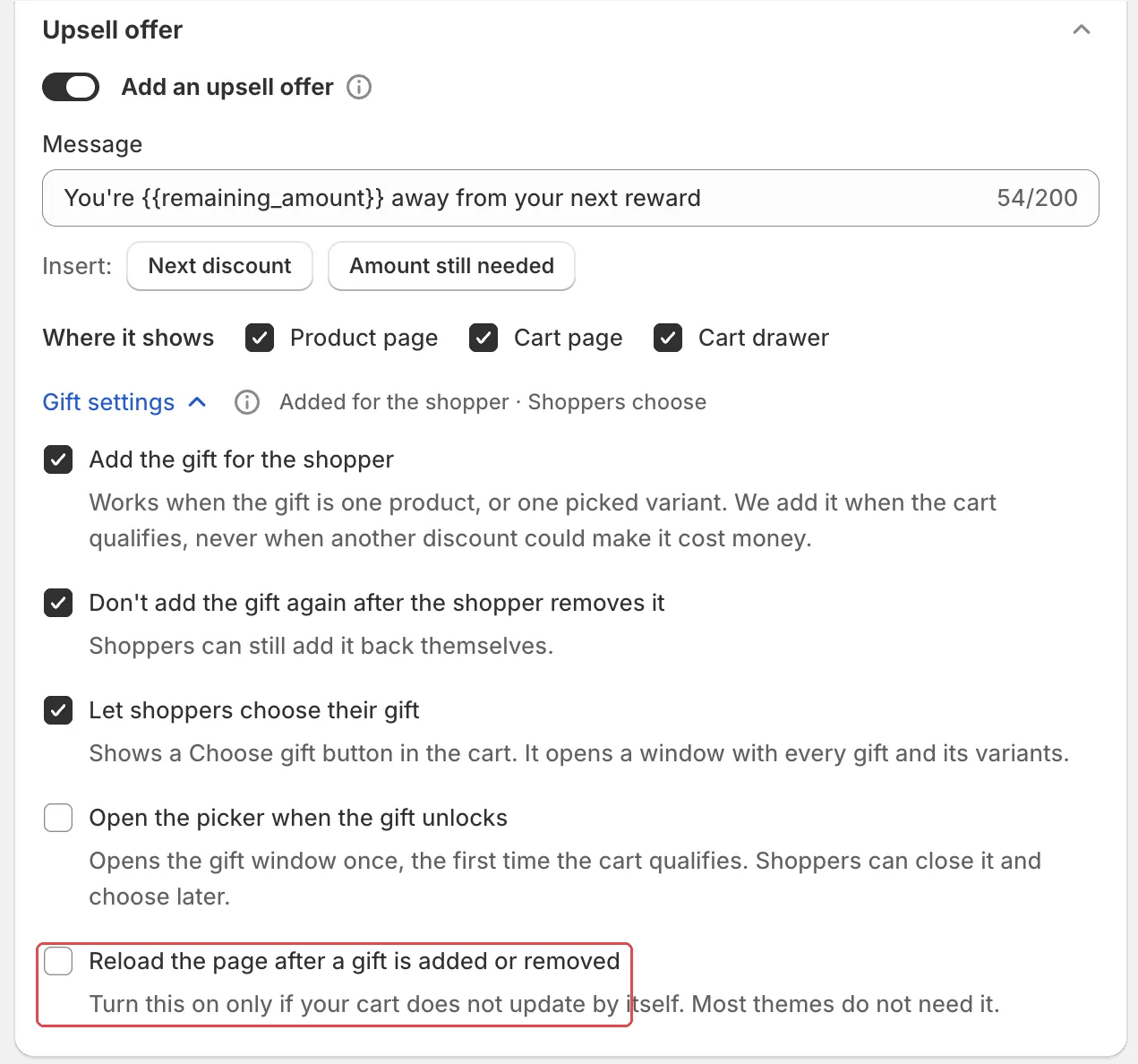
The app’s help text says: “Turn this on only if your cart does not update by itself. Most themes do not need it.” It is off by default.
With it on, the page reloads after the gift slot adds or removes a gift. See Gift settings.
How the widgets hear about cart changes
The goal bar, offer picker, volume picker line and goal fillers re-read
the cart when the theme sends shopify:cart:lines-update. The cart
drawer widgets draw on shopify:cart:view.
All AndOr scripts share one /cart.js read per cart change. While a cart
write is in flight, every read waits for it to land.
Tip On a custom theme, send
shopify:cart:lines-updateafter your own cart changes. The AndOr widgets then redraw with no extra code.